Executive Overview
The sports watch market has long been dominated by legacy ecosystems, forcing endurance athletes and outdoor enthusiasts to pay a premium for high-end feature sets. However, the release of the Suunto Race 2 has disrupted this pricing paradigm. Serving as the larger, more capable sibling to the Suunto Run, the Race 2 delivers many of the sophisticated metrics, high-resolution displays, and robust tracking suites typically reserved for top-tier, considerably more expensive Garmin devices—all while maintaining a more accessible price point.
What truly elevates the Suunto Race 2 above its direct competitors is its deep integration with the SuuntoPlus ecosystem. While the watch’s out-of-the-box software provides comprehensive native tracking for dozens of disciplines, the SuuntoPlus store acts as a functional software-development kit (SDK) marketplace. Here, users can download specialized sports apps, custom data screens, third-party integrations, and automated workout monitors that fundamentally transform the watch from a passive data collector into an active training coach.
Despite this immense potential, unlocking the full value of the Suunto Race 2 requires navigating a few non-intuitive menu structures and mastering hidden optimization workflows. From pre-loading localized offline maps over high-speed Wi-Fi connections to deploying advanced physiological threshold tests, calibrating real-time running cadence, and automating unstructured interval training through intelligent motion sensing, this report serves as the definitive authoritative guide to maximizing your investment in the Suunto Race 2.

Detailed Chronology & Setup Protocol
To fully harness the architectural capabilities of the Suunto Race 2, users must transition through a deliberate, structured setup process. Attempting to deploy advanced features in the field without prior preparation often results in sync failures, incomplete mapping data, or compromised workout tracking.
Phase One: Environmental Preparation and Offline Map Syncing
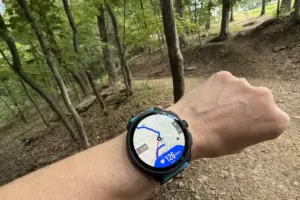
The Suunto Race 2 features a brilliant, high-contrast AMOLED display capable of rendering detailed, full-color topographical and trail maps directly on the wrist. However, rendering and downloading geographical data requires significant network bandwidth and processing overhead.
- The Wi-Fi Prerequisite: Users must never attempt to download large mapping files over cellular data at a remote trailhead. Network latency, signal drops, and power-saving protocols will almost certainly corrupt or stall the download. All map syncs must be executed while the watch is docked or connected to a stable, high-speed Wi-Fi network at home.
- Navigating the Map Menu: To access the offline mapping repository, tap the watch icon situated at the upper-left quadrant of the home screen, and scroll down to the Offline maps directory.
- Geographical Constraints: Unlike smartphone navigation apps that allow dynamic, arbitrary cropping of map zones, the Suunto ecosystem operates on rigid regional blocks. In North America, maps are distributed on a strict state-by-state basis (e.g., a user can independently download Pennsylvania and West Virginia, but cannot natively stitch together a single contiguous regional file that spans the border of both). Ensure all relevant state and regional jurisdictions are fully downloaded prior to departure.
- Field Deployment: Once successfully stored on the device’s internal flash memory, maps can be accessed independently of any smartphone tether by selecting Map from the onboard widget list, or by scrolling through data pages during an active GPS tracking session.
Phase Two: Discovering and Deploying SuuntoPlus Apps
The SuuntoPlus architecture is conceptually powerful, yet its interface can present a learning curve for newcomers migrating from rival platforms.

- Locating the Storefront: Access the application repository by tapping the watch icon and navigating to My SuuntoPlus sports apps. Here, users can search for specific utilities by name or browse the categorized library.
- Pre-Workout App Allocation: Sports apps cannot be dynamically launched or altered mid-stride with ease; they must be queued prior to initiating an activity. When selecting a sport profile (such as running or cycling), scroll down to reveal the SuuntoPlus sub-menu.
- The Three-App Limit: The system allows users to select up to three distinct sports apps to run concurrently during a single activity. Each active app occupies its own dedicated data page within the primary screen carousel. During a live workout, athletes can seamlessly cycle through these custom app screens by rotating or pressing the physical watch crown.
Supporting Context & Metrics: Advanced Training Optimizations
Once the foundational software infrastructure is established, users can deploy specialized SuuntoPlus applications designed to overhaul physiological metrics, correct running mechanics, and automate speed training.
+-------------------------------------------------------------------------+
|                  SUUNTOPLUS APP DEPLOYMENT FRAMEWORK                    |
+---------------------------+---------------------------------------------+
| App Name                  | Primary Training Objective                  |
+---------------------------+---------------------------------------------+
| Anaerobic Threshold Test  | Accurate determination of lactate threshold |
| Cadence Coach             | Real-time step-rate auditing and drills     |
| Sprint App                | Automated stride and fartlek lap logging    |
+---------------------------+---------------------------------------------+
1. Setting Scientifically Accurate Zones with the Anaerobic Threshold Test
Default heart rate zones calculated using age-based formulas (such as $220 – textage$) are notorious for their inaccuracy, frequently leading athletes to train either too hard on easy recovery days or too softly during high-intensity intervals.
The SuuntoPlus Anaerobic Threshold app replaces generic estimates with personalized physiological data derived from a structured field test:

- The Protocol: The application guides the user through a demanding, multi-phase workout. Following an extended, graded warm-up, the user is instructed to run at a maximally sustainable, flat-out pace for a continuous 30-minute block.
- Data Processing: Upon completion, the app analyzes the sustained heart rate curve to pinpoint the exact physiological inflection point corresponding to the user’s lactate threshold.
- System Integration: To apply these findings, navigate through the watch settings: Settings > Training > Intensity zones. Users can select Default HR zones for all sports or configure discipline-specific zones. The critical boundary separating Zone 4 and Zone 5 should be adjusted to match the exact beats-per-minute (bpm) output generated by the threshold test. Boundary markers for lower zones can then be fine-tuned using official Suunto calculation parameters.
2. Form Correction via the Cadence Coach
Running efficiency is heavily dictated by cadence—the number of strides taken per minute. Overstriding (landing with the foot too far forward of the body’s center of mass) acts as a braking force, increasing injury risk and wasting metabolic energy.
- Default Parameters: The Cadence Coach SuuntoPlus app installs a dedicated audio-visual metronome and data screen. By default, the application targets a cadence range of 80 to 90 strides per leg per minute (equating to a total cumulative footstep count of 160 to 180 steps per minute).
- Dynamic Recalibration: If the default target proves unrealistic for specific terrain, incline grades, or current fitness levels, users can press the bottom hardware button. The watch will sample the runner’s natural cadence over a mandatory 60-second window, instantly recalibrating the target zone to match that newly established baseline. The watch provides real-time audio and visual chimes if the runner drifts outside the target frequency window.
3. Automated Fartlek and Stride Logging with the Sprint App
For middle- and long-distance runners, short acceleration strides are an essential tool for maintaining neuromuscular speed and running economy. However, tracking unscripted strides on a traditional sports watch usually requires either tedious pre-programming of interval workouts or frantic manual clicking of the lap button mid-sprint.
- The Warm-Up Baseline: The SuuntoPlus Sprint App solves this by establishing a dynamic behavioral baseline. It initiates a mandatory 10-minute warm-up phase, logging the runner’s average baseline pace across walking or slow jogging segments.
- Motion-Triggered Laps: Once the warm-up concludes, the app monitors real-time velocity. Whenever the runner accelerates by 25% or more over their established warm-up baseline pace, the watch automatically recognizes the speed surge, triggers a new lap, and records the effort. When the runner decelerates back to recovery pace, the lap concludes automatically.
- Data Review: While there is a minor algorithmic lag of 5 to 10 seconds for the accelerometer and GPS fusion engine to register the pace shift, the resulting post-workout summary provides an unprecedented, friction-free record of stride count, duration, peak sprint velocity, and recovery intervals—allowing athletes to execute unstructured, fartlek-style speedwork without touching their watch.
Official Statements & Industry Reception
Sports technology analysts and industry experts have taken note of Suunto’s aggressive push into the mid-tier performance market. In technical evaluations across the fitness technology sector, the Suunto Race 2 has been widely praised for bridging the gap between ultra-premium hardware and accessible software architecture.

Industry engineers note that the inclusion of the SuuntoPlus ecosystem democratizes advanced features that were previously locked behind proprietary, high-end paywalls. By allowing third-party platforms like TrainingPeaks, intervals.icu, and hardware partners such as the Core 2 temperature sensor to interface directly with the device, Suunto has signaled a shift toward an open-architecture philosophy.
While Suunto representatives emphasize that native out-of-the-box tracking remains robust, the brand consistently positions the SuuntoPlus marketplace as the core differentiator for athletes seeking hyper-customized training environments. Feedback from beta testers and professional endurance coaches underscores the utility of automated apps like the Sprint and Cadence Coach applications, noting that reducing manual watch interaction during high-intensity intervals directly improves workout focus and execution quality.
Future Outlook
As the endurance sports wearable market matures, the competitive advantage is rapidly shifting away from raw hardware specifications—such as raw GPS chipsets or screen resolutions—and toward software intelligence, ecosystem flexibility, and physiological analytics.

The Suunto Race 2 illustrates this trajectory clearly. By relying on a modular app marketplace (SuuntoPlus) rather than static firmware updates, Suunto has ensured that the device can evolve alongside emerging training methodologies and third-party software standards. Looking ahead, industry analysts project that future iterations of these software-driven ecosystems will incorporate deeper artificial intelligence integrations, predictive fatigue modeling, and more fluid, cross-platform mapping synchronization that bypasses current regional restrictions.
For consumers and athletes currently navigating the saturated sports watch landscape, the Suunto Race 2 proves that elite-level training metrics no longer require a four-figure financial commitment. By mastering advanced workflows—such as proactive offline mapping, threshold zone recalibration, and automated cadence and sprint tracking—users can extract performance capabilities that rival, and in some cases surpass, the most expensive hardware offerings on the market today.