Executive Overview
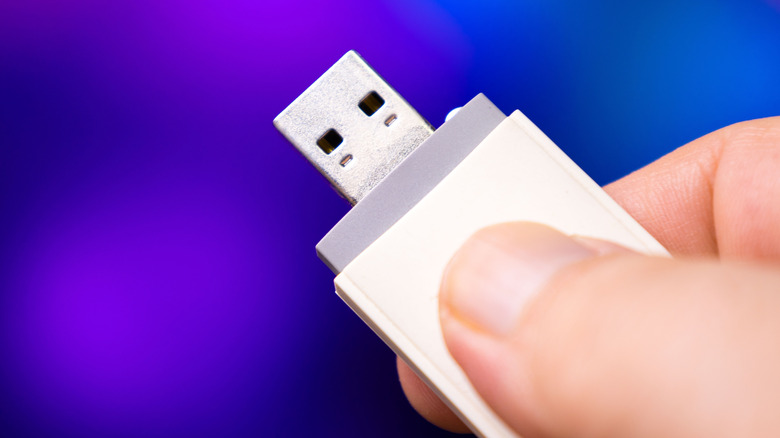
In the modern digital ecosystem, the humble USB thumb drive has slipped into a state of quiet ubiquity. Once the undisputed king of portable data management, flash drives have been largely sidelined by the conveniences of cloud storage, real-time messaging, wireless sharing ecosystems like AirDrop, and high-capacity external Solid-State Drives (SSDs). For many, these pocket-sized sticks are relics of a bygone era—forgotten in desk drawers, tucked away in backpacks, or holding nostalgic media from a decade or two ago.
However, beneath their unassuming plastic and metal exteriors lies a silent, ticking countdown. Relying on aging USB thumb drives to preserve important documents, family photos, or archival media is a high-stakes gamble. Driven by physical degradation, environmental wear, and the immutable laws of semiconductor physics, older flash memory is prone to structural failure and data corruption.
This comprehensive investigation explores why the data sitting on your older thumb drives is at critical risk, the underlying scientific mechanisms threatening your files, and actionable strategies for migrating your digital footprint to safer, more resilient storage mediums before it is too late.
Detailed Chronology: The Rise, Peak, and Obsolescence of Flash Media
To understand the vulnerability of modern thumb drives, it is essential to trace their technological evolution and how consumer habits have shifted around them.
The Turn of the Millennium: The Disruption of Floppy Disks and CDs
In the late 1990s and early 2000s, moving files between computers meant dealing with fragile floppy disks, bulky Zip drives, or burning fragile CD-Rs and DVD-Rs. The introduction of NAND flash-based USB thumb drives revolutionized personal computing. They offered solid-state durability (no moving parts), plug-and-play compatibility across operating systems, and capacities that quickly grew from megabytes to gigabytes. For students, professionals, and tech enthusiasts, the thumb drive was an indispensable tool.
The 2010s: The Shift Toward Ubiquitous Connectivity
As broadband internet speeds accelerated, cellular data networks matured, and cloud computing platforms expanded, the fundamental necessity of physical data transport began to erode. Email attachments grew larger, collaborative web suites rendered local file-passing obsolete, and mobile operating systems introduced frictionless peer-to-peer sharing tools. Thumb drives shifted from active, daily tools to passive containers—often used once to transfer a file and then tossed into a drawer, or left plugged into a television or router for media streaming.
The Present Day: The Looming Crisis of Forgotten Archives
Today, many consumers treat thumb drives as permanent vaults. Because flash drives require no external power source to retain data, users operate under the false assumption that they are archival time capsules. Unfortunately, time is precisely what flash memory cannot defeat. As memory pricing fluctuates and consumers look for ways to cut down on recurring cloud subscription costs, older, unmaintained thumb drives are facing a wave of cascading failures driven by physical aging, electrochemical degradation, and environmental exposure.
Supporting Context & Metrics: The Physics of Flash Failure
Why do thumb drives fail over time, and what are the specific failure vectors threatening stored files? The answer lies in the intersection of hardware design, semiconductor physics, and statistics.
1. The Finite Lifespan of Write Cycles
All flash storage—whether it is an enterprise-grade NVMe SSD or a promotional 4GB corporate giveaway USB stick—relies on NAND flash memory cells. These cells trap or release electrons through a process known as quantum tunneling, utilizing floating-gate or charge-trap transistors to represent binary data (1s and 0s).
Every time data is written to or erased from a flash cell, electrical stress is applied to the insulating oxide layer surrounding the trap. Over time, this insulation degrades.
- Write Endurance Limits: Consumer thumb drives typically feature write cycle endurance ratings ranging from 10,000 to 100,000 cycles per cell.
- The Absence of TRIM: Unlike standard computer SSDs, which utilize TRIM commands and sophisticated Flash Translation Layer (FTL) algorithms to manage wear leveling and reclaim deleted space, low-cost thumb drives often lack advanced controller management. If you actively use an older thumb drive for cyclical tasks, you are steadily burning through its finite lifespan until the memory controller locks the drive into a read-only state or causes total device failure.
2. Bit Rot and Charge Leakage
Even if a thumb drive sits completely untouched in a dark drawer, it is still vulnerable to bit rot.
- Electron Migration: Flash memory cells store data as electrical charges. Over a span of years, trapped electrons can slowly tunnel back through the insulating barrier via quantum mechanical leakage.
- Data Corruption: When enough electrons escape, a cell’s binary state flips from a ‘0’ to a ‘1’ (or vice versa). This results in corrupted file headers, unreadable archives, or entirely inaccessible partitions.
- Cosmic Ray Interference: While statistically minor at sea level—estimated at roughly one flipped bit per gigabyte per month—environmental background radiation and cosmic rays can also impact floating-gate transistors. On a long enough timeline, improbable anomalies become statistical certainties.
3. Mechanical and Environmental Vulnerabilities
Thumb drives boast the advantage of lacking moving parts (unlike traditional Hard Disk Drives with spinning platters), but they are far from indestructible.
- Component Degradation: The USB connector itself, solder joints on the internal printed circuit board (PCB), and the microscopic controller chip are all susceptible to physical stress, thermal expansion, and mechanical fatigue. Repeatedly plugging and unplugging a drive can fracture microscopic traces.
- Corrosion and Contamination: Flash drives stored in humid basements, hot attics, or fluctuating garage environments are prime targets for oxidation, galvanic corrosion of metal pins, and even mold growth within the plastic casing.
Official Guidelines: The 3-2-1 Backup Strategy and Best Practices
Given the vulnerability of aging physical media, data recovery and preservation experts advocate for standardized risk-mitigation frameworks.
The Golden Rule of Data Preservation: The 3-2-1 Strategy
When evaluating how to rescue files from old thumb drives and ensure they are never lost, the cybersecurity and data recovery community universally recommends the 3-2-1 Backup Rule:
- Maintain at least three (3) total copies of your data: your primary working set and two backups.
- Utilize at least two (2) different storage mediums (e.g., your computer’s internal storage, an external SSD, or a local network-attached storage [NAS] device).
- Keep at least one (1) backup off-site, such as a secure cloud storage provider or a physical drive stored at a separate geographical location (like a relative’s house or a bank safe deposit box).
Evaluating Your Target Destinations
- External SSDs: For high-capacity local backups, modern external solid-state drives offer significantly better durability, speed, and wear-leveling technology than legacy thumb drives. They are ideal for housing large photo libraries and system images.
- The Cloud Dilemma: While cloud services (such as iCloud, Google Drive, Microsoft OneDrive, and Dropbox) offer seamless remote redundancy, they come with caveats. Users face recurring subscription fees, dependency on continuous internet connectivity, and privacy concerns regarding corporate data governance and third-party data access policies.
- Local Computer Storage: Storing critical files exclusively on a primary laptop or desktop hard drive is risky. If the computer experiences a catastrophic logic board failure or power surge, extracting data can require costly professional cleanroom recovery services.
Future Outlook: Moving Beyond the Thumb Drive Era
As we look toward the future of personal technology, the standalone USB thumb drive is rapidly transitioning from a utility device into a niche accessory. While ultra-compact storage will always have tactical uses—such as flashing operating system installers, running portable diagnostic utilities, or transferring unencrypted text files on the fly—relying on them for long-term digital preservation is a relic of the past.
The Evolution of Archival Standards
In the coming years, consumer-grade cold storage will likely shift toward higher-density solid-state architectures, decentralized personal cloud nodes (such as home-based NAS setups), and ultra-durable optical or quartz-based experimental media designed to last centuries. However, until those technologies become ubiquitous for everyday consumers, the immediate responsibility falls on individual users.
Action Plan for Device Owners
If you have a collection of old USB thumb drives sitting in a drawer, the time to act is now:
- Audit Your Inventory: Gather all legacy flash drives.
- Test and Verify: Plug them into a modern, secure machine and systematically verify the integrity of the files inside.
- Migrate and Diversify: Copy your files immediately using the 3-2-1 backup methodology. Move critical documents to a reliable external SSD and an encrypted cloud service, while archiving sentimental media across multiple physical locations.
- Retire or Repurpose: Once your data is safely extracted and backed up, securely wipe or physically retire those aging thumb drives. Do not wait for the laws of physics and the silent ticking clock of flash degradation to make that decision for you.