Executive Overview
In the lifecycle of production data processing scripts, silent time bombs are frequently embedded in what appear to be routine lines of code. For over a year, a standard payments log parser ran without incident, seamlessly opening files, parsing entries, filtering out anomalies, and outputting structured operational tables. However, following a routine infrastructure update to log rotation policies, an entire week’s worth of network traffic was consolidated into a single, massive 9-gigabyte log file.
The nightly processing job abruptly crashed, terminating with a fatal MemoryError before a single log entry could be summarized.
Crucially, the underlying parsing logic contained no syntax or algorithmic errors. The root cause of the failure was entirely architectural: the creation of an expansive in-memory list.
By demanding that every parsed record, filtered error, and performance metric exist simultaneously within random-access memory (RAM), the script violated fundamental principles of resource-constrained systems engineering.
This comprehensive analysis explores how developers can harness Python’s built-in iterators, generator functions, and generator expressions to construct robust, memory-efficient data processing pipelines. By transforming eager data ingestion models into lazy, streaming workflows, engineers can handle arbitrarily large datasets—ranging from multi-gigabyte log dumps to expansive JSONL training corpora for machine learning—without exhausting system memory.
Detailed Chronology: The Anatomical Evolution of a Memory Leak
To understand the mechanics of memory exhaustion, one must examine how Python handles data structures natively. Consider the initial, problematic implementation of the payment log processor:
with open("app.log") as f:
    records = [parse(line) for line in f]  # Every record exists at once
errors = [r for r in records if r["level"] == "ERROR"]
slow = [r for r in errors if int(r["latency_ms"]) > 1000]
During code reviews, blocks like this routinely pass unnoticed. They appear clean, idiomatic, and concise. Yet, under the hood, this code generates three distinct lists in RAM.
The first list comprehension forces the application to load, parse, and store every single record from the file before any downstream filtering can even begin. If the file is 9 GB, the resulting list consumes many times that amount in memory overhead due to Python’s internal object representation.
The Iterator vs. Iterable Contract
The antidote to this memory bloat lies in Python’s iterator protocol—a foundational contract that has existed within the language for over two decades.
An iterable is any Python object capable of returning its members one at a time (e.g., lists, strings, dictionaries, or open file objects). An iterator, conversely, is a stateful cursor that remembers current traversal positions.
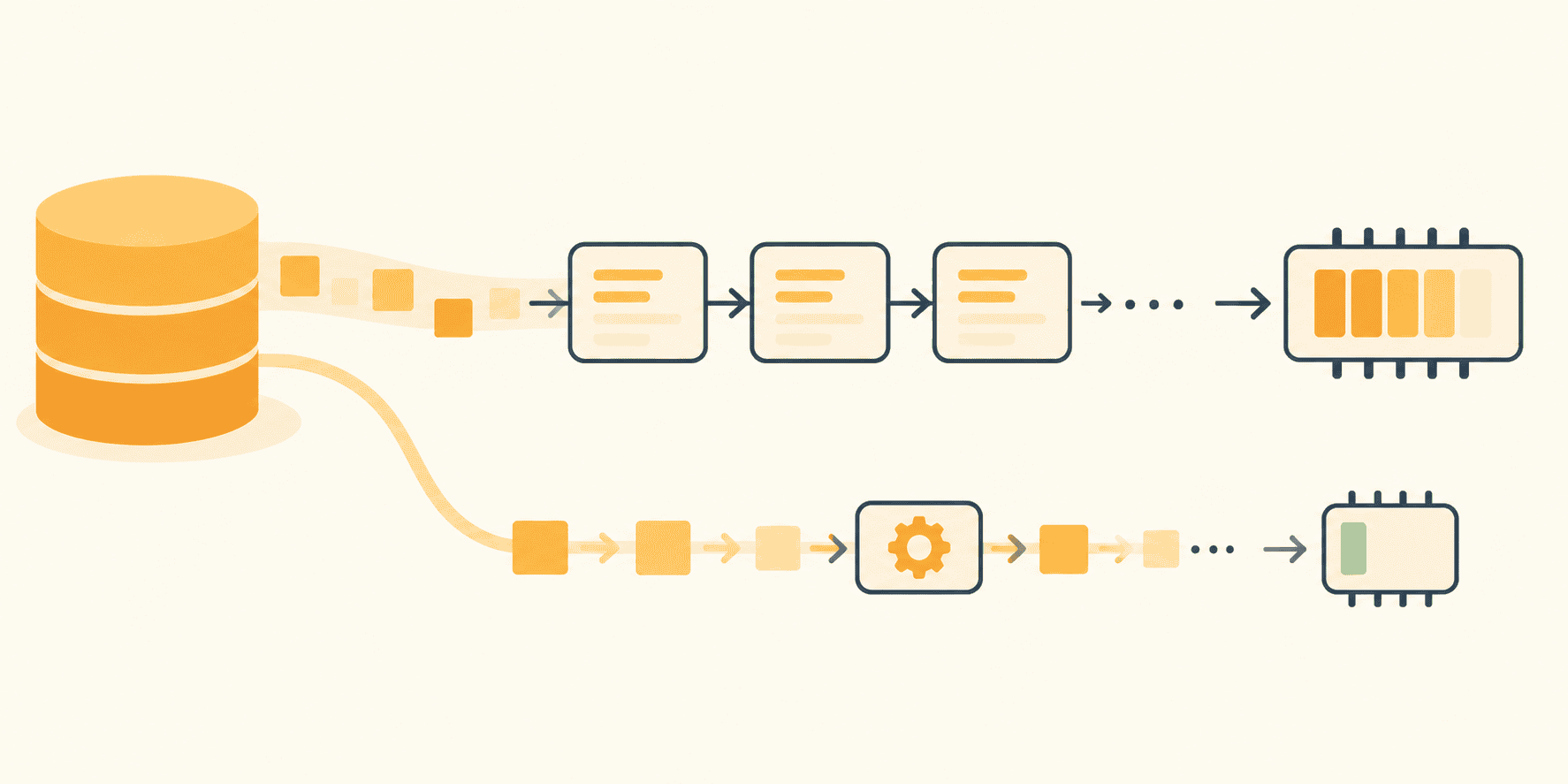
When a for loop executes over an open file (for line in f), Python invokes the iter() builtin once to secure an iterator, and subsequently calls next() on that object until a StopIteration exception is raised.
numbers = iter([10, 20, 30])
next(numbers)  # 10
next(numbers)  # 20
next(numbers)  # 30
next(numbers)  # Raises StopIteration
Unlike lists, an iterator does not duplicate data; it maintains a cursor. When applied to a file stream, this mechanism requires only a small read buffer rather than megabytes or gigabytes of string objects.
However, this forward-only nature introduces behavioral caveats. Exhausted iterators do not automatically rewind. If a generator or iterator appears empty upon a second traversal, it is not because data vanished; it is because the first pass consumed it.
Leveraging Built-in File Iterators
Before writing custom generator functions, developers should capitalize on the memory efficiency already provided by Python’s standard library.
Using f.read() pulls an entire file into a single string, while f.readlines() constructs a list of individual line strings. Conversely, iterating directly over the file object via for line in f reads buffered chunks sequentially, keeping precisely one line in memory at any given moment:
# EAGER: The whole file becomes a list of strings first
with open("app.log") as f:
    lines = f.readlines()
for line in lines:
    handle(line)

# LAZY: One line in memory at a time
with open("app.log") as f:
    for line in f:
        handle(line)
This simple shift solves memory saturation—provided the algorithmic operations themselves remain line-oriented. If an application demands global sorting or cross-file deduplication, an iterator alone will not suffice.
Supporting Context & Metrics: Building Lazy, Multi-Stage Pipelines
To move beyond simple line iteration without sacrificing memory efficiency, developers can structure complex data pipelines using generator functions and generator expressions. Any function containing the yield keyword becomes a generator function. Calling it executes no code within its body; instead, it returns a generator object that evaluates dynamically on demand.
import re

LINE = re.compile(r"^(?P<ts>S+) (?P<level>[A-Z]+) (?P<service>[w-]+)(?P<rest>.*)$")

def read_lines(paths):
    for path in paths:
        with open(path, encoding="utf-8") as f:
            yield from f

def parse_records(lines):
    for line in lines:
        match = LINE.match(line)
        if match is None:
            continue
        record = match.groupdict()
        record["fields"] = dict(
            item.split("=", 1) for item in record.pop("rest").split() if "=" in item
        )
        yield record

def only_level(records, level):
    for record in records:
        if record["level"] == level:
            yield record
Mechanism of Suspension and State Retention
The core power of generators stems from execution suspension. When parse_records encounters a yield statement, Python preserves all local states: variable bindings, instruction pointers, and internal evaluation stacks.
The function pauses mid-loop, holding precisely one record in scope. Because the upstream file pointer has not advanced to the subsequent line, the next record does not yet exist in memory.
When chained together, these stages form a completely lazy execution path:

from itertools import islice

lines = read_lines(["app.log.2", "app.log.1", "app.log"])
records = parse_records(lines)
errors = only_level(records, "ERROR")
slow = (r for r in errors if int(r["fields"].get("latency_ms", 0)) > 1000)
rows = ((r["ts"], r["service"], r["fields"].get("request_id", "-")) for r in slow)

for row in islice(rows, 5):
    print(row)
Empirical Metrics: Tracing Allocations
To verify the practical impact of architectural laziness, the standard library’s tracemalloc module can be deployed to measure actual memory allocations during execution:
import tracemalloc

tracemalloc.start()
write_batches(rows, "slow_errors.tsv")
current, peak = tracemalloc.get_traced_memory()
tracemalloc.stop()

print(f"Current current / 1e6:.1f MB, peak peak / 1e6:.1f MB")
When evaluated against a synthetic 200,000-line log file (approximately 17 MB):
- The Eager Implementation peaked at 198 MB of RAM usage.
- The Streaming/Lazy Implementation peaked at a mere 0.4 MB, with memory consumption remaining flat even as input file sizes scaled upward.
Official Statements and Architectural Best Practices
Core Python documentation and engineering consensus highlight that laziness must be maintained consistently from ingestion to output. Introducing a single eager operation—such as invoking list(), sorting data with sorted(), or aggregating items in unconstrained dictionaries—reintroduces the original memory vulnerability.
Bounding Data at the Boundary
Laziness does not imply that data must never be materialized; rather, materialization should occur exclusively at system boundaries (e.g., database insertions, file writes, or API payloads) in controlled batches.
Modern Python (3.12+) includes itertools.batched(), which efficiently groups streams into tuples of predetermined sizes:
from itertools import batched

def write_batches(rows, path, size=1000):
    with open(path, "w", encoding="utf-8") as out:
        for batch in batched(rows, size):
            out.writelines(f"tstservicetridn" for ts, service, rid in batch)
            out.flush()
For legacy environments running Python 3.11 or earlier, an equivalent generator recipe using islice can be implemented:
from itertools import islice

def batched(iterable, n):
    it = iter(iterable)
    while batch := tuple(islice(it, n)):
        yield batch
Future Outlook
As modern workloads expand—driven by massive telemetry pipelines, high-frequency financial ledgers, and large-scale machine learning pre-processing tasks—the importance of stream-oriented software design cannot be overstated. Datasets routinely outgrow the physical RAM of local development environments and cloud instances alike.
Engineers must recognize that certain operations are inherently non-streamable: global sorting, exact deduplication across unconstrained domains, and statistical percentiles require holistic data visibility. Recognizing these constraints early prevents flawed architectures that attempt to stream unbounded data into blocking sorting operations.
Ultimately, writing memory-efficient Python code is an exercise in discipline and structural clarity. By chaining file iterators, custom generator functions, and bounded batch sinks, developers ensure their applications remain resilient, performant, and immune to catastrophic memory exhaustion, regardless of how large tomorrow’s datasets become.