For nearly eight years, building a custom WordPress block has meant stepping outside the comfortable bounds of traditional WordPress development. Ever since the Gutenberg block editor was introduced to core, developers who wanted to craft bespoke editorial experiences faced an unavoidable rite of passage: mastering React, configuring complex Webpack or Babel build pipelines, wrestling with NPM dependencies, and synchronizing configuration files across PHP and JavaScript boundaries.
For many classic theme authors, plugin developers, and agencies managing legacy codebases, this technological shift created an invisible wall. The cost of entry was simply too high to justify rewriting functional PHP components into modern JavaScript frameworks.
With the official release of WordPress 7.0, that paradigm is shifting dramatically. WordPress has introduced a radically simplified block-building experience: PHP-only block registration. Utilizing a new autoRegister flag, developers can now register, render, and manage custom blocks using exclusively PHP—bypassing NPM, React, and build tools entirely.
While this long-awaited capability comes with distinct architectural limitations, it solves a massive industry bottleneck. It serves as a definitive bridge for legacy code migration, making it possible to transition classic themes to modern block-based architectures in a fraction of the time.
Detailed Chronology: The Road to PHP-Only Blocks
The Genesis of the Gutenberg Era (2018–2020)
When the Block Editor (codenamed Gutenberg) first merged into WordPress Core in late 2018 (Version 5.0), it fundamentally altered the content management landscape. Transitioning from the classic tinyMCE text editor to a component-driven architecture required a unified client-side framework. Because the WordPress core team chose React for the editor’s UI, developers were forced to adopt a dual-registration workflow. A single block required definition in PHP (for server-side recognition and assets) and JavaScript (via block.json and React components for the editor interface).
The Tooling Overhead Crisis (2021–2024)
As full-site editing (FSE) evolved into block themes, the friction between traditional PHP development and modern JavaScript toolchains became a frequent topic of debate within the community. Developers accustomed to dropping a snippet into functions.php now had to maintain Node modules, run npm run build commands on deployment servers, and manage constantly breaking dependency updates. Many smaller agencies and independent developers chose to stick with classic themes indefinitely, avoiding the high friction of the block ecosystem.
The WordPress 7.0 Breakthrough (2026)
Recognizing that developer adoption was stalling among traditional PHP shops, the core contributors initiated discussions around server-driven client interfaces. The culmination of this effort arrives in WordPress 7.0, introducing native support for server-rendered blocks that automatically generate client-side editor wrappers. By passing the autoRegister => true parameter, WordPress now handles the heavy lifting of bridging PHP data to the JavaScript-powered editor behind the scenes.
Supporting Context & Metrics: Analyzing the PHP-Only Approach
To fully understand the implications of this feature, developers must evaluate both its immense utility in specific scenarios and its strict technical boundaries.
How It Works: The "Hello World" Example
Under the new system, registering a functional block requires only a standard WordPress hook and an array passed to register_block_type():
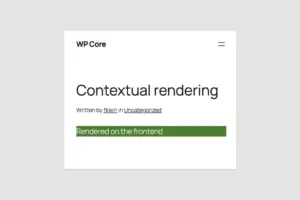
By adding 'autoRegister' => true, WordPress automatically constructs the client-side UI scaffolding, rendering a clean preview inside the block editor without requiring a single line of React code.
Architectural Limitations
Despite its elegance, PHP-only block registration is bound by the stateless nature of the REST API and the asynchronous rendering cycle of the editor. Developers must navigate four critical constraints:
No Direct DOM Interactions in the Editor: Because block previews are fetched asynchronously via REST API endpoints, any JavaScript libraries dependent on static DOM nodes (such as sliders or interactive carousels) will break upon re-render in the editor canvas.
Stale Data Risks: PHP-only blocks query the database directly during their render cycle. They do not subscribe to the client-side JavaScript data store. Consequently, if a user modifies the post title or custom fields in the editor, a PHP-rendered block will display stale data until the post is explicitly saved and the page is reloaded.
Stateless REST Context: Unlike front-end rendering—which executes within "The Loop" and retains global variables like $post—REST API block rendering is stateless. Out of the box, the block editor’s render callback does not inherently know which post ID is actively being edited, requiring clever workarounds via query parameters or local attribute mapping.
Restricted Attribute Types & Interfaces: WordPress 7.0 limits PHP-only blocks to three core attribute types: strings, numbers, and booleans. These map to basic form controls (text inputs, numbers, checkboxes, and simple dropdowns). Advanced editorial interfaces—such as rich-text editors, media library image uploads, or keyed dropdown arrays—remain strictly out of reach without custom JavaScript development.
Official Perspectives & Industry Reception
The developer community’s reaction to WordPress 7.0 has been a mix of cautious pragmatism and profound relief.
Core contributors have emphasized that PHP-only blocks were never intended to replace JavaScript-powered components for complex, highly interactive applications. Instead, the feature targets a very specific pain point: legacy code migration.
"For building new, feature-rich, highly dynamic blocks, PHP-only registration is not the right tool," notes lead documentation contributors. "You need JavaScript to deliver the native-feeling editing experiences users expect. But for thousands of sites stuck on classic themes due to migration costs, this feature changes everything."
Agencies managing sprawling portfolios of legacy WordPress sites have praised the update. Features previously locked inside custom shortcodes, widget areas, or theme template files can now be wrapped in server-side render callbacks and dropped directly into block template parts. This drastically reduces the man-hours required to upgrade older client websites to modern block themes.
Future Outlook: The Shift Toward Developer Experience
The introduction of PHP-only block registration signals a broader cultural shift within WordPress Core development: a renewed focus on Developer Experience (DX).
For years, the mandate of modernizing WordPress often meant piling complexity onto developers who valued PHP for its simplicity, speed, and reliability. By smoothing out the onboarding curve for block themes, WordPress 7.0 lowers the barrier to entry for the millions of developers who built their careers on PHP.
What Lies Ahead in Future Releases?
Looking beyond version 7.0, the core team is expected to refine server-driven workflows. While immediate plans do not include expanding PHP-only attribute types to support complex media pickers or multi-line rich text, community-led Request for Comments (RFCs) are pushing for better post-context injection in REST API block requests. Furthermore, upcoming core updates—such as the mandatory enforcement of iframed post editors in version 7.1—will make styling PHP-rendered blocks vastly more consistent, bridging the visual gap between backend editing and front-end presentation.
Strategic Recommendations for Developers
Audit Legacy Codebases: Identify custom shortcodes, complex widgets, and hardcoded theme headers that have prevented your organization from adopting full-site editing.
Leverage the Migration Path: Use PHP-only blocks as a rapid prototyping and migration bridge. Get your sites onto block themes quickly, replacing server-rendered blocks with native JavaScript components only when high-interactivity demands it.
Adopt Block API Version 3: Ensure all custom blocks adhere to modern standards to guarantee seamless compatibility with iframed editor environments.
Ultimately, WordPress 7.0 proves that the platform hasn’t forgotten its roots. By acknowledging that not every block requires a JavaScript build pipeline, WordPress has delivered a pragmatic, high-utility feature that honors its past while securing its future in the block-driven web.