Executive Overview
In enterprise software engineering, code that functions flawlessly under standard development loads can catastrophically fail when exposed to edge cases in production. A prime example of this fragility is the naive handling of large-scale text files and logs. Consider a routine nightly Python script designed to parse, filter, and summarize system payment logs. For months, it operates efficiently. It opens the target file, constructs a list of parsed records in memory, filters out execution errors, and compiles a clean, readable summary table.
However, a sudden shift in production log rotation policies alters the infrastructure landscape. Instead of manageable hourly or daily increments, an entire week’s worth of high-volume traffic coalesces into a single 9 GB payload. The next execution cycle terminates abruptly with a MemoryError before generating a single line of output.
Crucially, the underlying parsing logic is entirely sound. The systemic failure is not a flaw in the business logic, but a structural bug rooted in how the data structure was initialized: the list.
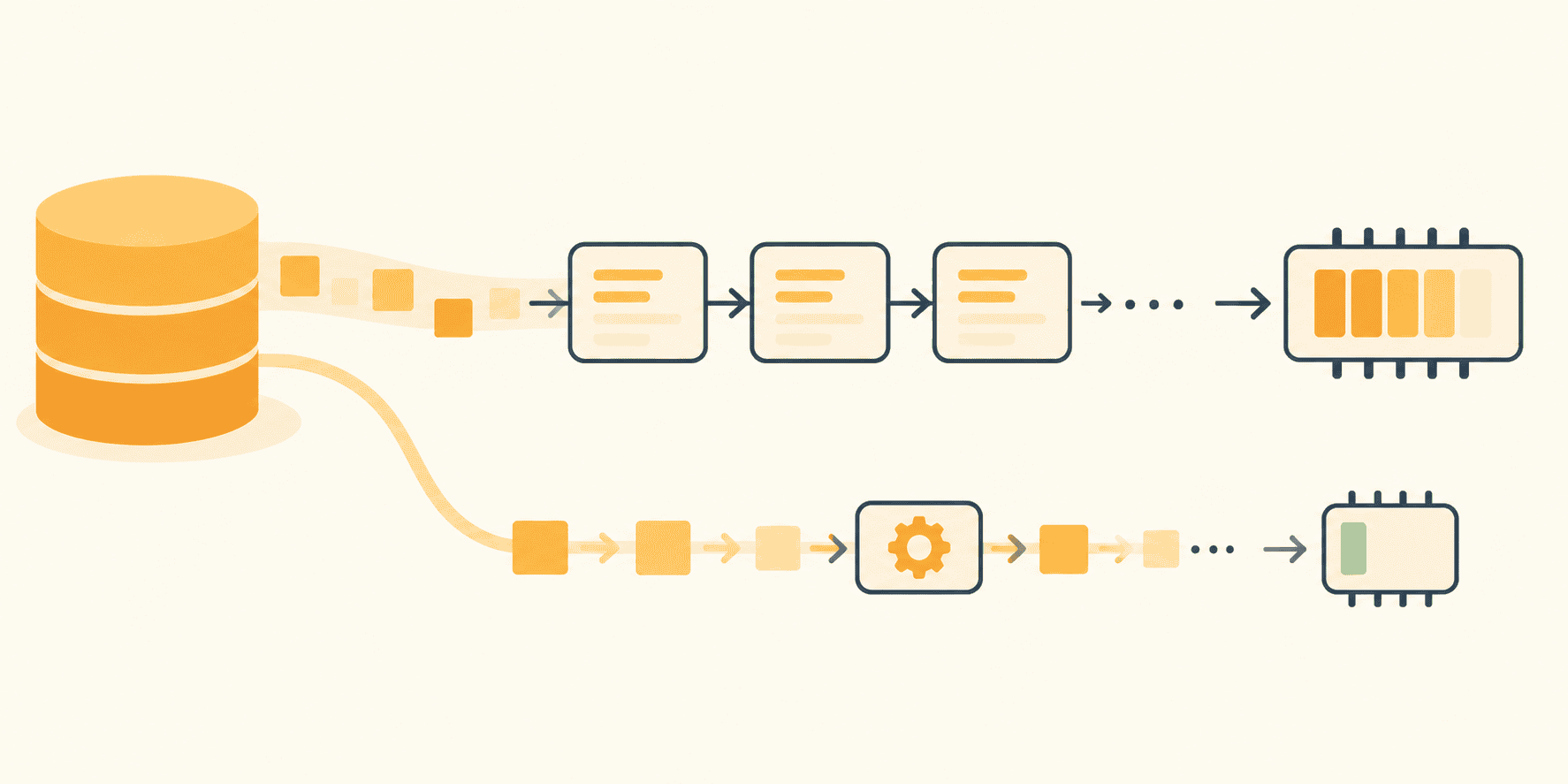
By default, standard Python collections like lists ([]) and tuples eagerly evaluate and load all contained elements into RAM simultaneously. When file sizes exceed available physical memory, this design choice triggers out-of-memory (OOM) crashes. Yet, Python has natively supported the architectural remedy for over two decades. Through iterators, generator functions, and generator expressions, developers can construct memory-efficient data processing pipelines. These pipelines pull individual records sequentially through each operational stage—parsing, filtering, and projecting—and release them from memory before the next record arrives.
Achieving true memory efficiency, however, requires maintaining a "lazy" execution path from the file object at the pipeline’s ingestion point to the batch-writing sink at its termination. Introducing a single eager operation—such as materializing an intermediate list—immediately reintroduces the memory constraints the architecture was designed to eliminate.
Detailed Chronology: The Evolution and Mechanics of Lazy Evaluation
To understand why streaming data pipelines prevent memory exhaustion, one must examine the foundational contracts of Python’s iteration protocols. The ubiquitous for loop syntax in Python conceals a precise structural mechanism: the relationship between iterables and iterators.
The Iterator vs. Iterable Contract
An iterable is any Python object capable of returning its members one at a time. Familiar examples include lists, strings, dictionaries, sets, and open file objects. An iterator, by contrast, is a stateful object that defines a discrete cursor, remembering the current traversal position within that iterable.
When a developer executes a standard loop structure:
with open("app.log") as f:
    for line in f:
        handle(line)
Python implicitly invokes iter(f) once to establish the iterator object. It then repeatedly invokes the next() function on that iterator until a StopIteration exception is raised. In Python’s internal mechanics, StopIteration is not an error state; it is the formalized signal indicating the natural termination of an iterator’s sequence.
numbers = iter([10, 20, 30])
print(next(numbers))  # 10
print(next(numbers))  # 20
print(next(numbers))  # 30
print(next(numbers))  # Raises StopIteration
The underlying list still retains all three values in memory. However, the iterator functions purely as a forward-only cursor requiring minimal storage overhead—a crucial characteristic when traversing a 9 GB log file using only a small read buffer.
This forward-only nature introduces a common pitfall: exhaustion. Once an iterator raises StopIteration, subsequent calls will continue to yield StopIteration indefinitely. Iterators do not automatically rewind. If a generator appears empty upon a second traversal, it is not because it magically refilled itself; rather, the first traversal (which may have been triggered silently by a len() evaluation, a debugging print statement, or an accidental list() conversion) consumed all available items.
Leveraging the File Object Native Iterator
Before writing custom generator code, developers should exploit the memory efficiencies already provided by Python’s standard library. A native file object serves as its own iterator.
Methods like f.read() pull an entire file into a monolithic string, while f.readlines() constructs a massive list containing every individual line as a separate string element. Conversely, iterating directly over the file object (for line in f) leverages low-level system buffering, reading data in discrete, memory-safe chunks and exposing precisely one line at a time to the runtime environment.
# EAGER APPROACH: The entire file is loaded into a list of strings
with open("app.log") as f:
    lines = f.readlines()
for line in lines:
    handle(line)

# LAZY APPROACH: Exactly one line resides in memory at any given moment
with open("app.log") as f:
    for line in f:
        handle(line)
For standard text files, this mechanism processes records sequentially, allowing the parser to inspect, evaluate, and discard irrelevant lines instantly. However, the algorithm itself must align with this streaming paradigm. If business requirements dictate sorting every record by execution latency or deduplicating entries across an entire week’s worth of data, a simple file iterator alone will not prevent memory saturation.
Constructing Stateful Stages with Generator Functions
While file iterators manage ingestion, complex parsing and filtering logic often sprawl into monolithic, unmaintainable loops. Generator functions resolve this by decomposing processing pipelines into discrete, named, streaming stages.
Any Python function containing the yield keyword is classified as a generator function. When called, the function body does not execute immediately. Instead, it returns a generator object. Execution pauses and resumes incrementally as the downstream caller requests values via next().
import re

LINE_PATTERN = re.compile(
    r"^(?P<ts>S+) (?P<level>[A-Z]+) (?P<service>[w-]+)(?P<rest>.*)$"
)

def read_log_files(paths):
    for path in paths:
        with open(path, encoding="utf-8") as f:
            yield from f

def parse_records(lines):
    for line in lines:
        match = LINE_PATTERN.match(line)
        if match is None:
            continue  # Skip, count, or log malformed lines without breaking the stream

        record = match.groupdict()
        record["fields"] = dict(
            item.split("=", 1) for item in record.pop("rest").split() if "=" in item
        )
        yield record

def filter_by_level(records, target_level):
    for record in records:
        if record["level"] == target_level:
            yield record
In this architecture, read_log_files utilizes yield from to seamlessly chain multiple rotated log files into a continuous input stream, ensuring each file is safely closed before the next is opened. The parse_records and filter_by_level functions operate independently of the total input volume.
The secret to this memory efficiency is execution suspension. When a generator function hits a yield statement, the Python runtime preserves its complete local state: variable bindings, the instruction pointer, and the internal evaluation stack. The function pauses mid-execution with local objects remaining in scope, resuming precisely where it left off upon the next call. Consequently, memory utilization remains constant regardless of file size.
Supporting Context & Metrics: Evaluating Lazy vs. Eager Performance
To confirm theoretical memory models, empirical benchmarking is required. Using Python’s built-in tracemalloc library, developers can trace memory allocations at the block level, isolating current and peak memory consumption during runtime.
import tracemalloc

tracemalloc.start()

# Execute data processing pipeline
write_batches(rows, "slow_errors.tsv")

current_memory, peak_memory = tracemalloc.get_traced_memory()
tracemalloc.stop()

print(f"Current Memory: current_memory / 1e6:.1f MB")
print(f"Peak Memory: peak_memory / 1e6:.1f MB")
When evaluating an eager script against a streaming pipeline using a synthetic test dataset of 200,000 log entries (~17 MB on disk):

- The Eager Pipeline (using list comprehensions and
readlines()) peaked at 198 MB of RAM allocation, scaling linearly with the size of the file. - The Streaming Pipeline (leveraging generators and batched boundaries) peaked at a mere 0.4 MB of RAM, with peak memory remaining flat even as input file sizes scaled upward by orders of magnitude.
The Pitfalls of Accidental Materialization
Despite implementing generators, developers frequently introduce performance regressions by inadvertently breaking the lazy execution chain. Common traps include:
- Explicit List Conversion: Executing
list(rows)forces the entire iterator to evaluate into a standard list. - Sorting Operations: Executing
sorted(rows, key=...)inherently destroys streaming behavior, as a sorting algorithm cannot emit its first output element until it has ingested and analyzed the final input element. - Global Accumulation: Maintaining a global dictionary (e.g., tracking unique request IDs for deduplication across millions of rows) scales in memory consumption relative to unique key cardinality, effectively reintroducing the original memory leak.
Official Guidelines: Best Practices for Pipeline Design
Building robust, memory-efficient data pipelines requires strict adherence to architectural boundaries.
1. Maintain Laziness Throughout the Middle Stages
Compose intermediate transformations using generator expressions (the parenthesized cousins of list comprehensions) and tools from the itertools standard library.
from itertools import islice

lines = read_log_files(["app.log.2", "app.log.1", "app.log"])
records = parse_records(lines)
errors = filter_by_level(records, "ERROR")

# Generator expressions for lightweight intermediate projections
slow_requests = (
    r for r in errors if int(r["fields"].get("latency_ms", 0)) > 1000
)
formatted_rows = (
    (r["ts"], r["service"], r["fields"].get("request_id", "-"))
    for r in slow_requests
)

# Use islice for safe inspection without full consumption
for row in islice(formatted_rows, 5):
    print(row)
2. Batch Explicitly at System Boundaries
Laziness should not extend indefinitely; data must eventually be written to disk, inserted into a database, or transmitted over an API. These sinks typically require collections rather than isolated records. The correct approach is to materialize data in strictly bounded, developer-defined batches.
Starting in Python 3.12, the standard library provides itertools.batched() to handle this natively:
from itertools import batched

def write_batches(rows, path, size=1000):
    with open(path, "w", encoding="utf-8") as out:
        for batch in batched(rows, size):
            out.writelines(
                f"tstservicetridn" for ts, service, rid in batch
            )
            out.flush()
For legacy Python environments (3.11 and earlier), an equivalent utility can be constructed concisely using islice:
def legacy_batched(iterable, n):
    it = iter(iterable)
    while batch := tuple(islice(it, n)):
        yield batch
By enforcing a strict batch size (e.g., 1,000 records), memory consumption remains bounded and predictable, completely decoupled from total input volume.
Future Outlook
As enterprise data volumes continue to expand exponentially—driven by high-throughput microservices, telemetry logging, and large-scale machine learning dataset preparation—the reliance on naive, in-memory data structures becomes increasingly untenable.
The principles of lazy evaluation, iterator contracts, and bounded batching are shifting from optional optimization techniques to core competencies for professional software engineers. Whether processing massive JSONL files for LLM fine-tuning, streaming high-frequency financial event logs, or executing ETL pipelines on constrained edge hardware, mastering Python’s iterator and generator ecosystem ensures that software remains resilient, scalable, and impervious to unexpected spikes in data volume.