Executive Overview
For over a decade, syntax highlighting has been a standard requirement for technical blogging. However, the solutions most developers rely on—such as Prism.js, Highlight.js, or Shiki—often come with a significant "tax." They require complex markup, heavy client-side JavaScript execution, and extensive dependency chains that can degrade core web vitals.
Enter MicroLighter, a new, lightweight approach to code presentation championed by Dave Rupert. By leveraging the modern CSS Custom Highlight API—now achieving baseline support across major browsers—MicroLighter strips away the bloat. It provides a semantic, modular, and performance-first alternative to the legacy giants of the industry. This shift represents a broader movement in web development: moving away from heavy JavaScript abstractions and back toward the native capabilities of the browser.
Detailed Chronology: From Legacy Bloat to Native CSS
The evolution of syntax highlighting on the web is a story of increasing complexity. In the early days, static code blocks were manually colored, which was unsustainable. Then came the era of server-side syntax highlighters, followed by the client-side JavaScript revolution led by libraries like Prism.js.
The Prism.js Paradigm
For years, CSS-Tricks and similar technical outlets relied on Prism.js. Prism is, by all accounts, a fantastic piece of engineering. It is robust, supports a vast array of programming languages, and has been battle-tested across millions of websites. However, as the web matured, the "cost" of Prism became more apparent. Loading external scripts, parsing massive regex-heavy libraries, and injecting thousands of spans into the DOM to colorize tokens creates a measurable performance hit—especially on mobile devices.
The MicroLighter Pivot
Recognizing these bottlenecks, Dave Rupert developed MicroLighter. The philosophy behind this project is simple: do less. Rather than relying on a heavy JavaScript engine to parse code and inject thousands of DOM nodes, MicroLighter leans on the native ::highlight() pseudo-element. This allows developers to style ranges of text without altering the underlying markup. By offloading the "heavy lifting" to the browser’s internal rendering engine, MicroLighter achieves a significantly smaller footprint, moving the needle from "good enough" to "truly optimized."
Supporting Context & Metrics: The Cost of Syntax
To understand why this shift matters, one must look at the raw data. The transition from a legacy library to a modern, CSS-first solution is not just about cleaner code; it is about objective performance gains.
The Performance Benchmark
Following the integration of MicroLighter into his personal infrastructure, Dave Rupert provided a revealing side-by-side comparison. The metrics speak for themselves:
- Prism.js Footprint: 35 KB raw (9.3 KB gzipped).
- MicroLighter Footprint: 13.9 KB raw (5.2 KB gzipped).
While a difference of a few kilobytes might seem negligible in isolation, in the context of a WordPress site with hundreds of posts, the cumulative impact on the Critical Rendering Path is profound. By reducing the JavaScript execution time, the browser can prioritize the rendering of the actual content, leading to lower Total Blocking Time (TBT) and a better Cumulative Layout Shift (CLS) score.
The Power of Modern CSS
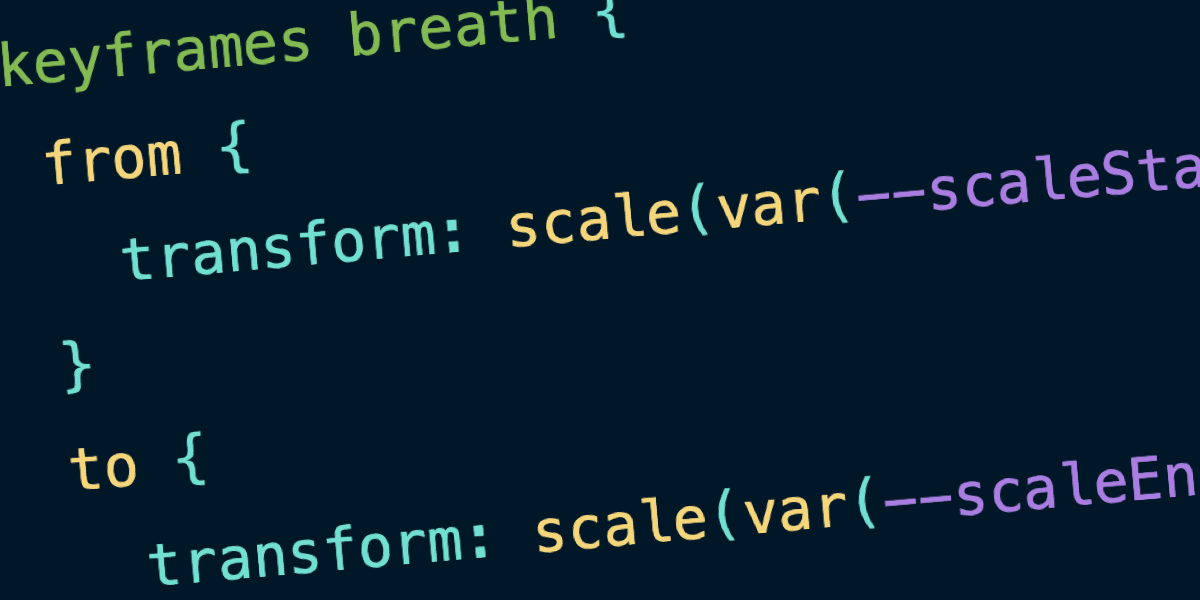
MicroLighter is not merely "lighter"; it is smarter. By integrating native CSS features like light-dark(), it bridges the gap between theme development and accessibility. Instead of relying on JavaScript to swap theme objects or inject additional stylesheets, developers can define their syntax colors using native CSS variables:
--syntax-background: light-dark(#ffffff, #0d1117);
--syntax-keyword: light-dark(#cf222e, #ff7b72);
--syntax-function: light-dark(#8250df, #d2a8ff);
This ensures that syntax highlighting respects the user’s system preferences (Dark Mode vs. Light Mode) automatically, without a single line of state-tracking JavaScript.
Technical Analysis: Why ::highlight() Changes Everything
The secret sauce behind MicroLighter is the CSS Custom Highlight API. Historically, if you wanted to highlight code, you had to wrap every single keyword, variable, and operator in a <span> with a specific class. This turns a simple code snippet into a "DOM soup" of thousands of nested elements, which is a nightmare for accessibility tools and screen readers.
Semantic Markup vs. Visual Decoration
With ::highlight(), the markup remains clean and semantic. The HTML looks like actual code:
<pre>
  <code>const answer = 42;</code>
</pre>
The browser handles the "highlighting" as a visual layer on top of the text. This separation of concerns—content vs. presentation—is the hallmark of high-quality web architecture. It ensures that even if the CSS fails to load, the user is still left with clean, readable text.
Modular Flexibility
MicroLighter is designed as an à la carte experience. Developers are not forced to download a massive "all-languages" bundle. Instead, they can select:
- Specific Themes: Custom-tailored to their design system.
- Language Support: Only the languages required for the specific project.
- Utility Components: Web components for features like "Copy to Clipboard" or "Line Numbers," which can be toggled on or off as needed.
Official Statements and Philosophy
In discussing the transition, the sentiment among early adopters is one of "architectural liberation." The move away from Prism.js isn’t a critique of its quality, but a recognition that the web has evolved.
"It’s not that there isn’t any JavaScript involved," Rupert notes. "It’s that less of it is needed. And it leans so hard into modern CSS that it brings things like light-dark() support and custom properties along for the ride."
This philosophy mirrors the broader industry trend toward "Vanilla Web Development." Developers are increasingly finding that the browser can do the heavy lifting that was previously outsourced to bloated third-party libraries. When we treat the browser as a powerful, modern platform rather than a mere document viewer, the need for heavy middleware diminishes.
Future Outlook: The Next Phase of Web Syntax
As the CSS Custom Highlight API gains wider adoption, we should expect to see a wave of similar tools. The era of the "all-encompassing syntax library" is likely coming to a close.
Beyond the Code Block
The implications of this technology extend beyond just code snippets. The same techniques used in MicroLighter can be applied to search-term highlighting, editorial note-taking, and interactive reading experiences. By decoupling the highlighting logic from the DOM structure, we gain the ability to manipulate the visual representation of text without compromising the integrity of the underlying document.
The Road Ahead
For those maintaining technical blogs, documentation sites, or developer-facing platforms, the directive is clear: audit your dependencies. If you are still shipping 35 KB+ for syntax highlighting, you are likely carrying technical debt that no longer serves a purpose.
MicroLighter is not just a tool; it is a proof-of-concept for a leaner, faster, and more accessible web. As we look toward 2026 and beyond, the success of such projects will serve as a bellwether for the industry. The future of the web is not built on more JavaScript; it is built on better CSS and a deeper respect for the native browser environment.
For developers interested in implementing these changes, the journey begins with revisiting the MicroLighter documentation. By swapping out legacy dependencies for modern, CSS-native solutions, we can ensure that our websites are as performant as the code they showcase.