Executive Overview
The landscape of lightweight, cloud-integrated portable computing is undergoing its most radical transformation in over a decade. For years, Google’s hardware ecosystem was neatly divided: Windows and macOS dominated the high-end productivity and creative professional spaces, while ChromeOS-powered Chromebooks reigned supreme in education, light office work, and budget-conscious consumer markets. However, the introduction of the Googlebook ecosystem has fundamentally redrawn the boundaries of what a lightweight laptop can achieve.
By ditching the browser-centric ChromeOS in favor of a natively optimized, Android-based operating system, Googlebooks bridge the historically frustrating gap between mobile apps and desktop computing. Boasting native application execution, elite industrial design standards, deep hardware-software synergy with modern Android smartphones, and system-level integration of Google’s Gemini artificial intelligence, Googlebooks position themselves as premium productivity powerhouses.
Yet, this generational leap forward comes with a steep financial barrier to entry, leaving millions of consumers and enterprise buyers asking a critical question: In a post-Googlebook era, do traditional Chromebooks still hold a viable place in the market?
This comprehensive report explores the technological architecture of Googlebooks, contrasts their capabilities directly against traditional Chromebooks, analyzes the pricing and ecosystem trade-offs, and provides an authoritative guide on how to choose between the old guard and the new frontier of portable computing.
Detailed Chronology and the Evolution to Googlebooks
To understand the magnitude of the Googlebook release, one must examine the evolutionary arc of Google’s computing strategy.
- The Early 2010s – The Birth of ChromeOS: Google entered the laptop market with a radical proposition: a lightweight operating system that was essentially a web browser with a file manager. Early Chromebooks were cheap, boot-fast, and secure, trading local storage and heavy processing power for cloud dependency.
- The Mid-to-Late 2010s – The Android App Addition: As Android dominated mobile computing, Google realized that ChromeOS needed mobile applications to remain competitive against Windows and iOS. Through containerization, ChromeOS gained the ability to run Android apps. While functional on paper, this emulation layer frequently resulted in lag, stuttering, and resource-heavy overhead, leaving users frustrated by inconsistent app performance.
- The COVID-19 Boom: Chromebook adoption skyrocketed due to remote learning and remote work. Manufacturers churned out millions of budget-friendly plastic units with modest specifications (4GB of RAM, low-end Celeron or MediaTek processors, and low-resolution TN panels), cementing the Chromebook’s reputation as a cheap, disposable student machine.
- The Chromebook Plus Initiative (2023–2025): Recognizing the need to elevate the brand, Google introduced "Chromebook Plus," establishing baseline hardware standards—such as a minimum of 8GB of RAM and 1085p displays—to ensure a smoother, more reliable user experience without stepping into premium price brackets.
- The Present Day – The Googlebook Paradigm Shift: Breaking away from ChromeOS entirely for its top-tier portable hardware line, Google partnered with premier original equipment manufacturers (OEMs)—including Acer, ASUS, Dell, HP, and Lenovo—to launch the Googlebook. Moving away from emulation, these devices run a fully customized, desktop-adapted, Android-based operating system designed to maximize hardware utilization, launch native apps seamlessly, and offer a powerhouse computing experience.
What Googlebooks Do That Chromebooks Can’t
The generational technological leap of Googlebooks over traditional Chromebooks can be categorized across four core pillars: operating system architecture, hardware specification standards, smartphone ecosystem synergy, and AI integration.
1. Native Android Performance vs. Emulated ChromeOS
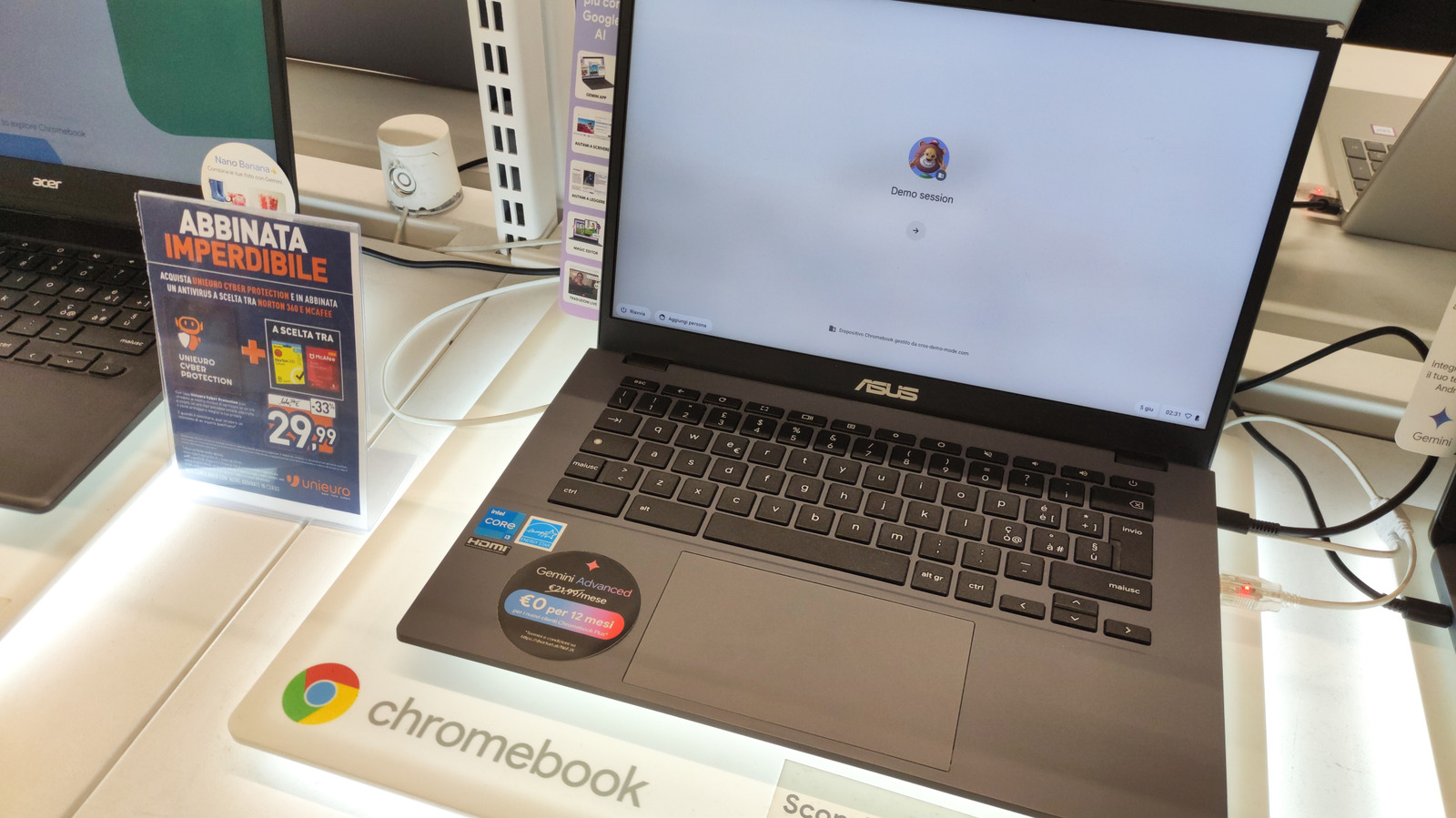
The most profound architectural distinction lies under the hood. Traditional Chromebooks run ChromeOS, which relies on an emulation layer to run Android apps. This translation process introduces latency, occasional application crashes, and subpar performance when handling complex tasks.
Googlebooks eliminate the middleman. They run an Android-based operating system designed from the ground up to execute Android applications natively. Applications launch instantly, utilize system resources efficiently, and tap directly into the full Google Play Store catalog without compromise. (Industry note: While some complex or poorly optimized applications may still experience occasional hiccups on Intel-based configurations, ARM-based Snapdragon variants extract blistering performance from the hardware).
2. Premium Industrial Design and Uncompromising Hardware
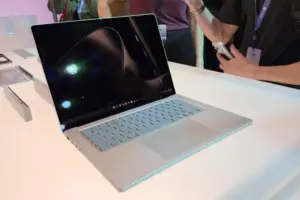
While the budget Chromebook market is flooded with flexible, flimsy plastic chassis and dim screens, Googlebook-certified laptops adhere to stringent baseline design guidelines.
- Chassis Materials: Every Googlebook features premium construction, leaning heavily on carbon-fiber and aerospace-grade aluminum chassis rather than cheap plastic.
- Memory and Storage: Googlebooks start at a robust baseline of 16GB of RAM and 256GB of internal storage, wiping out the memory bottlenecks that historically plagued low-end netbooks.
- Battery Endurance: Thanks to architectural efficiencies inherent in modern mobile-derived silicon (Intel and Snapdragon processors), the first wave of Googlebooks boasts an astonishing 14 hours of continuous battery life, drastically outlasting the typical 6-to-8-hour lifespan of mid-tier Chromebooks.
3. Deep Android Ecosystem Integration (The "Apple Effect")
Apple users have long enjoyed the seamless handoff between macOS and iOS—answering texts from a laptop, sharing clipboards via Universal Clipboard, and syncing passwords effortlessly. Googlebooks finally bring this paradigm to the Android ecosystem.
If you own a smartphone running Android 17 or later, a Googlebook acts as an organic extension of your phone. You can launch, view, and interact with phone-exclusive mobile apps directly on your laptop display, access mobile files without manual cloud transfers, and achieve total synchronization of notifications, settings, and credentials. (Note: These advanced handoff features require modern Android hardware and are fundamentally incompatible with iPhones or legacy Android devices).
4. System-Level Artificial Intelligence with Gemini
Artificial intelligence is not a bolted-on browser extension or a secondary web app on Googlebooks; it is baked directly into the operating system architecture. Every Googlebook features Gemini built-in at the system level, allowing users to summon contextual AI assistance anywhere within the UI—whether drafting emails, summarizing long PDF documents, generating creative content, or managing complex multitasking workflows on the fly.
Supporting Context and Metrics: Comparing the Two Ecosystems
| Feature Category | Traditional Chromebooks (Standard & Plus) | Googlebooks |
|---|---|---|
| Operating System | ChromeOS (Linux-based web/cloud core) | Android-based OS (Optimized for desktop) |
| App Execution | Emulated Android & Linux apps; native web apps | Native Android execution at full hardware speed |
| Baseline RAM | 4GB (Entry) to 8GB+ (Chromebook Plus) | Starts at 16GB |
| Baseline Storage | 64GB – 128GB eMMC/SSD | Starts at 256GB NVMe SSD |
| Battery Life | Average 6 to 9 hours | Up to 14 hours |
| Build Materials | Plastic, reinforced polycarbonate, aluminum | Carbon-fiber chassis, premium aluminum |
| Phone Integration | Basic phone hub (Notifications, Wi-Fi sync) | Deep native handoff (Android 17+: direct app streaming, file sync) |
| AI Integration | Web-based Gemini or Chrome extensions | System-level Gemini integration |
| Starting Price Point | $200 – $499 | $899 – $1,299 |
Where Chromebooks Still Make Sense
Despite the undeniable technological superiority of Googlebooks, traditional Chromebooks are far from obsolete. In fact, for a vast demographic of users, a Chromebook remains the most sensible, cost-effective purchase.
1. The Price Factor
The most significant deterrent to the Googlebook adoption wave is cost. Googlebook-certified laptops start at a steep $899 and can easily scale up to $1,299.
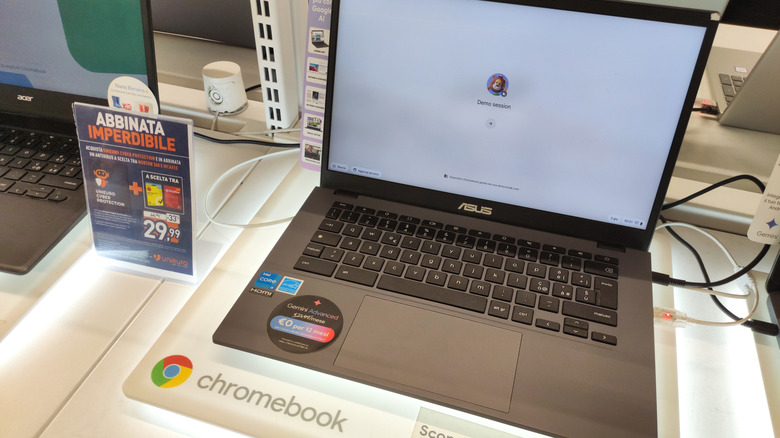
Conversely, Chromebook Plus models—which pack a highly functional 8GB of RAM and 128GB of storage—frequently retail for under $500. For budget-conscious shoppers, ultra-affordable entry-level Chromebooks with 4GB of RAM can be acquired for under $300. For students, families, and casual users on a strict budget, paying nearly a thousand dollars for a Googlebook is often financially unjustifiable.
2. Task Suitability and Light Computing
Not every user requires an enterprise-grade processor, 16GB of RAM, and carbon-fiber construction. If your daily digital footprint consists primarily of browsing the web, streaming Netflix or YouTube, checking emails, and editing Google Docs or spreadsheets, a traditional Chromebook handles these tasks with ease. Paying a premium for raw performance you will never utilize makes little practical sense.
3. Platform Maturity and Long-Term Stability
Googlebooks represent a brand-new operating system paradigm. While technologically advanced, early adopters should anticipate minor software growing pains, UI adjustments, and ecosystem refinement over the coming months.
In contrast, ChromeOS has matured over more than a decade, offering a stable, predictable, and rock-solid platform where users know precisely what performance to expect. Furthermore, longevity is not a concern for current Chromebook buyers: Google has committed to pushing software updates and security patches to existing ChromeOS devices through 2034. By the time support lapses, most users will have naturally cycled through multiple hardware upgrades.
Future Outlook
The launch of the Googlebook ecosystem marks a maturation point for Google’s hardware ambitions. By creating a unified, high-end standard in partnership with major manufacturers like HP, Dell, Lenovo, Acer, and ASUS, Google has successfully targeted the premium segment traditionally dominated by Apple’s MacBook Air and high-end Windows Ultrabooks.
However, the market bifurcation is clear:
- Googlebooks will capture the attention of power users, creative professionals, enterprise workers, and Android enthusiasts who demand uncompromising native performance, exceptional battery life, and deep smartphone integration.
- Traditional Chromebooks will continue to dominate the education sector, budget-conscious households, and light enterprise environments where cost-efficiency and simple web browsing take precedence over raw power.
Ultimately, the choice no longer centers on whether a cloud-centric operating system is viable. Instead, it comes down to a fundamental question of budget and workflow: Do you require a high-end, native Android powerhouse with systemic AI integration, or is a reliable, budget-friendly web machine all you need to conquer your digital day?