Executive Overview
In an era defined by seamless, instantaneous technology, smartphone users have grown accustomed to uninterrupted convenience. Modern devices allow users to stream high-definition video in underground tunnels, execute instantaneous financial transactions via facial recognition, and hot-swap applications in the blink of an eye. Against this backdrop of hyper-efficiency, a mundane physical ritual remains relevant: swapping a subscriber identity module (SIM) card.
Whether you are transitioning to a Mobile Virtual Network Operator (MVNO) to slash your monthly phone bills, swapping out your domestic carrier for an affordable local provider while traveling abroad, or replacing a damaged chip sent by your cellular provider, the act of changing a physical SIM card is a routine procedure. While contemporary operating systems and hardware architectures technically permit users to perform this swap while their devices remain fully powered on, doing so introduces unnecessary, albeit minor, variables into the delicate ecosystem of mobile connectivity.
The central question facing smartphone owners is deceptively simple: Do you actually need to turn off your phone before swapping a SIM card?
Strictly speaking, the answer is no. Most modern smartphones utilize hot-swappable architectures that can detect the insertion or extraction of a SIM card on the fly. However, from a technical and reliability standpoint, the answer is an emphatic yes, you probably should. Taking thirty seconds to power down your device—or at the very least, toggling Airplane Mode—eliminates a cascade of potential software hiccups, network registration delays, hardware synchronization errors, and data corruption risks.
This comprehensive analysis explores the engineering behind SIM cards, the evolution of mobile device architecture, the minor yet nagging risks of hot-swapping, and the best practices for safeguarding both your data and your hardware.
Detailed Chronology: From Internal Compartments to External Trays
To understand why the debate over powering down a phone during a SIM swap exists, we must examine how mobile hardware architecture has evolved over the past two decades.
The Era of the Removable Battery (Pre-2010s)
In the early days of mobile telephony and the dawn of the smartphone revolution, SIM card slots were almost exclusively located beneath the device’s removable back cover, tucked directly underneath or adjacent to the battery pack.
Accessing the SIM card inherently required powering down the device, removing the rear plastic casing, and physically lifting or sliding out the battery. Because the hardware was entirely unpowered during this process, software glitches related to carrier registration were virtually nonexistent upon reboot. The phone booted up cold, polled the newly inserted SIM card for its Integrated Circuit Card Identifier (ICCID) and International Mobile Subscriber Identity (IMSI), and cleanly authenticated with the nearest cell tower.
The Rise of Unibody Design and Hot-Swapping (2010s–Present)
As consumer demand shifted toward sleek, water-resistant, unibody smartphones constructed from glass and anodized aluminum, removable batteries became an endangered species. Manufacturers needed a way to provide cellular access without sacrificing structural integrity or aesthetic minimalism.
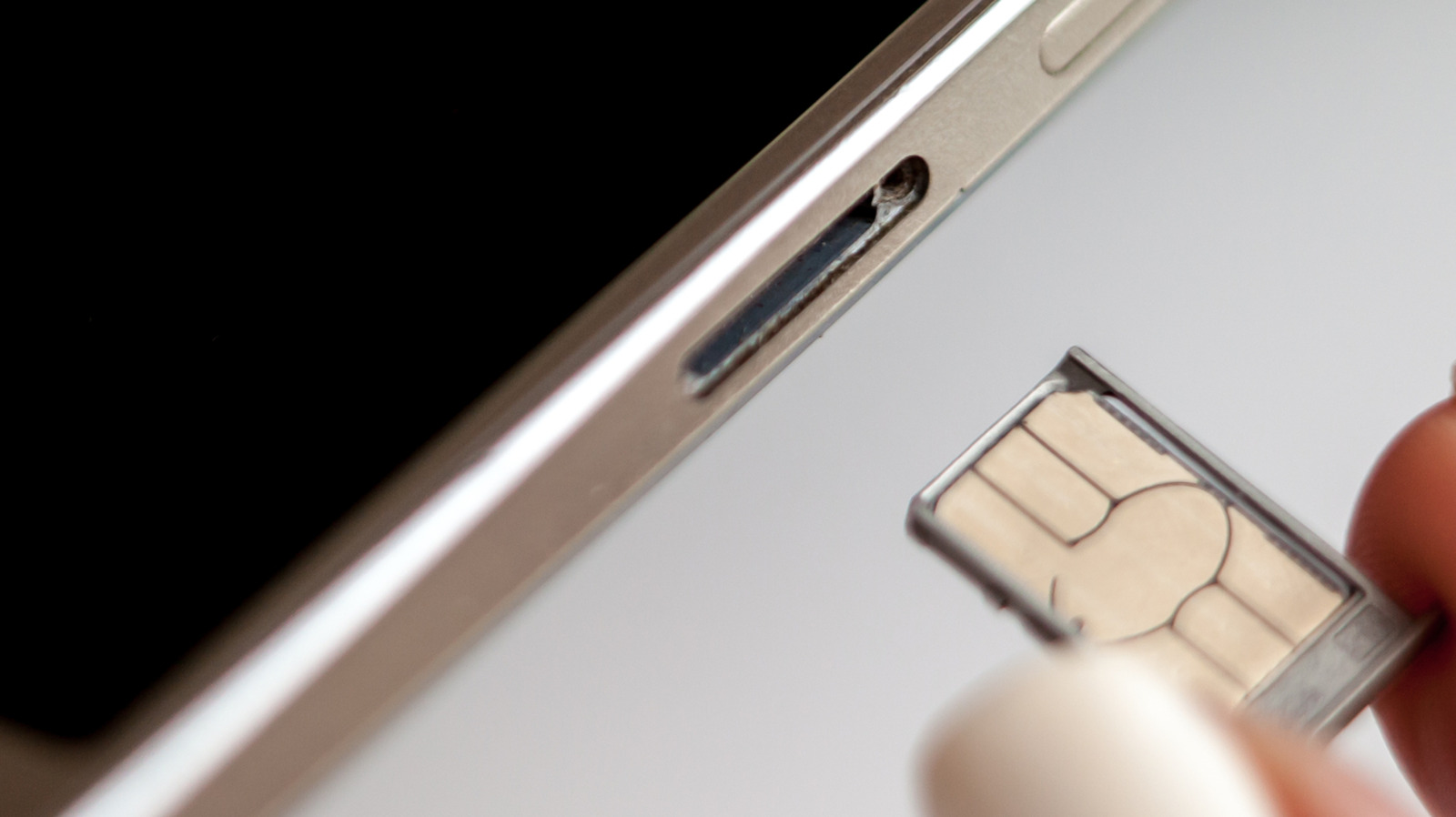
The solution was the external SIM tray, accessed via a pinhole ejector mechanism on the side or bottom of the chassis. To accommodate users switching carriers on the fly, mobile operating system developers engineered software stacks capable of "hot-swapping"—the ability to detect changes in hardware states without a system reboot.
In the early days of external trays, hot-swapping was notoriously finicky. Users frequently encountered persistent "No SIM" errors, dropped network registrations, or infinite loops where the baseband modem would crash trying to read a live card. While modern mobile operating systems (iOS and Android) have largely solved these baseband handshakes, the ghost of those early software glitches remains, making a simple power-down or network reset the gold standard for a frictionless transition.
Supporting Context & Metrics: Physical Risks and Software Glitches
While many users view SIM replacement as a purely digital transaction, it is fundamentally a hardware interaction that carries both physical and software-related vulnerabilities.
1. The Physical Hazards: Dirt, Moisture, and Misalignment
The physical SIM card is a microchip embedded in plastic that interfaces with gold-plated spring pins inside your phone’s SIM reader. When you eject the tray, you expose the internal cavity of your phone to the external environment.
- Debris and Grime: Dust, lint from pockets, and microscopic particulate matter can easily enter the exposed SIM slot. If trapped, this debris can obstruct the delicate contact pins, leading to intermittent connection drops.
- Moisture Intrusion: Opening the chassis seal in humid environments or outdoors introduces the risk of moisture condensation entering the sensitive internal electronics.
- Tray Damage and Force Misapplication: Forcing an incorrectly sized SIM card into a slot—or attempting to jam a nano-SIM into a micro-SIM adapter without proper alignment—can bend the internal contact pins.
- The Downstream Effect: A damaged SIM card or a poorly seated tray causes the phone’s modem to continuously poll for a network connection that it cannot establish. This relentless background search consumes processing power, drains the battery at an accelerated rate, and can cause the device to overheat.
2. The Software Vulnerabilities: Baseband Handshakes and Network Errors
Even if you handle the physical card with surgical precision, leaving the phone powered on during a swap forces the baseband processor—the chip dedicated to managing all radio communications—to react to an abrupt state change.
When a SIM card is pulled out of a live phone, the operating system experiences a sudden loss of subscriber authentication data. Inserting a new card immediately afterward forces the device to rapidly read new carrier settings, cryptographic keys, and profile parameters. If the operating system or the baseband firmware stumbles during this rapid handshake, it can result in a software-based "Network Error" or "Invalid SIM" prompt.
Powering down the device forces a clean state. When the phone boots up fresh, it reads the new card’s configuration file as part of its standard initialization sequence, drastically reducing the probability of encountering authentication bottlenecks or carrier profile mismatches.
Expert Insights & Best Practices
Mobile systems engineers and telecommunications specialists generally agree that while hardware is resilient, adherence to procedural hygiene prevents anomalous errors.
The Airplane Mode Alternative
If you are in a rush and powering down your phone feels overly cumbersome, there is an effective middle ground. Activating Airplane Mode effectively severs all radio communications and puts the baseband processor into an idle, low-power state.
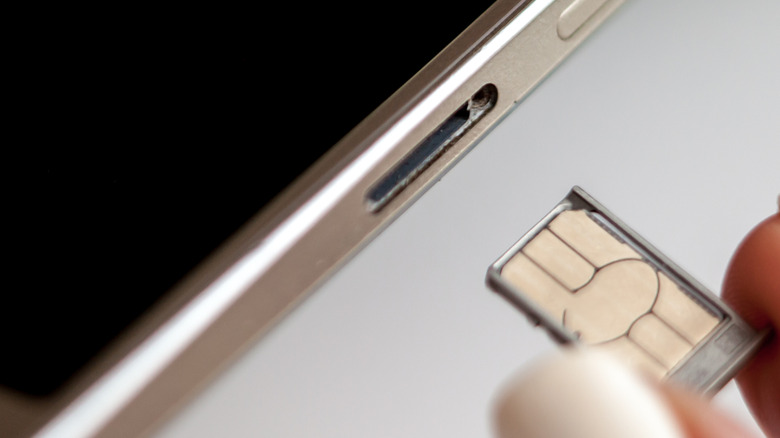
- Turn on Airplane Mode.
- Wait approximately 30 seconds to ensure all background radio activity has completely ceased.
- Eject the SIM tray and swap your cards.
- Reinsert the tray securely.
- Turn off Airplane Mode.
This sequence mimics the clean slate of a device reboot by ensuring the modem is not actively polling or authenticating a network while the physical hardware is being manipulated.
A Critical Warning for Android Users and MicroSD Cards
While Apple’s iPhone line abandoned expandable storage years ago, many Android devices—particularly mid-range and rugged models—still incorporate a microSD card slot. Frequently, manufacturers utilize a hybrid or dual-slot tray where the SIM card and the microSD card share the exact same physical housing.
As is standard practice when safely ejecting an external USB drive or hard disk from a computer, you must unmount your microSD card before removing a shared SIM/SD tray. Pulling a storage card out of a live, powered-on Android device while it is actively reading or writing data can corrupt the file system, leading to catastrophic and irreversible data loss.
- How to unmount on Samsung devices: Navigate to Settings > Battery and device care > Storage (or open the My Files application), locate your SD Card, tap the three-dot vertical menu icon, and select Unmount.
- Universal rule: If your device houses your expandable storage on the same tray as your SIM, always unmount the volume via the operating system before breaking the physical seal.
Future Outlook: The Inevitable Transition to eSIM
The debate over whether to power down a phone to swap a physical piece of plastic may soon become a relic of telecommunication history. The industry trajectory points unmistakably toward eSIM (embedded SIM) technology.
Unlike traditional physical SIM cards, an eSIM is a rewritable microchip soldered directly onto the smartphone’s motherboard during manufacturing. Carrier profiles, phone numbers, and authentication keys are downloaded and provisioned digitally via a QR code, a carrier application, or direct device-to-device transfer.
Why eSIM is Changing the Landscape:
- No Moving Parts: By eliminating the physical SIM tray, manufacturers remove a potential point of structural weakness, freeing up internal space for larger batteries or improved cooling systems and enhancing water and dust resistance.
- Multiple Profiles: Most modern eSIM-compatible smartphones allow users to store multiple profiles simultaneously (often up to five or more), though typically only one or two can be active at any given moment.
- Instantaneous Switching: Switching between local carriers when traveling internationally no longer requires carrying a paperclip, hunting for a tiny plastic chip, or risking damage to contact pins. Users can simply purchase a digital data plan online and activate it through software settings before their plane even touches down.
Despite these clear advantages, physical SIM cards retain dedicated champions. True SIM cards offer unmatched convenience for burner accounts, over-the-counter pay-as-you-go data plans, and strict privacy advocates who prefer tangible, easily disposable hardware over software-based carrier tracking profiles.
Conclusion
Until physical SIM cards are phased out entirely, the golden rule of mobile maintenance remains cautious diligence. While your smartphone will likely survive a careless, powered-on hot-swap of your SIM card, taking thirty seconds to power down your device—or at least engaging Airplane Mode—acts as an insurance policy against software glitches, network errors, and modem crashes. For a procedure that happens only occasionally, a moment of patience guarantees a lifetime of uninterrupted connectivity.