Executive Overview: The Invisible Threat
In the modern digital landscape, your phone number has evolved far beyond a simple tool for voice communication. It has become the "skeleton key" to your entire virtual existence. Whether you are resetting a forgotten banking password, recovering access to a locked email account, or authorizing a high-stakes cryptocurrency withdrawal, the ubiquitous text message—specifically the Two-Factor Authentication (2FA) code—acts as the ultimate gatekeeper.
However, this reliance on SMS-based verification has created a massive, systemic vulnerability. Carriers have spent decades prioritizing customer convenience, often training call-center representatives to facilitate account changes with little more than a script and basic personal information. Today, if a malicious actor successfully hijacks your number, they effectively hijack your identity. Fortunately, the three major U.S. carriers—AT&T, Verizon, and T-Mobile—have introduced robust "lock" features that can prevent these unauthorized transfers. This guide explores the mechanics of these attacks, the limitations of current security measures, and the essential steps you must take to secure your digital perimeter.
The Anatomy of an Attack: SIM Swaps and eSIM Hijacking
To defend yourself, you must first understand the adversary’s playbook. There are two primary methods through which attackers gain control over your number: SIM Swapping and eSIM Hijacking.
The Traditional SIM Swap
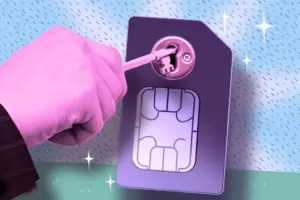
A SIM swap is an exercise in social engineering. The attacker first harvests your personal data—name, billing address, Social Security number, and account details—often sourced from the massive data breaches that characterize our era or through targeted phishing campaigns. Once armed with this intelligence, the attacker contacts your wireless provider, posing as you.
They will often fabricate a story about a lost or broken phone, requesting that their number be moved to a new SIM card in their possession. If the representative is convinced, your legitimate connection is severed, and all your incoming calls, texts, and authentication codes are redirected to the attacker’s device.
Port-Out Fraud: The "Cousin" of the SIM Swap
A close relative to the SIM swap is "port-out fraud." In this scenario, the attacker opens a new account with a different carrier and requests that your phone number be "ported" over to their service. Because many carriers historically prioritized the speed of switching providers to maintain competitive advantage, the verification checks for porting a number were often significantly weaker than those for account management.
The Rise of eSIM Hijacking
The transition from physical plastic SIM cards to embedded SIMs (eSIMs) was intended to simplify device management, but it has introduced new security challenges. Researchers at F.A.C.C.T. have identified a sophisticated shift: instead of calling a human representative, attackers now target your carrier account directly.
By using stolen or "leaked" credentials from dark-web databases, hackers can log into your account portal, generate a new QR code for an eSIM, and scan it onto their own hardware. The moment they activate that QR code, your device is deactivated instantly. There is no store visit, no conversation with a confused employee, and no trail of human interaction to trigger suspicion. In some instances, researchers found that providers allowed activation codes to be sent to an email address rather than an SMS, effectively providing attackers with a secondary vector to compromise your account if your email is not properly secured.
Supporting Context and Metrics: The Scale of the Problem
While the exact number of incidents is notoriously difficult to quantify—partly because victims often don’t realize they have been hacked until it is too late—the data provided by the FBI’s Internet Crime Complaint Center (IC3) offers a sobering glimpse into the scale of the problem.
In 2024, the IC3 logged 982 formal complaints specifically related to SIM swapping, resulting in approximately $26 million in documented financial losses. While this represents a decrease from the 2,026 complaints and $72.7 million in losses reported in 2022, experts warn against complacency. These figures represent only a fraction of total incidents, capturing only those crimes where victims filed a formal report with a federal portal. The "shadow" market for hijacked numbers, particularly those tied to high-value social media handles or cryptocurrency wallets, remains a lucrative industry for cybercriminals.
Strengthening Your Defenses: Carrier-Specific Protocols
Recognizing the growing threat, the FCC issued a 2023 order requiring wireless providers to implement stricter security measures, including free account locks and mandatory notifications for any SIM change or port-out requests. While compliance is currently being finalized, most major carriers have already rolled out these protective toggles.
AT&T: The All-in-One Approach
AT&T simplifies the process by bundling its security features into a single, comprehensive toggle known as "Wireless Account Lock." Once enabled, this lock restricts:
- Device upgrades
- SIM and eSIM swaps
- IMEI changes
- Number transfers to other carriers
- Changes to authorized users or billing information
How to enable it:
- Log in to your AT&T account.
- Navigate to your profile settings.
- Locate the "Wireless Account Lock" feature.
- Toggle the switch to "On."
Note: Prepaid customers should navigate to "Profile & Settings" > "Account Info & Preferences" to access the same toggle.
Verizon: The Two-Tiered Defense
Verizon splits its security into two distinct functions, which provides more flexibility but requires more user diligence.
- SIM Protection: Blocks unauthorized SIM/eSIM and device changes.
- Number Lock: Prevents your number from being transferred to another carrier.
To maximize your security, you must enable both features. It is important to note that if you decide to switch carriers, you must manually disable the "Number Lock" to generate a Number Transfer PIN.
T-Mobile: Per-Line Granularity
T-Mobile utilizes a combination of SIM Protection and Port Out Protection. Unlike the other carriers, T-Mobile’s Port Out Protection is applied on a per-line basis. If you have a family plan, you must manually enable this protection for every individual line on the account.
Pro-tip: T-Mobile also strongly recommends setting a 6-to-15-digit account PIN. This PIN is a vital "last line of defense" when interacting with customer support.
Official Statements and Industry Limitations
Industry experts and security researchers consistently emphasize that while these locks are essential, they are not a silver bullet. A "lock" is a software-defined barrier. If an attacker gains full access to your online carrier account via stolen login credentials, they may possess the administrative authority to simply disable the lock themselves.
Furthermore, the "human factor" remains a persistent vulnerability. Despite internal policies, carrier representatives can sometimes be manipulated into bypassing security protocols, especially in high-pressure scenarios. This is why it is critical to use strong, unique passwords and enable Multi-Factor Authentication (MFA) on your carrier account itself, not just the services you use on your phone.
Future Outlook: Moving Beyond the Phone Number
The ultimate solution to the SIM swapping crisis is a systemic shift in how we authenticate our identities. As long as your phone number remains a recovery method for high-value accounts, it will remain a target.
The security community is increasingly advocating for a move toward Authenticator Apps (like Authy or Google Authenticator) and Passkeys, which use cryptographic hardware keys rather than SMS-based codes. These methods are inherently immune to SIM swapping because they do not rely on the cellular network to verify your identity.
Think of your carrier’s "lock" feature as a seatbelt. You may drive for years without ever needing it, and you may never get into a collision. But the moment you do, you will be profoundly grateful that you took the ten minutes to buckle up. In an era where your digital identity is your most valuable asset, securing your phone number is no longer optional—it is a fundamental requirement of digital citizenship.