Executive Overview
The landscape of generative artificial intelligence has undergone a seismic shift, maturing at a velocity that continues to astonish both casual observers and seasoned media production professionals. Gone are the days when public fascination—and viral mockery—centered around bizarre, glitchy footage of public figures struggling to eat spaghetti. Today, we stand on the precipice of a genuine media revolution. Modern AI video generation models are capable of producing photorealistic commercials, intricate animated explainers, high-converting social media advertisements, and sweeping cinematic short films, all conjured from simple, text-based prompts.
However, selecting the right AI video generator for your creative workflow or enterprise environment requires far more than a superficial assessment of visual fidelity. The market is saturated with powerful models, each boasting distinct strengths, frustrating limitations, and heavily guarded trade-offs. Furthermore, navigating the pricing structures of these platforms can be a minefield. Standard monthly subscription fees often represent only a fraction of the true cost of operation.
Most platforms operate on complex credit systems, levy steep surcharges for premium resolution models, or enforce strict limits on video length and aspect ratios. These hidden constraints can rapidly inflate operational budgets. For professional creatives, a comprehensive evaluation must balance overall visual quality against practical utility, workflow flexibility, and true long-term value. This report offers a deep-dive analysis of the five leading AI video generators currently dominating the market—Adobe Firefly, Google Veo, Runway, Kling, and Hailuo—examining their core mechanics, financial structures, and suitability for real-world production pipelines.
Detailed Chronology: The Rapid Ascent of Generative Video
To understand the current state of AI-generated video, it is vital to trace the rapid evolution of the technology over a remarkably compressed timeline:
- The Experimental Phase (2022–2023): Early text-to-video models emerge as proof-of-concept novelties. Characterized by severe temporal inconsistency, morphing physics, and a maximum output duration of just a few seconds, these tools are largely relegated to social media humor and experimental art.
- The Commercialization Wave (2023–2024): Platforms like Runway Gen-2 and early iterations of proprietary models introduce image-to-video capabilities and better prompt adherence. Independent creators and marketing agencies begin integrating AI clips into storyboards and early-stage pitch decks.
- The Cinematic Realism Breakthrough (2024–2025): Major tech conglomerates enter the fray. Models capable of rendering accurate lighting, complex physics, and convincing human movement begin to arrive. The conversation shifts from "can AI make video?" to "can AI replace traditional stock footage and B-roll?"
- Ecosystem Integration and Maturation (2025–2026): Standalone browser apps give way to deep software integration. Adobe Max 2026 marks a watershed moment as native AI generation tools, coupled with third-party model aggregators, merge directly into industry-standard editing suites like Premiere Pro and Photoshop. Generative video transitions from a novelty side-tool into an essential component of the professional post-production pipeline.
Supporting Context & Metrics: Evaluating the Big Five
Choosing an AI video generation tool is an exercise in resource management. Below is an exhaustive breakdown of the five leading platforms, ranked by overall value, workflow flexibility, and professional utility.
01. Adobe Firefly
- Best For: Overall ecosystem integration and commercially safe workflows.
- Key Advantages: Native integration with Premiere Pro and Creative Cloud; user-friendly interface; robust asset management; strong image-to-video capabilities; and built-in access to third-party models (including Google Veo, Kling, and Runway).
- Potential Drawbacks: Native output is not always the highest visual quality on the market; credit limits can be restrictive; best economic value requires an existing Creative Cloud subscription.
Adobe remains a cornerstone of the post-production industry through tools like Premiere Pro, which remains the gold standard for video editing. Adobe Firefly leverages this dominance by functioning as more than a standalone generator. By embedding directly into the Creative Cloud ecosystem, Firefly drastically lowers the friction of incorporating AI-generated assets into existing professional timelines.
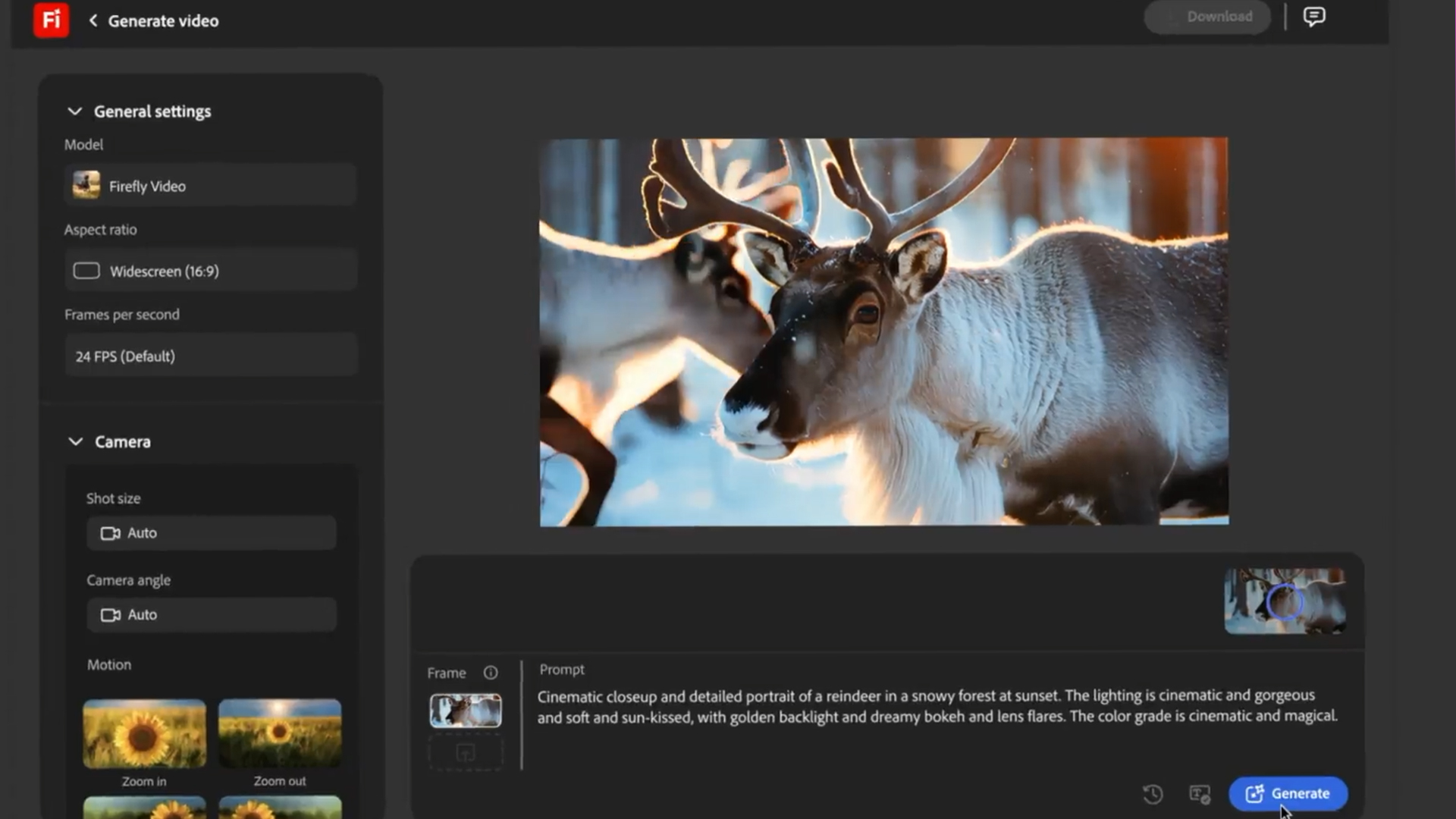
Announced at Adobe Max, the expansion of the native Firefly Video editor allows creators to seamlessly blend AI clips with traditional media, audio effects, and graphics. Furthermore, projects initiated in collaborative spaces like Firefly Boards can be imported straight into the video timeline, supported by an intuitive conversational AI agent.
Crucially, Adobe offers unmatched peace of mind regarding copyright and commercial safety. Native Firefly models are trained exclusively on licensed content and public domain material, shielding commercial users from the legal ambiguity surrounding scraped web data. Additionally, Adobe’s platform acts as an aggregator, giving users direct access to competing models—such as Google Veo, Kling, Runway, and Luma AI’s Ray—under a single roof.
- Pricing Architecture: Adobe’s Firefly Standard plan is priced at $9.99 per month, granting 2,000 generative credits (sufficient for roughly twenty 5-second clips at 1080p). Higher tiers scale these allowances. Standard 1080p generation typically costs around 100 credits per second (500 credits per 5-second clip). Users on Creative Cloud Pro plans also gain access, though heavy usage requires purchasing additional credit packs.
02. Google Veo
- Best For: Unmatched cinematic realism and atmospheric detail.
- Key Advantages: Outstanding photorealism; superior prompt interpretation; native audio generation capabilities; exceptional handling of complex lighting and camera physics.
- Potential Drawbacks: Short default clip lengths; limited granular control compared to traditional editing software; tiered availability restricted to higher subscription levels.
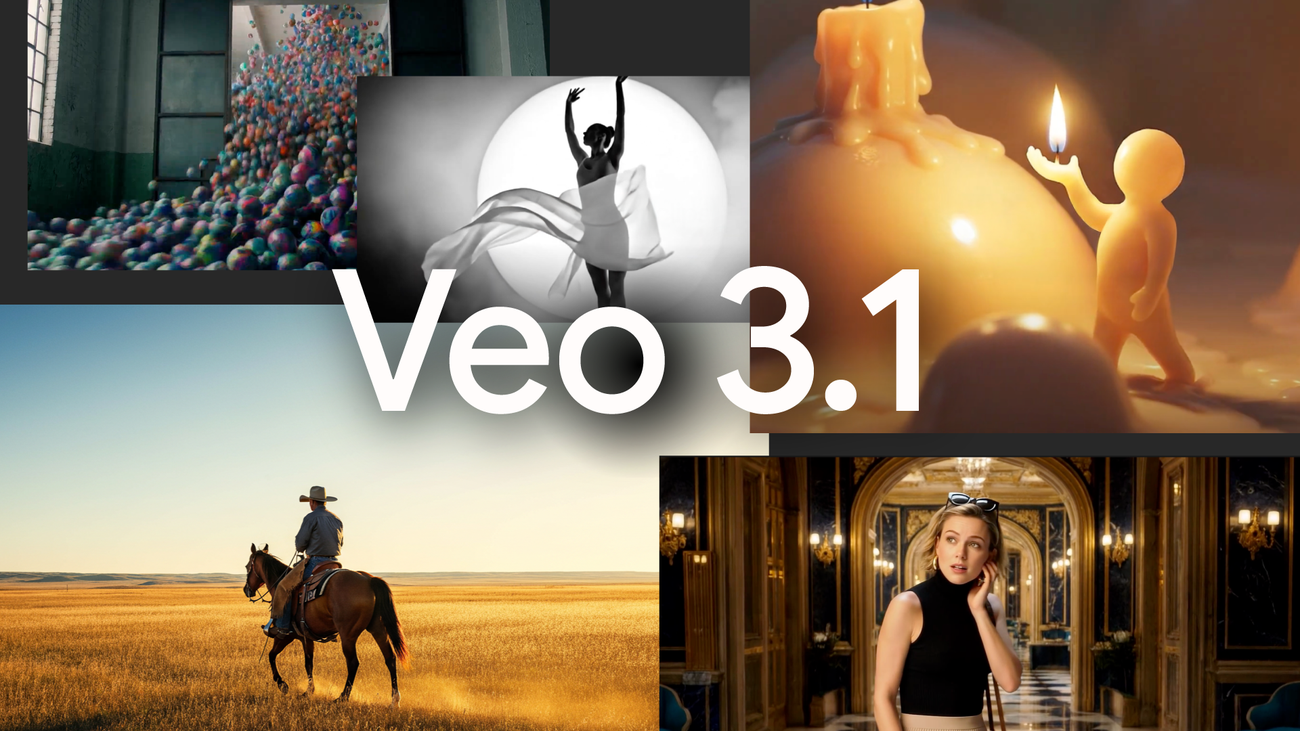
For creators and studios prioritizing raw visual fidelity, Google Veo stands out as arguably the most powerful video model available. Veo excels at rendering convincing environmental physics, natural human movement, and sophisticated camera behaviors (such as rack focus and complex panning shots). This has made it a favorite among high-end commercial directors and digital artists seeking high-budget aesthetics on lean budgets.
- Pricing Architecture: Google provides Veo access via developer APIs and consumer-facing subscriptions. Developer access for Veo 3.1 runs approximately $0.40 per generated second, placing a base 5-second clip at around $2.00 (exclusive of retakes). Consumer access is integrated into Google AI subscriptions: Google AI Pro ($19.99/month) yields 1,000 Flow credits (roughly 100 Lite or 10 Standard 720p watermarked videos), while Google Ultra AI ($99.99/month) scales up to 25,000 credits for heavy-duty 1080p drafting.
03. Runway
- Best For: Advanced directorial controls and precision editing.
- Key Advantages: Sophisticated creative controls; comprehensive in-app editing toolkit; established professional reputation; frequent model iterations.
- Potential Drawbacks: Steeper learning curve; opaque credit consumption metrics; premium plans escalate in price quickly.
Runway has cemented its reputation as a mature, director-focused AI platform. While other platforms may occasionally rival its out-of-the-box realism, Runway outshines competitors by placing granular creative control directly into the user’s hands. Its expansive suite of tools includes custom camera pathing, subject isolation, background removal, advanced color grading, depth-of-field manipulation, slow-motion interpolation, and "Inpainting" for precise object removal.
- Pricing Architecture: Runway operates on a tiered subscription model. The Standard plan begins at $15 per month (625 credits), which translates to roughly 52 seconds of Gen-4.5 footage. High-volume creators will quickly find themselves migrating to the Pro plan ($35/month) or higher to sustain iterative experimentation.
04. Kling
- Best For: Budget-conscious creators and strong character consistency.
- Key Advantages: Excellent cost-to-performance value; high-quality motion generation; longer native clip durations than many Western counterparts; reliable character retention across cuts.
- Potential Drawbacks: Interface can occasionally feel less localized or intuitive; output consistency varies more than premium competitors.
Originating from international markets, Kling has emerged as a major industry disruptor. It delivers remarkably high-end motion generation and character continuity at a fraction of the cost charged by Western alternatives. It is a favored tool for independent YouTubers, digital marketing agencies, and small businesses aiming to maximize production value on a restricted budget.
- Pricing Architecture: Paid tiers start below $10 per month. A standard 5-second 1080p clip consumes roughly 40 credits, equating to an effective cost of $0.40 to $0.60 per generation. This makes Kling one of the most economically viable commercial options on the market.
05. Hailuo
- Best For: Rapid concept ideation and fast storyboarding.
- Key Advantages: Rapid render and generation speeds; highly competitive pricing; extremely low barrier to entry; ideal for early-stage creative brainstorming.
- Potential Drawbacks: Inconsistent output quality requiring more "roll of the dice" generations; limited advanced post-production tools; lack of native workflow integrations.
When a project demands rapid iteration rather than final-cut perfection, Hailuo excels. Designed for speed, it allows creative agencies to generate dozens of conceptual drafts and storyboards rapidly before committing high-end budgets to more complex rendering suites.
- Pricing Architecture: Hailuo positions itself at the lower end of the pricing spectrum, with standard tiers ranging between $8 and $15 per month. A typical 1080p generation consumes roughly 50 credits ($0.50–$0.75 per clip). The primary trade-off is the necessity of generating a higher volume of raw clips to find one usable shot, which can occasionally offset its low initial subscription cost.
Official Statements & Industry Perspectives
Industry leaders and software developers have increasingly emphasized that generative AI is not intended to replace human directors, but rather to remove friction from the production pipeline.
During product showcases, Adobe engineering leads emphasized that their primary objective has been "building ethical, legally sound foundations for creative tooling." By emphasizing licensed training data and deep software integration, Adobe aims to alleviate the legal and structural anxieties that enterprise creative directors have long associated with generative models.
Similarly, independent filmmakers and visual effects supervisors note that while raw visual quality has ceased to be the primary bottleneck, consistency remains the ultimate hurdle. As one prominent post-production supervisor noted: "Generating a single breathtaking, hyper-realistic eight-second clip is no longer impressive. Generating twelve consecutive shots of the exact same character maintaining eye-line match, wardrobe continuity, and lighting consistency—that is where the true battleground of generative video now lies."

Future Outlook: What Lies Ahead for Generative Video
As the market heads toward the latter half of the decade, several clear trajectories are emerging within the AI video sector:
- The Convergence of 3D and Generative Video: Future models are moving beyond simple 2D pixel generation toward deep volumetric understanding, allowing AI tools to output data compatible with traditional 3D engines like Unreal Engine and Blender.
- Standardization of Credit Economics: As competition intensifies, expect downward pressure on credit costs, alongside a shift toward true "unlimited use" enterprise models for verified professional suites.
- Real-Time Generation: The latency between typing a prompt and viewing high-resolution output is shrinking rapidly. The holy grail for software developers is near-instantaneous, interactive video generation that responds dynamically to editing timelines in real-time.
Conclusion
For the vast majority of professional creatives and production studios, Adobe Firefly currently represents the most balanced, versatile, and legally secure package on the market. While Google Veo holds the crown for raw visual realism, and Runway offers unmatched directorial control, Firefly’s seamless integration into the Creative Cloud ecosystem—coupled with its aggregation of third-party models—makes it the most practical choice for real-world production environments.
Ultimately, the ideal tool depends entirely on your specific project demands: choose Google Veo for cinematic grandeur, Runway for deep artistic control, Kling for cost-effective scaling, and Hailuo for rapid ideation. Above all, creative professionals must look past headline subscription prices. In the modern AI video market, credit limits, rendering resolutions, and post-production editing requirements matter far more to your bottom line than the monthly base fee.