Executive Overview
The landscape of personal productivity and artificial intelligence crossed a significant milestone with OpenAI’s rollout of the Apple Messages plug-in for the ChatGPT macOS desktop application. Designed exclusively for Mac users, this new integration bridges the gap between conversational AI and local operating system data, allowing ChatGPT to interact directly with Apple’s native messaging ecosystem.
By executing tasks such as drafting replies, sending texts, and parsing extensive chat histories, the plug-in promises to transform how users manage their daily communications. However, it also re-ignites a long-standing debate concerning digital privacy, the psychological impact of cognitive offloading, and the boundaries of trust between users and automated systems.
While OpenAI has implemented local processing safeguards to appease privacy advocates, the capability to grant an external algorithm access to intimate personal conversations demands a careful evaluation of convenience versus data security. This report provides an in-depth look at the mechanics of the new macOS plug-in, its practical applications, privacy architecture, and the broader socio-technical implications of integrating generative AI directly into private messaging streams.
Detailed Chronology and Technical Setup
The introduction of the Apple Messages plug-in follows a steady trajectory of desktop-centric enhancements deployed by OpenAI. While the web portal version of ChatGPT remains constrained primarily to browser-based interactions, the dedicated desktop applications—particularly the macOS client—have steadily evolved to ingest local files, emails, and screenshots.
Development and Deployment Timeline
- Initial Desktop Rollout: OpenAI introduced the standalone macOS desktop application to provide system-wide accessibility, enabling users to invoke ChatGPT via keyboard shortcuts from any active window.
- Feature Expansion: Subsequent updates added localized file querying and screen understanding capabilities, setting the technical precedent for deep operating system integration.
- The Apple Messages Integration: Released in late August 2026, the new plug-in officially bridges the ChatGPT app with the native macOS Messages database, matching similar ecosystem bridges developed by competitors such as Anthropic’s Claude.
How to Install and Configure the Plug-in
Implementing the feature requires a specific sequence of steps within the macOS environment, reflecting the high level of permission necessary to access personal communications:
- Download and Install: Users must ensure they are running the latest version of the official ChatGPT desktop application for macOS.
- Access the Plugins Hub: Open the application settings and navigate to the dedicated Plugins tab.
- Locate and Install: Search for "messages" within the repository and click Install adjacent to the Apple Messages entry.
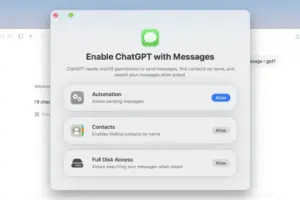
- Grant Permissions: Upon initial execution, macOS and the application will prompt the user to grant explicit authorization for reading and writing data within the Messages framework.
- Invocation: Users can activate the plug-in using natural language prompts (e.g., "send a message to…"), utilizing the
@Messagesinline mention, or manually selecting Messages from the plug-in list in the prompt box via the+icon.
Supporting Context, Mechanics, and Practical Applications
The utility of the Apple Messages plug-in spans two distinct functional categories: active communication generation and retrospective data analysis.

1. Active Communication and Drafting
Writing routine texts or finding the right words for difficult conversations can be a friction point in modern communication. With the plug-in enabled, ChatGPT can draft and dispatch messages on behalf of the user. For instance, prompting the system with, "message Steve telling him I’m sorry I can’t come to his dinner party in a polite way," yields a balanced, context-aware draft combining appropriate apologies, expressions of gratitude, and warm wishes.
Crucially, OpenAI has implemented a safety check for outgoing communication. Users are not forced to let the AI fire off messages autonomously; instead, they are presented with a review window. Individuals can configure the system to require manual approval for every single outgoing text or permit automated sending within pre-approved, trusted conversation threads.
2. Message History Retrieval and Data Mining
Beyond drafting, the AI excels at indexing, summarizing, and extracting actionable insights from historical chat logs. Because the system can look backward across existing text threads, users can execute complex queries that would otherwise require tedious manual scrolling:
- Event Coordination: "Did anyone confirm the venue for Friday’s meeting in my recent texts?"
- Logistical Tracking: Scanning past delivery notifications or carrier messages to verify billing changes over time, complete with exact monetary increases, percentage shifts, and historical dates.
- Follow-up Management: "Is there anything I need to follow up on in my conversations this week?"
This capability shifts the utility of the tool from a simple writing assistant to a personalized data retrieval engine.
Privacy Architecture: Local Processing vs. Cloud Storage
Given the sensitive nature of text messages—which frequently contain financial details, personal confidences, and private media—privacy is the primary concern for prospective adopters.
OpenAI has addressed these anxieties by engineering the plug-in to operate strictly on a local processing model. According to technical confirmations provided to industry analysts, the plug-in executes its parsing routines locally on the user’s Mac.

- No Cloud Indexing: The contents of your Apple Messages conversations are not uploaded or stored on OpenAI’s remote cloud servers.
- App Isolation: These message logs do not sync back to or appear within ChatGPT mobile applications or the standard web portal.
- No Permanent Database: The desktop application does not build a permanent, overarching global index of your text message history; data is queried dynamically as prompts require.
Despite these assurances, public reaction remains deeply polarized. Online forums such as Reddit showcase a sharp divide, with skeptics branding the integration as invasive spyware, while power users embrace the time-saving efficiency of local AI processing.
Official Statements and Industry Perspective
The release of the Apple Messages plug-in highlights a broader industry race toward deeply integrated, contextual AI assistants. Operating systems are increasingly becoming platforms for third-party artificial intelligence models, forcing tech giants and AI developers to navigate complex boundaries between user convenience and data stewardship.
OpenAI’s communications emphasize that user control remains paramount. By placing authorization checkpoints on outgoing messages and executing analytical queries locally on the device, the organization aims to mitigate the risks associated with unauthorized data exposure.
However, technology analysts point out that the arrival of these tools creates an environment where boundaries are easily blurred. Similar integrations—such as Claude’s Gmail and messaging extensions—signal that users are moving past the era of isolated chat windows. The modern AI assistant is designed to be an omnipresent layer across the user’s entire digital workspace.
This shift has also prompted discussions regarding platform dominance. As AI models become deeply entrenched in native messaging protocols like Apple iMessage, questions arise regarding how platform holders will regulate third-party access and whether future native operating system assistants (such as Apple Intelligence) will seek to restrict or absorb these capabilities.
Future Outlook: Convenience, Cognitive Offloading, and Ethical Boundaries
As the dust settles on the initial deployment of the macOS Messages plug-in, the long-term implications for human communication and cognitive behavior warrant serious consideration.

The Productivity Dividend
For knowledge workers, executives, and individuals managing high volumes of digital correspondence, the time-saving potential is undeniable. Sifting through months of conversational history to extract logistical details or draft tactful responses in seconds represents a quantum leap in personal productivity. As algorithms become more adept at understanding nuance, tone, and personal context, routine administrative communication may become almost entirely automated.
The Psychological and Ethical Risks
Yet, this technology introduces subtle hazards that extend beyond data privacy:
- Cognitive Atrophy: Experts in neuroscience and digital ethics have repeatedly warned that outsourcing routine communication and memory recall to generative AI can lead to cognitive atrophy. When individuals stop remembering details or formulating their own interpersonal apologies and invitations, critical social and cognitive muscles weaken.
- The Erosion of Authenticity: Delegating emotionally resonant or relationship-building messages to an algorithm risks rendering human communication sterile and insincere. If a recipient discovers that a text was entirely AI-generated, it can fracture trust.
- Manipulation and Boundary-Pushing: The plug-in’s capability to assess moods, advise on relationship dynamics, or draft elaborate excuses to get out of social or professional obligations crosses a line into behavioral engineering. When AI is used to manipulate personal interactions or fabricate convincing untruths, the technology moves past simple utility and into uncomfortable ethical territory.
Conclusion
OpenAI’s Apple Messages integration for macOS represents a watershed moment for desktop AI. It offers a compelling glimpse into a future where our devices truly understand our communications history and act as proactive agents on our behalf. Yet, it also serves as a stark reminder of the choices consumers must continually make. Every user must ultimately decide where to draw the definitive line between the intoxicating allure of digital convenience and the preservation of human authenticity and personal privacy.