Executive Overview
In the modern digital age, humanity faces a peculiar archiving paradox: our smartphones are bulging with thousands, sometimes tens of thousands, of digital photographs that rarely, if ever, see the physical light of day. They remain trapped behind glass screens, locked away in digital clouds. While historical solutions often involved tedious multi-step processes—pairing separate inkjet printers with bulky cutting machines, manually applying laminate sheets, and wrestling with alignment errors—the crafting giant Cricut has stepped into the fray to bridge this gap.
Enter the Cricut StickerPix Print + Cut, a novel, all-in-one desktop device designed to collapse printing, laminating, and precision cutting into a single, compact machine. Breaking away from its traditional mold of heavy-duty craft plotters like the Maker or Explore series, Cricut has engineered a machine targeting the casual creator, journaling enthusiast, small-business owner, and parent.
Priced at $299.99 for its comprehensive Essential Bundle (with a more basic "Print-only" variant available at $169.99), the StickerPix + Cut aims to turn smartphone photo libraries into vibrant, water-resistant stickers, custom labels, and personalized photo prints in under sixty seconds. While its proprietary material lock-in and ongoing consumable costs keep it from absolute perfection, this device offers an astonishingly seamless, joyful user experience that redefines what a consumer-grade crafting printer can achieve.
Detailed Chronology: From Unboxing to Creative Execution
Setup, Unboxing, and First Impressions
The journey of testing the Cricut StickerPix Print + Cut begins the moment you lift the lid of its thoughtfully packed box. Weighing remarkably little and measuring a compact 8 x 11.3 x 4.1 inches, the device is roughly the footprint of a standard laptop. This makes it an ideal desktop companion that can be easily tucked away on a shelf when not in use.
Unboxing reveals a clean, industrial layout: the primary machine chassis, dual plug adapters, a proprietary color ink cartridge, 18 sheets of high-grade photo paper, and 18 sheets of sticker paper. Unlike many modern tech products that discard printed documentation in favor of digital-only prompts, Cricut includes a genuinely useful, physically printed instruction manual featuring crystal-clear component diagrams and step-by-step guidance for installing the ink cartridge and loading the paper tray.
Software Integration and Design Space
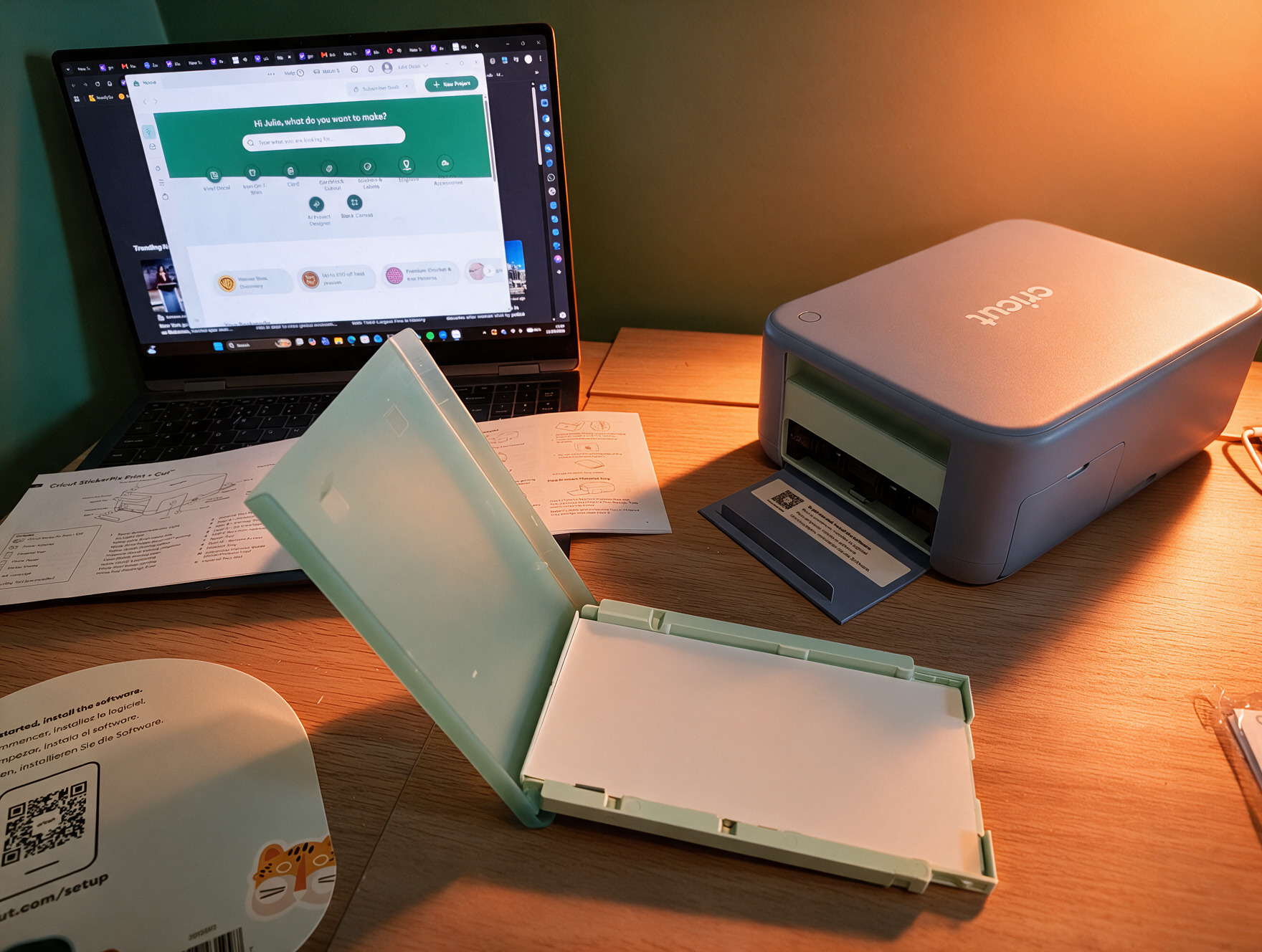
Connecting the device is a frictionless endeavor. Users navigate to the Cricut platform via Bluetooth, select their hardware model, and follow the software prompts within Cricut’s signature Design Space application.
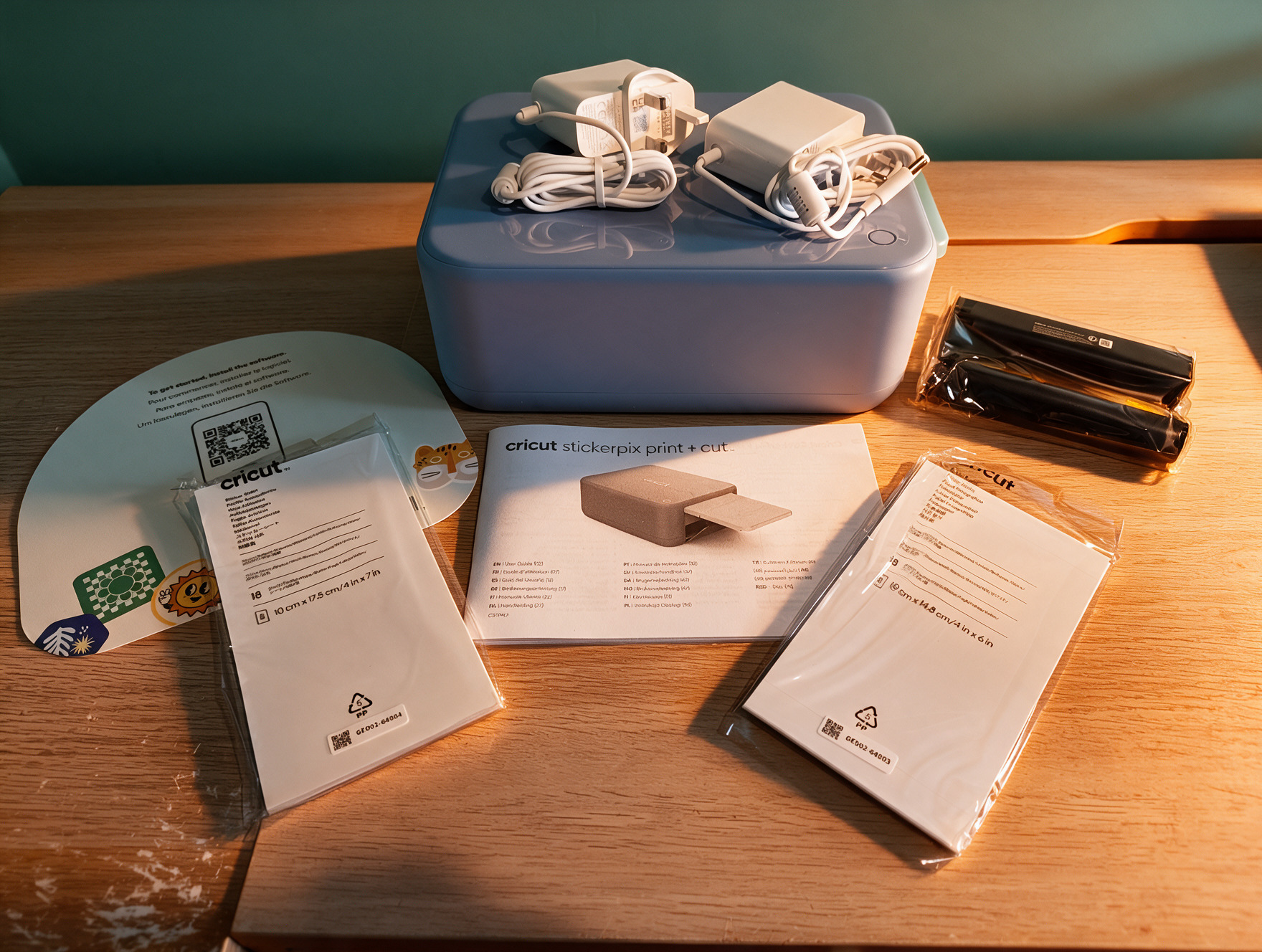
Upon initial connection, the hardware executes an automatic firmware update. First-time users are greeted by an interactive tutorial demonstrating how to remove the paper tray, load media safely, and align print jobs. Design Space serves as the creative nucleus for the StickerPix. The software home screen immediately guides the user through three primary pathways:
- Starting a fresh, blank project.
- Browsing specific project categories (stickers, labels, photo prints, cards, and invitations).
- Utilizing pre-designed templates from an expansive digital library.
For non-artists and casual makers, the inclusion of AI-driven generation tools within Design Space is a standout feature. Boasting a library of over 1.8 million sticker assets, users can upload personal photographs—such as a family portrait—and apply stylized artistic filters ranging from oil painting and comic book aesthetics to crayon drawing and spray paint. By providing basic text prompts to the AI (e.g., transforming a family member into a Halloween witch or adding secondary background elements like a cat), the software rapidly produces a curated array of sticker-ready cut files. While full library access and advanced AI features require a paid Cricut Access subscription, the hardware bundle includes an introductory trial voucher to get users started.
Supporting Context & Metrics: Performance, Print Quality, and Capabilities
Dye-Sublimation Technology and Durability
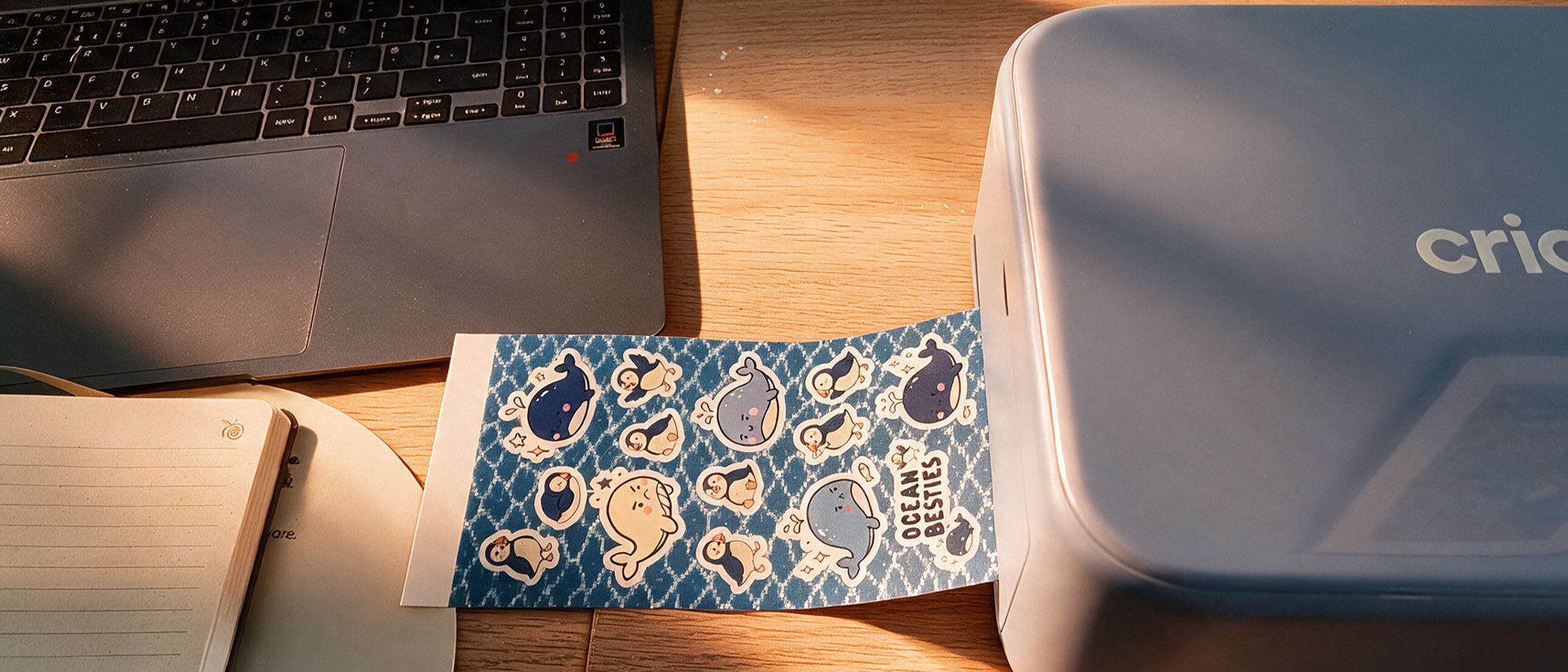
Under the hood, the StickerPix + Cut utilizes sophisticated dye-sublimation printing mechanics. Instead of spraying liquid droplets that can smudge, the machine lays down individual color passes sequentially, concluding the cycle by applying a crystal-clear protective laminate layer in the exact same pass.
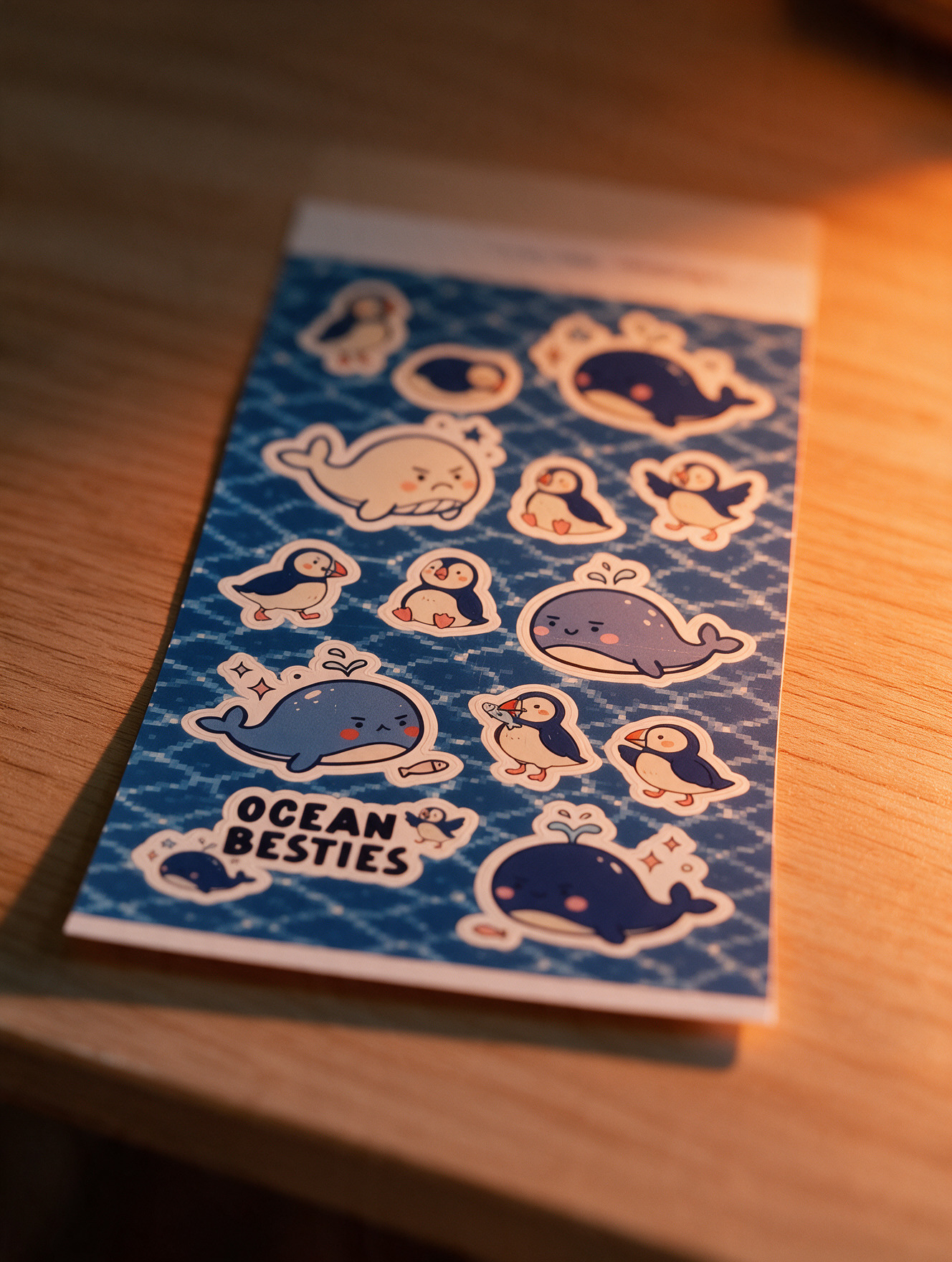
Rated at a crisp 300 dpi, the output is surprisingly robust. Finished stickers and photo prints demonstrate high resistance to water, daily scratches, and UV fading. The physical media possesses a pleasant, professional-grade weight that immediately elevates it above standard office-printer sticker paper.
Speed and Multi-Functionality
Performance metrics are equally impressive. A complete, laminated print job takes a mere 60 to 120 seconds from the moment you hit "print" in Design Space. There is no need for manual calibration adjustments; users simply load the paper face-up, click the magnetic tray into place, and initiate the transfer.
The machine’s versatility shines across various applications:
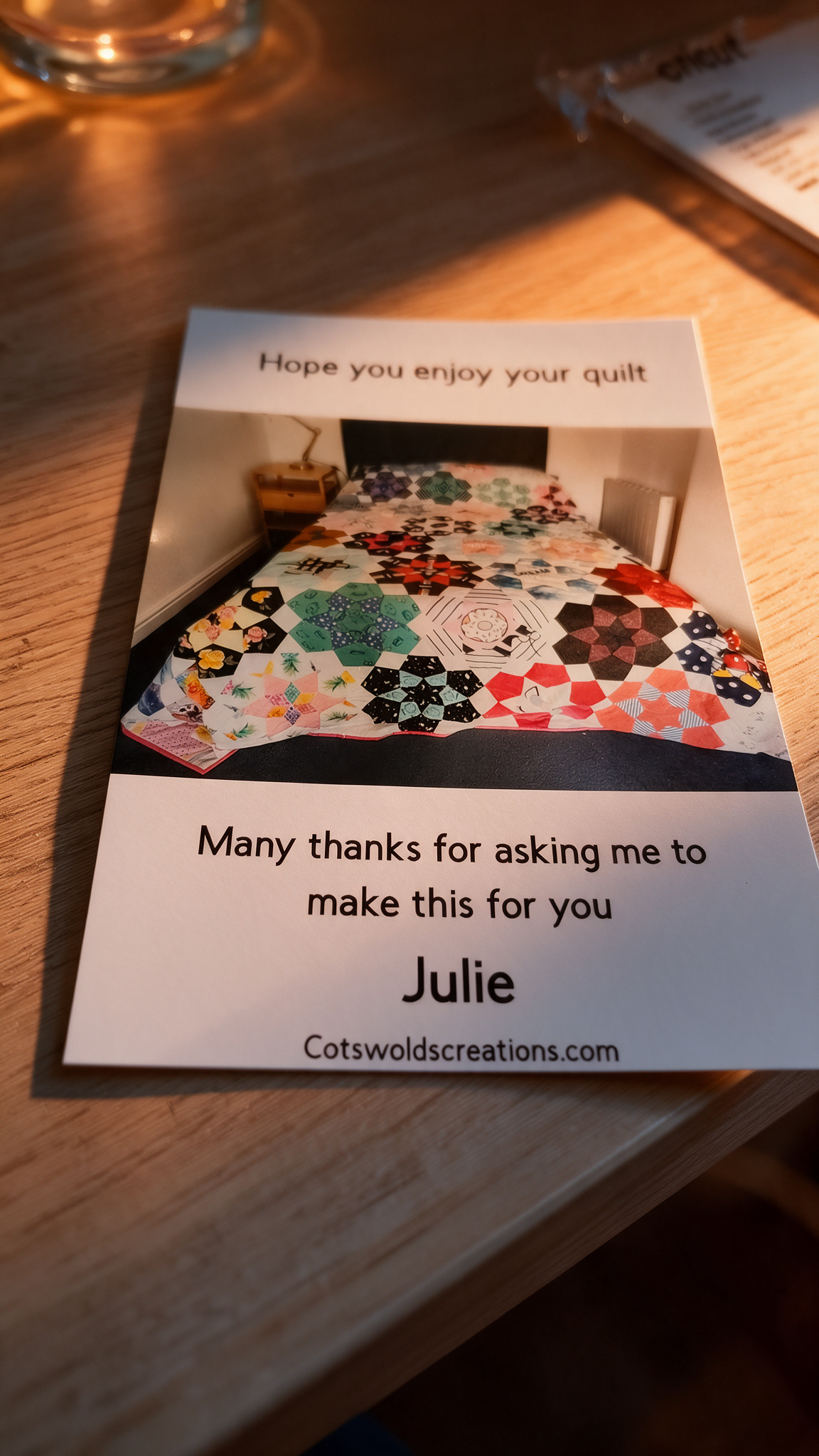
- Photo Printing: The color accuracy and sharp shadow-and-highlight details rival commercial photo labs, rescuing phone snapshots from digital obscurity.
- Labeling & Gifting: Pre-made templates make generating custom holiday gift tags, pantry labels, and organizational markers effortless.
- Small Business Packaging: Entrepreneurs running micro-enterprises can rapidly produce branded thank-you cards and bespoke product inserts. For instance, creators can seamlessly package personalized photo prints and custom notes directly alongside shipped goods.
- Precision Kiss-Cutting: The internal cutting mechanism executes flawless "kiss-cuts," slicing completely through the top layer of sticker vinyl while leaving the backing paper entirely intact. This ensures individual stickers peel away cleanly without structural tearing.
Official Statements & Comparative Positioning
Where Does It Fit in the Cricut Ecosystem?
A recurring question for seasoned crafters is whether the StickerPix + Cut renders existing Cricut hardware obsolete. The short answer is no.
Traditional Cricut ecosystem staples—such as the Explore 5 or the heavy-duty Maker series—remain the undisputed kings of heavy fabrication. Those machines are built to cut intricate designs out of thick cardstock, heavy vinyl, heat-transfer vinyl (HTV) for apparel, and even fabrics like leather and quilting cotton. The StickerPix + Cut, by contrast, is strictly confined to processing its own proprietary sheet formats. It cannot accept external rolls of vinyl or loose cardstock.
When evaluating financial investments, the pricing dynamic requires careful consideration:
- The StickerPix + Cut Essential Bundle retails around $299.99 (£249.99).
- The Cricut Explore 5 sits roughly $100 cheaper, while the flagship Maker 5 is only about $50 more expensive than the StickerPix.
However, direct price comparisons can be misleading. To achieve the exact same output on a traditional Maker or Explore machine, a user must purchase a separate, high-quality color inkjet printer, source specialized printable vinyl, feed sheets through a manual laminator, and meticulously calibrate registration marks. The StickerPix eliminates this cumbersome multi-device workflow, packing an entire production studio into a single, highly portable footprint.
Future Outlook: The Catch, Consumables, and Long-Term Value
Despite its overwhelming ease of use and professional-grade output, potential buyers must weigh a few notable limitations before purchasing:
- The Material Lock-In Dilemma: The StickerPix ecosystem is fiercely proprietary. The machine demands Cricut’s branded paper supplies. Furthermore, consumables are strictly segregated by model—meaning cartridges and sheets designed for the entry-level StickerPix Print cannot cross over into the Print + Cut variant.
- Consumable Operating Costs: The initial Essential Bundle ships with a modest starter kit (18 sheets of sticker paper and 18 sheets of photo paper). Once exhausted, replacement ink and paper cartridges range between £24.99 and £47.99. Because cartridge longevity is directly tied to how efficiently a user packs items onto a single sheet, calculating the cost-per-print is a vital exercise for high-volume makers.
- Environmental and Handling Constraints: While the laminated stickers are water-resistant, they are explicitly not dishwasher-safe. Users hoping to slap custom creations onto heavily washed water bottles or kitchen mugs may find their designs degrading over time. Additionally, expanding the finish catalog to include metallic or foil laminate sheets would unlock an even higher tier of creative expression.
Final Verdict
For casual creators, busy parents, journalers, and Etsy micro-entrepreneurs who want lab-quality photo prints and laminated, custom-cut stickers without the administrative headache of operating a multi-device print shop, the Cricut StickerPix Print + Cut is an absolute joy. It transforms idle digital memories into tactile physical art with remarkable speed. While you must accept the financial reality of a locked-in consumable ecosystem, the sheer convenience, time-savings, and polished results make it a compelling addition to any modern craft desk.