Executive Overview
For software engineers, data scientists, and systems administrators alike, few error traces are as instantly demoralizing as the MemoryError. This exception often strikes not during complex neural network training or massive distributed computations, but during routine, seemingly mundane batch processing jobs.
Consider a classic production scenario: A script designed to parse, filter, and summarize system payment logs runs smoothly for twelve months. It opens a standard log file, constructs an in-memory list of parsed records, strips out irrelevant errors, and outputs a clean text table. Then, an infrastructure change alters the log rotation policy. Suddenly, an entire week’s worth of high-volume transaction traffic is compressed into a single 9 GB file.
When the nightly cron job executes, it immediately crashes with a MemoryError before computing a single summary statistic. A post-mortem analysis reveals a humbling truth: the parsing logic was completely sound. The bug was the list itself.
By default, standard Python programming idioms encourage developers to ingest entire datasets into memory all at once. Methods like .readlines() and naive list comprehensions make this approach dangerously tempting. However, Python has natively supported the architecture required to bypass this bottleneck for over two decades: iterators, generator functions, and generator expressions.
When correctly implemented, these tools construct a lazy data processing pipeline, pulling a single record through every transformation stage and safely releasing it from memory before the next record arrives. This article provides an authoritative deep dive into leveraging Python’s iterator protocol and generator mechanisms to build memory-efficient, highly scalable data pipelines for large files and streaming datasets.
Detailed Chronology: The Evolution of Python Data Streaming
To understand why modern Python codebases frequently succumb to memory inflation, one must examine how data collection paradigms have evolved alongside hardware advancements. In the early days of high-level scripting, RAM was expensive, but datasets were small. Developers routinely loaded files line-by-line using basic file handles. However, as abstraction layers grew—spurred by the rise of data science libraries, object-relational mappers (ORMs), and web-scale microservices—developers adopted high-level convenience methods that prioritized syntactic brevity over resource stewardship.
Phase 1: The Eager Ingestion Antipattern
In the naive approach to log processing, developers frequently chain operations using standard list comprehensions. Consider this textbook example of an eager processing pipeline:
with open("app.log") as f:
    records = [parse(line) for line in f]      # Every record exists in RAM simultaneously
errors = [r for r in records if r["level"] == "ERROR"]
slow = [r for r in errors if int(r["latency_ms"]) > 1000]
At code review, this block appears clean, Pythonic, and concise. Yet, under the hood, it commits a cardinal sin of resource management: it builds three separate, massive lists in memory.
The first list comprehension must hold every single parsed record from the file in RAM before the subsequent filtering stage can even begin execution. If the input file expands from a manageable 200 MB to a massive 9 GB log artifact, the operating system’s virtual memory subsystem collapses under the weight of millions of simultaneous string and dictionary allocations.
Phase 2: Understanding the Iterator Contract
The antidote to eager ingestion lies in Python’s underlying iteration protocol. Every for loop in Python relies on a fundamental contract between two distinct entities:
- Iterables: Objects capable of returning their members one at a time (e.g., lists, strings, dictionaries, open file streams).
- Iterators: State-tracking objects that actually remember the current traversal position within the dataset.
When a statement like for line in f: executes, Python invokes the built-in iter() function on the file object once. It then repeatedly calls next() on the resulting iterator object until the operation raises a StopIteration exception. Far from being a fatal runtime error, StopIteration is simply the standard Python protocol signal indicating that an iterable has been fully exhausted.
numbers = iter([10, 20, 30])
next(numbers)  # Returns 10
next(numbers)  # Returns 20
next(numbers)  # Returns 30
next(numbers)  # Raises StopIteration
Crucially, an iterator is not a duplicated copy of the underlying data source; it is a forward-only cursor. Traversing a 9 GB file via an iterator requires only a tiny, fixed-size read buffer rather than gigabytes of resident string memory.
However, this forward-only behavior introduces a common trap: exhausted iterators do not automatically rewind. If a generator or iterator appears empty upon a second loop iteration, it is because the first pass (often an inadvertent len() check, a debugging print statement, or a covert list() cast) consumed it entirely.
Supporting Context & Metrics: Lazy vs. Eager Processing
To appreciate the quantitative impact of adopting lazy evaluation, we must measure actual memory footprints during execution. The Python standard library provides the tracemalloc module, which meticulously tracks memory blocks allocated by the interpreter, reporting both current usage and peak memory consumption.
import tracemalloc

tracemalloc.start()

# Execute data pipeline
write_batches(rows, "slow_errors.tsv")

current, peak = tracemalloc.get_traced_memory()
tracemalloc.stop()

print(f"Current memory: current / 1e6:.1f MB | Peak memory: peak / 1e6:.1f MB")
Comparative Benchmarks
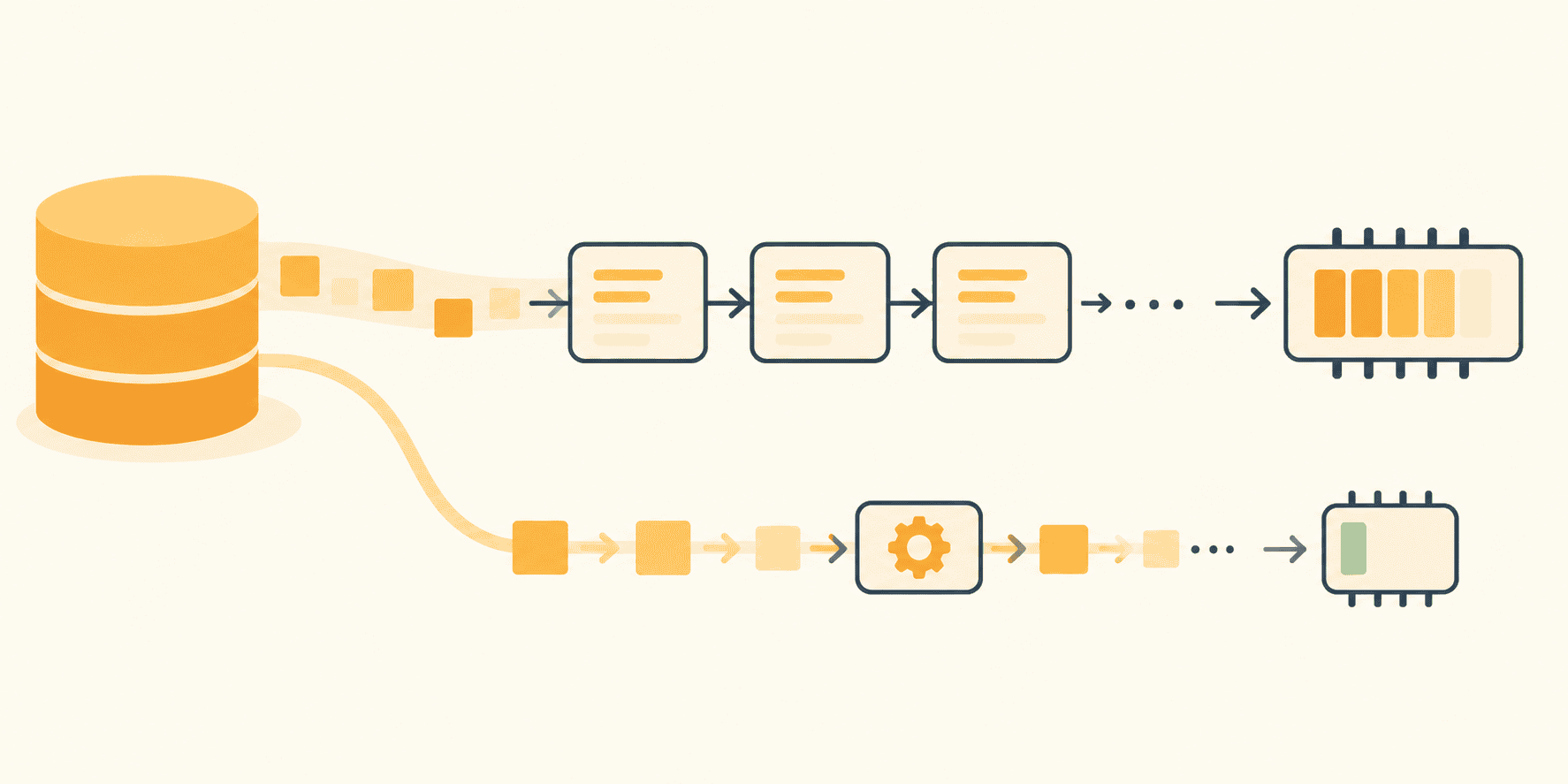
When testing an eager pipeline against a streaming, lazy pipeline using a synthetic 200,000-line log file (approximately 17 MB on disk):
- The Eager Script: Ingested the entire dataset into list structures, resulting in a peak memory consumption of 198 MB.
- The Streaming Pipeline: Processed the exact same dataset record-by-record, resulting in a peak memory consumption of merely 0.4 MB.
More importantly, as the input file scales from 17 MB to 10 GB, the lazy pipeline’s peak memory footprint remains virtually flat, tied strictly to the configured batch size rather than the total volume of data on disk.
Structuring Pure Python Lazy Pipelines
To maintain laziness throughout an entire data path, every single intermediate link in the chain must remain unmaterialized. Sprinkling a single yield statement into an isolated function is insufficient if subsequent steps cast streams back into rigid lists.
Below is a robust, production-grade architecture implementing a multi-stage streaming pipeline using generator functions:
import re
from itertools import islice

LINE_PATTERN = re.compile(r"^(?P<ts>S+) (?P<level>[A-Z]+) (?P<service>[w-]+)(?P<rest>.*)$")

def read_lines(paths):
    for path in paths:
        with open(path, encoding="utf-8") as f:
            yield from f

def parse_records(lines):
    for line in lines:
        match = LINE_PATTERN.match(line)
        if match is None:
            continue  # Skip, increment error counter, or log; never break the stream
        record = match.groupdict()
        record["fields"] = dict(
            item.split("=", 1) for item in record.pop("rest").split() if "=" in item
        )
        yield record

def only_level(records, level):
    for record in records:
        if record["level"] == level:
            yield record
By employing yield from, the read_lines generator seamlessly chains multiple rotated log files (app.log.2, app.log.1, app.log) into a single continuous stream. Crucially, each individual file handle is safely closed and cleaned up before the subsequent file is even opened.
Official Statements & Architectural Best Practices
Core Python documentation and senior software architects emphasize that laziness must be maintained from the file object at the top of the stack all the way down to the batch writer at the bottom.

1. Leverage the File Object’s Native Iteration
Before writing custom generator code, developers should exploit the memory efficiencies already built into Python’s standard library. A file object is natively its own iterator.
f.read()reads the entire file into a single monolithic string.f.readlines()constructs an expansive list populated with one string per line.for line in f:reads a buffered chunk at a time, yielding precisely one line to the caller.
2. Guard Against Premature Materialization Traps
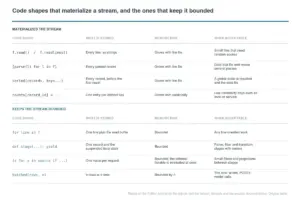
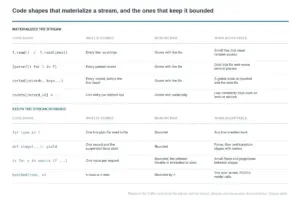
The primary threat to a lazy pipeline is the unconscious inclusion of operations that force materialization. Common culprits include:
list(stream): Explicitly forces the evaluation of every item in an iterator, storing them in a continuous array.sorted(stream, key=...): A particularly deceptive trap. A sorting algorithm cannot possibly emit its first element until it has ingested, analyzed, and ordered every single item in the input stream.- Dictionary Accumulation: Building global index dictionaries (e.g., grouping or counting items by
request_idacross millions of records) scales linearly with unique keys, defeating the purpose of streaming.
3. Bounded Batching at the Sink Boundary
Laziness is not an absolute dogma; eventually, data must land somewhere durable—a database table, a persistent file, an external REST API, or a machine learning model ingestion queue. Most consumers require discrete batches rather than isolated records.
Python 3.12 introduced itertools.batched(), an elegant standard library utility designed precisely for this boundary pattern. It pulls items from an input iterable just long enough to construct a fixed-size tuple, passes the batch downstream, and repeats the process.
from itertools import batched  # Python 3.12+

def write_batches(rows, path, size=1000):
    with open(path, "w", encoding="utf-8") as out:
        for batch in batched(rows, size):
            out.writelines(f"tstservicetridn" for ts, service, rid in batch)
            out.flush()
For legacy environments running Python 3.11 or earlier, the exact same behavior can be achieved via a concise helper utilizing islice:
def legacy_batched(iterable, n):
    it = iter(iterable)
    while batch := tuple(islice(it, n)):
        yield batch
Future Outlook: Streaming in the Age of Big Data and AI
As datasets continue to expand—driven by enterprise telemetry, IoT sensor outputs, and massive text corpora utilized in Large Language Model (LLM) fine-tuning and retrieval-augmented generation (RAG) pipelines—the principles of memory-efficient streaming are more critical than ever.
The challenges traditionally solved by distributed frameworks like Apache Spark or Dask can frequently be managed on a single, cost-effective node using pure Python generators, provided the workload is inherently line-oriented or batch-parallelizable. For instance, preprocessing multi-gigabyte JSONL (JSON Lines) datasets for AI model ingestion benefits immensely from generator-based pipelines, preventing out-of-memory crashes on GPU worker nodes.
Looking forward, Python ecosystem enhancements continue to refine streaming capabilities. As asynchronous input/output streams and native concurrency primitives evolve, combining async generators with streaming file protocols will allow systems to process network-bound and disk-bound data concurrently without inflating memory footprints.
Summary Checklist for Resilient Pipelines
- Source Lazy: Always iterate directly over file objects (
for line in f) rather than calling.readlines(). - Transform Lazily: Construct named generator functions utilizing
yieldto preserve local execution state and process records individually. - Inspect Safely: Use
itertools.islice()to preview the first $N$ rows of a stream during debugging without consuming the underlying dataset. - Batch at the Sink: Materialize data only at the final output boundary using bounded structures like
itertools.batched(). - Measure Rigorously: Profile codebases with
tracemallocto verify that peak memory scaling remains tied to batch size rather than total file volume.
By adhering to these architectural patterns, developers can ensure their data pipelines remain robust, maintainable, and impervious to the dreaded MemoryError, no matter how large the log file grows.