
Executive Overview: The Dawn of Truly Dynamic CSS
For nearly two decades, the CSS :nth-child() pseudo-class has been a cornerstone of web design. It allows developers to target elements based on their position within a parent container, enabling everything from zebra-striped tables to complex grid layouts. However, this power has always been static. Once written into a stylesheet, the formula—such as 5n + 8—is immutable without manual intervention.
In modern application development, where design systems are increasingly reactive and user-driven, the inability to adjust these selectors on the fly has been a persistent friction point. We have long relied on JavaScript to inject classes or manipulate DOM structures to achieve "dynamic" styling. Today, however, that paradigm is shifting. With the advent of the CSS if() function and sibling-index(), we are witnessing a fundamental change in how we structure CSS logic. This article explores the groundbreaking shift toward dynamic, variable-driven selectors and demonstrates how to implement a fully fluid :nth-child() engine using native browser capabilities.
Detailed Chronology: From Static Rules to Algorithmic Styling
The Constraint of the Classic Pseudo-Class
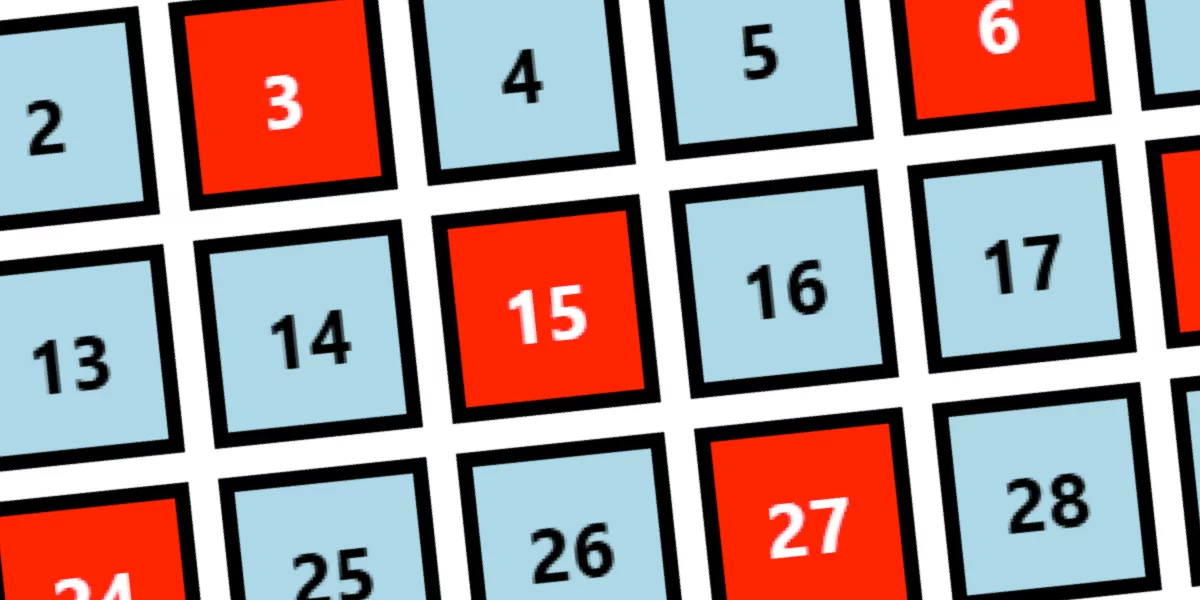
The traditional :nth-child(An + B) syntax was designed for a static web. When a developer writes div:nth-child(5n + 8), the browser engine computes the layout based on the DOM tree at render time. To change this, one would typically need to swap out a class (e.g., .pattern-a to .pattern-b) via JavaScript. While effective, this creates a tight, often brittle coupling between the logic of the data and the presentation layer.
The Emergence of Conditional CSS
The introduction of if()—a highly anticipated conditional function—has fundamentally altered the CSS landscape. By combining if() with style() queries and the sibling-index() property, we can move logic from the "selector engine" (which is inherently rigid) into the "property evaluation engine" (which is fluid).
The Implementation Roadmap
To move beyond static selectors, we must re-engineer our approach. Instead of relying on the browser’s native selector matching to filter elements, we allow every element to exist in the DOM, then use conditional styling to determine its visual state.
- Defining the Environment: We establish a parent container that houses our CSS variables (
--Aand--B). - The Indexing Mechanism: By utilizing
sibling-index(), we provide each child element with a sense of its own position. - Conditional Evaluation: We apply
if()functions directly to CSS properties (likebackground-colororcolor), checking against our defined variables.
This approach effectively turns CSS into a functional programming environment. If an element’s index satisfies the mathematical condition defined by the container’s variables, the style is applied. If not, the element remains in its default state.
Supporting Context & Metrics: Breaking Down the Logic
The Simplest Case: :nth-child(B)
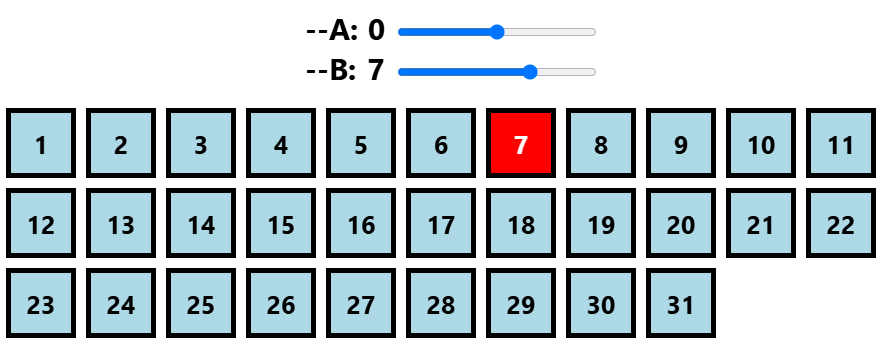
When we target a single element, the logic is trivial. In a traditional CSS environment, div:nth-child(5) targets the fifth element. In our new, dynamic paradigm, we express this as:
.container div
  background: if(style(sibling-index() = var(--B)): red; else: lightblue);
This snippet demonstrates a massive paradigm shift. The value of --B can be updated via the browser’s DevTools, CSS variables in a style attribute, or even a range input in HTML. The browser re-renders the background instantaneously, without any heavy-duty DOM manipulation.
Scaling to Ranges: :nth-child(n + B) and Beyond
The power of this method becomes apparent when dealing with ranges. Implementing n + B (selecting all elements from index B onwards) is a matter of changing the comparative operator:
.container div
  background: if(style(sibling-index() >= var(--B)): red; else: lightblue);
This logic holds up even for complex range selections. By combining multiple conditions within the style() query, we can create custom ranges like [X, Y] using:
.container div
  background: if(style(var(--X) <= sibling-index() <= var(--Y)): red);
This is significantly more readable than the native nth-child syntax, which often requires a deep understanding of algebraic progressions to decipher at a glance.
The Complexity of Multiples: :nth-child(An)
Handling multiples (e.g., every third element) introduces the mod() function. By checking if mod(sibling-index(), var(--A)) = 0, we can isolate multiples of any number. We must account for edge cases, such as when A is negative or zero, to ensure the robustness of the system. This level of mathematical precision was previously reserved for preprocessors like SASS, but now exists natively in the browser.
Official Perspectives: The Power of if() and style()
Industry experts and browser vendors have hailed the if() syntax as the most significant CSS development since the introduction of Flexbox and Grid. By allowing if() to interface with style() queries, the W3C has effectively enabled "CSS-in-CSS" logic.
The primary benefit identified by the CSS Working Group is the reduction of "class-bloat." Historically, developers would create numerous utility classes to handle various layout states. With dynamic variables, a single set of styles can adapt to an infinite variety of configurations.
However, there is a caveat: complexity. While the system is powerful, it is also abstract. Developers must be disciplined in how they structure these conditions. As seen in our implementation of the generic :nth-child(An + B), the math involves calculating n = (index - B)/A. This requires a solid grasp of CSS calc() and sign() functions.
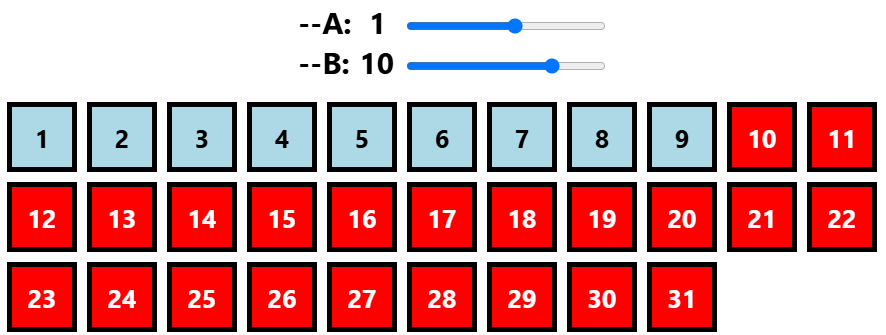
Future Outlook: The Path to Dynamic Layouts
The implementation of if() and sibling-index() is just the beginning. As we look toward the future of web development, we can anticipate several trends:
1. The Rise of "Style-Driven" Design Systems
We are moving away from component libraries that rely on hardcoded classes toward systems that rely on property-based logic. A "Card" component in the future might automatically adjust its internal layout based on its position in a list, all without the need for additional class names.
2. Native Support for :nth-last-child()
The next logical step for this architecture is the integration of sibling-count(). By combining sibling-index() and sibling-count(), developers will be able to create fully dynamic nth-last-child() selectors, allowing elements to know their position relative to the end of the list. This is essential for layouts that need to handle varying content lengths gracefully.
3. Performance Considerations
While this method is highly performant—as it avoids the "layout thrashing" often caused by massive DOM updates via JavaScript—it does introduce a layer of computational overhead to the browser’s style engine. As browser vendors continue to optimize these features, we expect the efficiency of conditional styling to rival that of traditional selectors.
Final Thoughts: An Invitation to Experiment
This exploration into dynamic :nth-child() selectors is more than just a clever coding trick; it is a preview of the next generation of web design. By embracing these tools, developers can build interfaces that are more responsive, more maintainable, and infinitely more flexible.
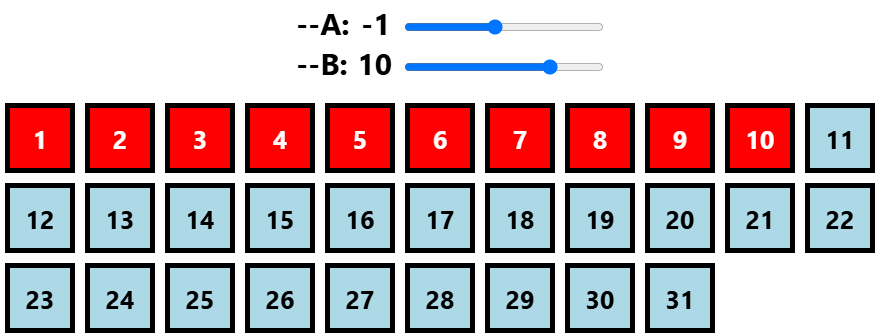
For those who wish to master this, the homework is clear: experiment with sibling-count(). Try to construct a layout where the last three elements of any list receive a special highlight, regardless of how many elements are present. The tools are now in your hands. The browser has evolved—it is time for your stylesheets to do the same.