Executive Overview
In a strategic recalibration of its software ecosystem, tech conglomerate Samsung Electronics has formally announced a major native integration that allows its proprietary Samsung Gallery application to sync directly with Google accounts. This development marks a pivotal shift in how millions of Galaxy smartphone and tablet users manage, back up, and cross-reference their digital media libraries.
For years, Samsung users navigating the complex waters of mobile cloud storage faced a fragmented landscape. While the Android operating system is fundamentally rooted in Google’s ecosystem, Samsung’s high-profile hardware partnership with Microsoft historically steered native Gallery app backups toward OneDrive. That era officially drew to a close in September when Samsung phased out native OneDrive synchronization within the Gallery application, leaving users wondering where the South Korean manufacturer would direct its vast user base for default cloud redundancy.
The answer has arrived in the form of a direct Google account integration. Rather than forcing users to completely abandon the native Gallery interface in favor of the standalone Google Photos application—as was the historical workaround—Samsung is now offering a native bridge. Users can seamlessly back up photos and videos directly to Google storage while retaining the familiar, feature-rich interface of the stock Samsung Gallery.
However, this convenience brings critical considerations regarding cloud storage limits, multi-device management, and local device optimization. As this feature rolls out initially to select devices running One UI 9—Samsung’s cutting-edge custom Android software interface—it promises to redefine user expectations regarding cloud integration, interoperability, and data management across the broader Galaxy product line.
Detailed Chronology: From Microsoft OneDrive to Google Cloud Integration
To fully understand the weight of Samsung’s latest software update, it is essential to examine the timeline of cloud storage strategies that brought the company to this juncture.
The Microsoft Partnership Era
The collaboration between Samsung and Microsoft was once touted as a hallmark of cross-platform harmony. Recognizing that many consumers utilize both Windows PCs and Android mobile devices, Samsung deeply embedded Microsoft services into its One UI interface. A cornerstone of this alliance was the integration of Microsoft OneDrive directly into the Samsung Gallery application.
For several generations of Galaxy devices, users setting up a new phone were routinely greeted with prompts to link their Samsung account to OneDrive. This integration allowed photos and videos captured on a Galaxy device to bypass traditional pathways and automatically populate Microsoft’s cloud storage. For Windows-centric users, this was a boon, bridging the gap between mobile capture and desktop editing without requiring third-party desktop synchronization software.
The September Pivot
Cracks in the exclusive Microsoft partnership began to show as platform strategies evolved. Behind the scenes, structural agreements shifted, and Samsung began reassessing the long-term viability of maintaining an exclusive, resource-heavy native integration with a competitor’s cloud infrastructure when the vast majority of its users were already operating within the Google Android ecosystem.
In September, the shoe finally dropped. Samsung officially sunsetted the native OneDrive synchronization feature within the Gallery application. Users who relied on this pipeline were forced to re-evaluate their backup workflows. While Microsoft’s cloud service remained accessible via standalone applications or web browsers, the deep, frictionless native integration that millions of Galaxy owners had grown accustomed to vanished overnight. This left a glaring void in the One UI user experience, prompting immediate speculation across tech communities regarding which cloud provider would step in to fill the vacuum.
The Google Integration Announcement
That vacuum has now been officially filled. Following quiet behind-the-scenes development, Samsung announced that the Gallery app can now synchronize directly with a user’s Google account. This monumental shift bridges the gap between Samsung’s proprietary software suite and Google’s dominant cloud infrastructure.
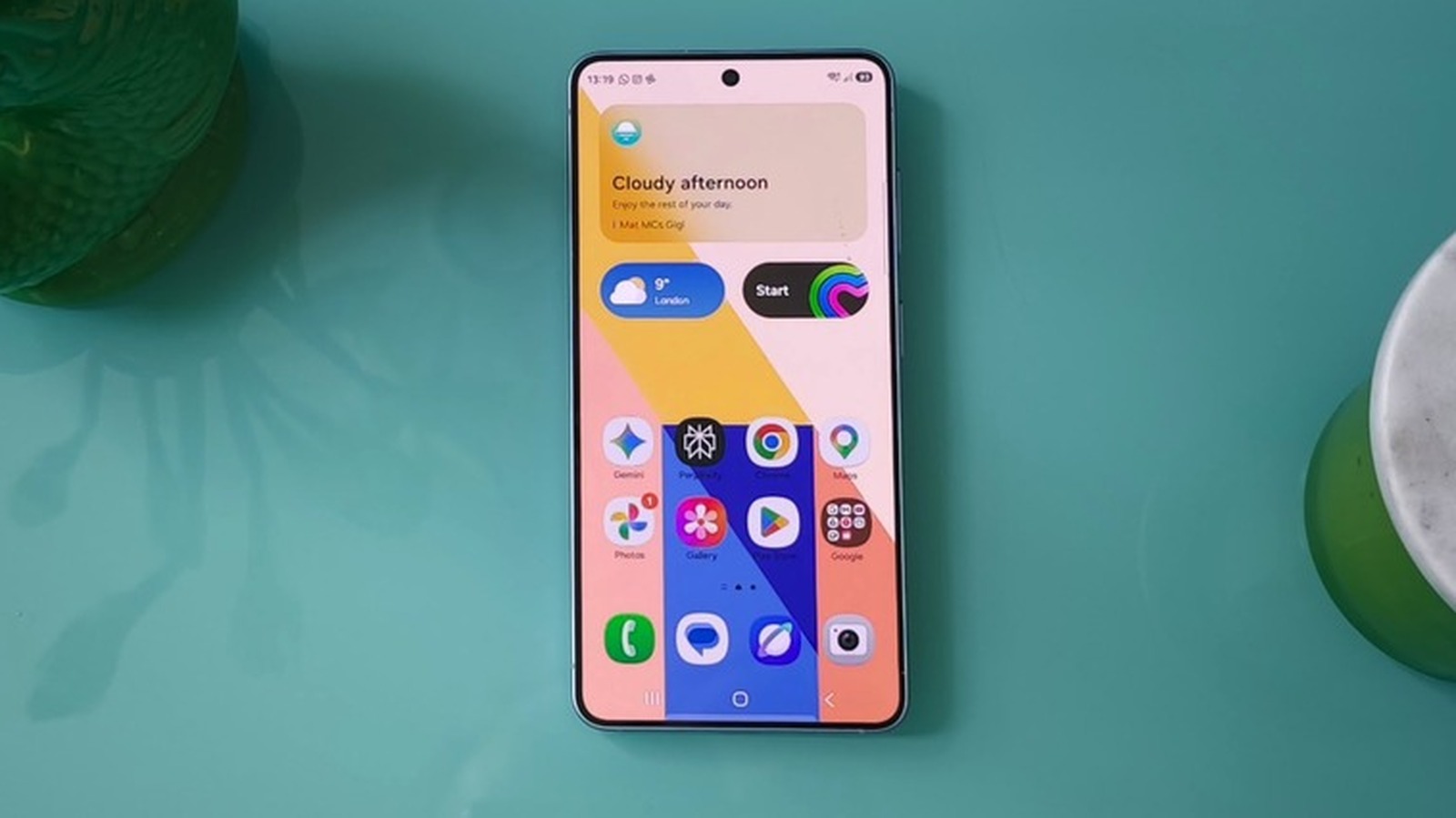
Instead of treating Google Photos and Samsung Gallery as entirely separate, competing silos on the same device, Samsung is now allowing its native app to act as a direct client for Google-backed storage. This move acknowledges a fundamental reality of the Android market: whether a user prefers Samsung’s hardware optimizations and Gallery editing tools, the underlying digital identity and backup infrastructure for the vast majority of Android devices remains inextricably tied to Google.
Supporting Context & Metrics: How the New System Operates
The technical implementation of the Samsung-Google Gallery sync introduces several distinct features designed to streamline user workflows, optimize local storage, and enhance cross-device continuity.
Availability and Rollout Strategy
As of its initial announcement, the native Google sync feature is not universally available across all Samsung hardware. The functionality is presently restricted to select, high-end Galaxy devices operating on One UI 9, Samsung’s latest iteration of its custom Android user interface.
Industry analysts anticipate that Samsung will adopt a phased rollout schedule. Historically, major One UI software features trickle down from flagship series—such as the Galaxy S and Z foldables—to mid-range Galaxy A-series devices over several months. Users eager to check for the feature can do so by navigating into the Gallery application, tapping the cloud icon, or diving directly into Gallery Settings to toggle on the Sync photos and videos option.
Cross-Device Continuity and Management
One of the most compelling aspects of this new integration is its ability to foster a unified media ecosystem across multiple Samsung devices. Under previous iterations, managing photos across a tablet, a secondary phone, and a primary smartphone often resulted in fragmented local libraries.
With Google account synchronization enabled across multiple Galaxy devices logged into the same account, users can view comprehensive previews of their synced photos and videos natively within the Gallery app on any of those devices. Crucially, the system is designed to conserve local device bandwidth and storage:
- Thumbnail Previews: Secondary devices display high-quality thumbnails of synced media without automatically downloading the massive original files.
- On-Demand Downloads: If a user wishes to view, edit, or share the full-resolution original file on a secondary device, they can select and download the file directly through the Gallery interface.
Space Optimization: The "Free Up Space" Functionality
Modern smartphone cameras capture incredibly detailed, high-resolution imagery and 4K—or even 8K—video. Consequently, local storage fills up rapidly, regardless of whether a device boasts 256GB, 512GB, or 1TB of internal capacity.
To combat storage anxiety, Samsung has introduced a dedicated Free up space utility embedded within the Sync photos and videos settings menu. When activated, this feature automatically purges the original, heavy media files from the local device’s physical storage after they have been successfully uploaded and secured within the user’s Google cloud storage.
Importantly, the user experience is not disrupted: lightweight thumbnail representations of the deleted files remain visible within the Gallery app, maintaining the illusion of a complete local library while instantly recovering valuable gigabytes of local storage space.
Storage Economics and Cost Analysis
While the technical convenience is undeniable, users must remain mindful of the storage economics governing Google’s cloud ecosystem.
- Default Allotment: Every standard Google account comes with 5GB of free cloud storage by default. However, Samsung users can expand this baseline tier to 15GB simply by verifying a valid phone number associated with their account.
- The Shared Pool Reality: Because Google storage is shared across multiple services—including Gmail, Google Drive, Google Photos, and now native Samsung Gallery sync—that 5GB or 15GB pool can disappear at an alarming rate, particularly for users who capture extensive video content.
- Google One Subscription Tiers: For users who exceed their free limits, scaling up requires transitioning to a Google One paid subscription model. Current pricing structures typically require:
- $2 per month for 100GB of shared cloud storage.
- $3 per month for 200GB of shared cloud storage.
- Higher tiers for terabyte-scale requirements.
This financial consideration transforms the native Gallery sync from a purely technical feature into a recurring monthly utility expense for power users.
Official Statements and Industry Implications
The pivot from Microsoft OneDrive to Google cloud integration has sent ripples through the mobile technology sector, prompting commentary from industry analysts and underscoring shifting corporate alliances.
While Samsung’s official documentation frames the update around user accessibility and convenience—emphasizing that the integration "makes it easier to access photos and videos across Galaxy devices"—analysts view the move as a pragmatic surrender to ecosystem gravity. For years, forcing users to adopt OneDrive created unnecessary friction for consumers who were already paying for Google One storage or utilizing Gmail and Google Drive as their primary digital hubs.
Furthermore, industry observers note that this move simplifies Samsung’s software maintenance burden. Maintaining deep, bespoke APIs with external third-party cloud providers requires continuous engineering resources and exposes the manufacturer to third-party policy shifts. By leveraging Google’s native infrastructure—which is already deeply integrated into the Android operating system core—Samsung ensures greater stability and longevity for its cloud-backed features.
At the same time, questions remain regarding the future of Microsoft’s software footprint on Samsung hardware. While the broader "Link to Windows" desktop integration remains active, the loss of the Gallery-to-OneDrive pipeline represents a distinct step backward for Microsoft’s mobile ambitions, cementing Google’s status as the undisputed heavyweight champion of Android data management.
Future Outlook: What Next for Galaxy Users?
As Samsung continues its rollout of One UI 9 and refines its newly minted Google integration, the mobile landscape stands at a fascinating crossroads.
What Users Should Do Now
For current Galaxy owners eager to optimize their digital lives, a brief audit of their storage ecosystem is strongly recommended:
- Check Software Eligibility: Verify whether your current Samsung Galaxy device has received the One UI 9 update or sits on the active roadmap for deployment.
- Audit Google Account Storage: Log into your Google account to check your current cloud storage consumption. Factor in that your emails, documents, and existing Google Photos backups are already drawing from this same pool.
- Configure Sync Settings Mindfully: If you decide to enable the new Samsung Gallery sync, decide early whether you wish to utilize the Free up space feature. Ensure you understand the implications of removing original files from your local hardware.
Long-Term Industry Projections
Looking ahead, the convergence of Samsung’s hardware mastery with Google’s cloud and artificial intelligence infrastructure points toward an increasingly unified user experience. As generative AI photo editing tools—such as Samsung’s Galaxy AI and Google’s Magic Eraser suites—become standard expectations for mobile photography, having media synced directly to a centralized Google account may unlock deeper, cross-platform editing capabilities in future software iterations.
Ultimately, Samsung’s decision to integrate Gallery sync with Google is a win for frictionless user experience. By removing the artificial walls that previously separated native device galleries from Google’s cloud storage, Samsung has streamlined the mobile workflow—provided users are willing to keep a close eye on their monthly cloud storage budgets.