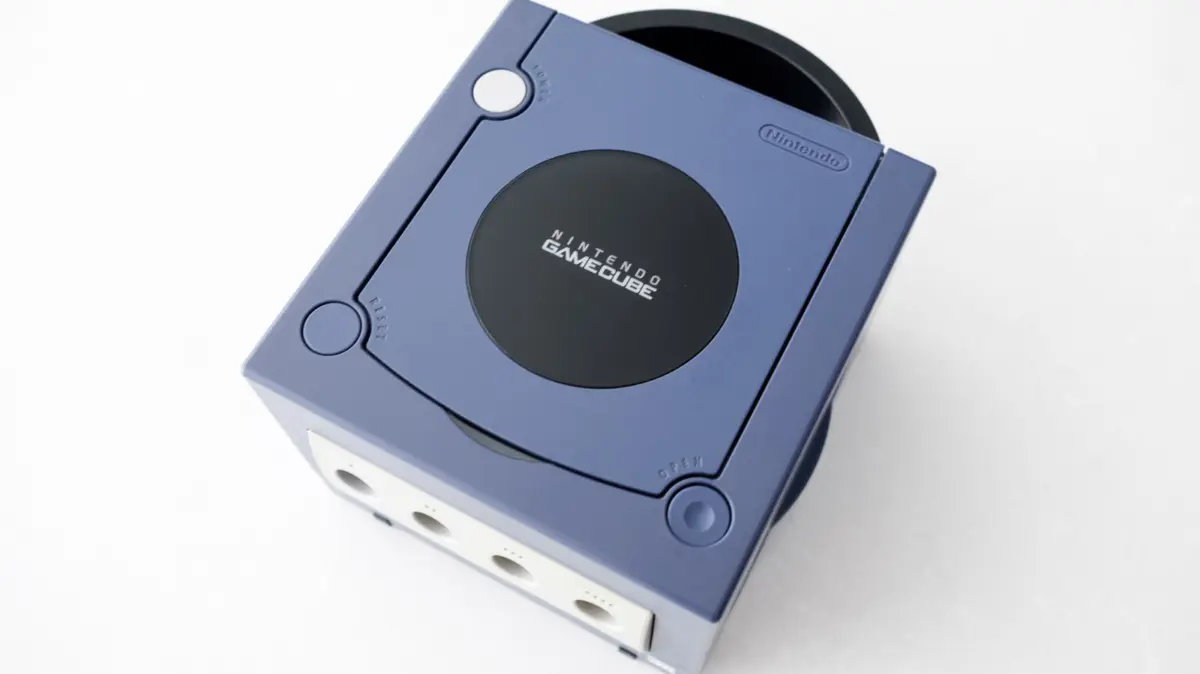
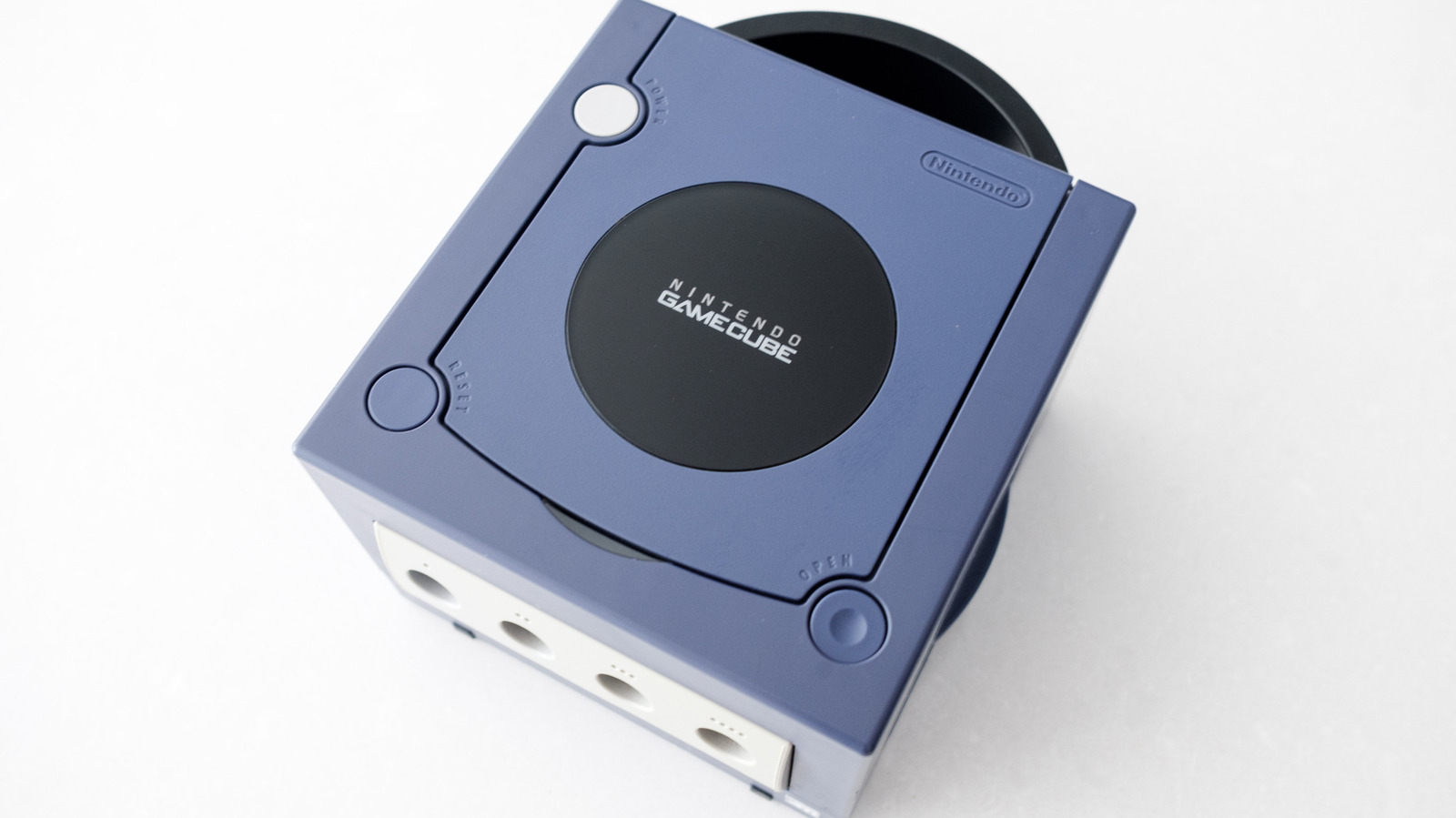
As the 25th anniversary of the Nintendo GameCube rapidly approaches, a wave of nostalgia is sweeping through the gaming community. Released at the turn of the millennium, Nintendo’s sixth-generation console occupies a uniquely cherished space in video game history. Though it ultimately played second fiddle to the commercial juggernaut that was the Sony PlayStation 2, the GameCube carved out a legendary legacy fueled by fearless hardware design, an iconic purple colorway, and a software library packed with timeless masterpieces. Titles such as The Legend of Zelda: The Wind Waker, Metroid Prime, Super Smash Bros. Melee, and Capcom’s genre-redefining Resident Evil 4 not only defined an era of gaming but continue to hold up remarkably well by modern standards.
However, bridging the gap between turn-of-the-millennium hardware and the cutting-edge entertainment centers of the mid-2020s presents a formidable technical hurdle. The GameCube was engineered natively for the analog era—specifically, the cathode-ray tube (CRT) televisions that dominated living rooms in the early 2000s. Fast-forward to today, and the modern consumer electronics landscape is entirely digital. Contemporary LCD, OLED, and QD-OLED televisions have completely phased out legacy analog inputs like composite, S-Video, and standard component cables in favor of high-bandwidth digital interfaces such as HDMI and DisplayPort.
Plugging a vintage GameCube directly into a modern 4K or 8K display is, by default, an impossibility without intermediate hardware. The analog-to-digital divide threatens to leave physical game collectors stranded in the past. Fortunately, the retro-gaming hardware market has evolved in tandem with enthusiast demand. Today, a thriving ecosystem of specialized adapters, digital-to-analog converters, and open-source projects makes it entirely feasible to play your physical GameCube discs on a modern flat-screen television with pristine clarity, zero perceptible input lag, and enhanced graphical fidelity. This exhaustive guide explores the hardware variations of the console, evaluates the premier modern adapter solutions, outlines methods for maximizing image quality, and touches upon contemporary emulation and modern re-releases.
Detailed Chronology and Technical Evolution of the GameCube
To understand why connecting a GameCube to a modern TV requires a nuanced approach, one must first understand the hardware revisions Nintendo made during the console’s lifecycle. Launched initially in Japan on September 14, 2001, followed by North America on November 18, 2001, and Europe in May 2002, the GameCube was built around a custom PowerPC-based processor developed in partnership with IBM, dubbed "Gekko," alongside a custom graphics processor known as "Flipper," engineered by ArtX.
The Hardware Revision Divide: DOL-001 vs. DOL-101
During the height of the console’s production run, manufacturing economics forced hardware revisions. To cut production costs and streamline manufacturing overhead as component prices shifted, Nintendo quietly introduced a major internal and external revision to the console hardware midway through its commercial lifespan. This split is the single most critical factor retro gamers must navigate today:
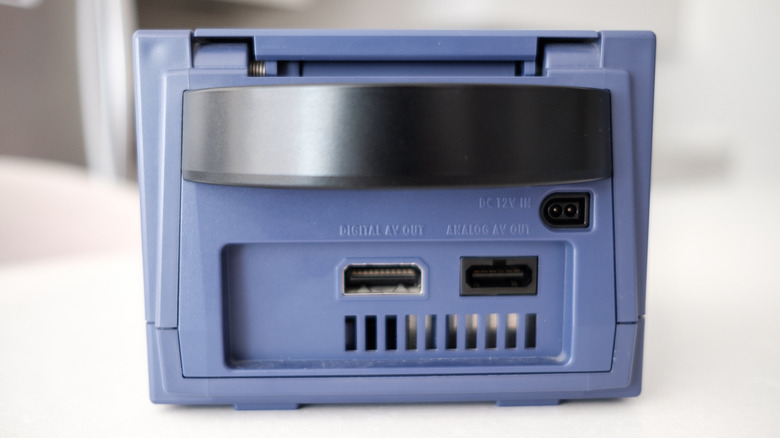
The DOL-001 Model (The Enthusiast’s Choice): This is the launch-era revision. Externally, it is easily identified by the presence of two distinct analog/digital audio-video output ports on the rear panel: the standard multi-out port and a secondary port explicitly labeled Digital AV Out. In NTSC regions (such as North America and Japan), this proprietary digital port was designed to output high-definition component video signals (up to 480p progressive scan) via expensive, specialized cables that Nintendo sold separately. In the modern era, this port is a goldmine; it provides direct access to uncompressed digital video data, allowing third-party manufacturers to tap straight into the console’s digital stream and pipe clean HDMI signals to modern displays.
The DOL-101 Model (The Budget Revision): Released later in the console’s lifecycle, this cost-reduced iteration removed the Digital AV Out port entirely, leaving only the standard multi-out analog port on the back. For owners of this model, capturing a pure digital signal at the hardware level is impossible without complex internal modding. Consequently, bridging a DOL-101 console to a modern HDTV requires an external analog-to-digital conversion chain.
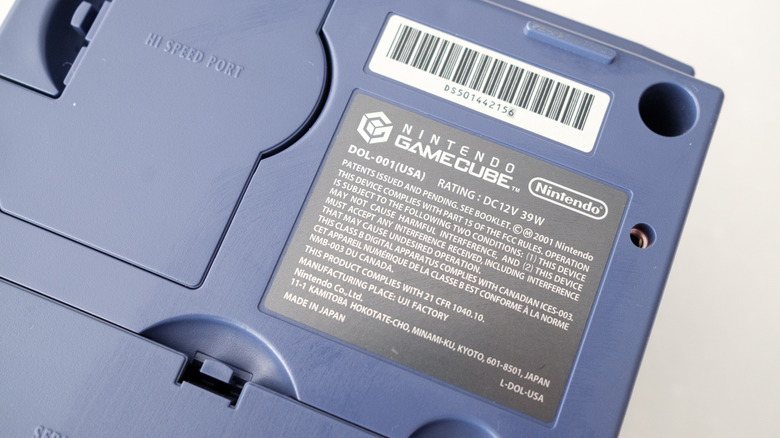
Identifying your console is straightforward. Simply look at the rear input panel. If you see the "Digital AV Out" label alongside the standard multi-out port, or if you flip the console over and check the bottom identification label for the designation DOL-001, you possess the ideal hardware variant for modern display integration.
Supporting Context, Hardware Solutions, and Metrics
Assuming you have identified a DOL-001 GameCube, transitioning the console to an HDMI-ready television is remarkably straightforward, though the market offers various tiers of hardware solutions depending on your budget and technical expectations.
Premium Digital-to-HDMI Adapters for DOL-001 Consoles
Most modern GameCube HDMI adapters leverage open-source firmware known as GCVideo, originally developed by developer ikorb. GCVideo taps directly into the console’s Digital AV Out port, intercepting the raw digital video data before it ever touches an analog circuit, and transcodes it into a clean HDMI package.
Retro-Bit Prism HD Adapter: Widely considered the gold standard for mainstream enthusiasts, the Retro-Bit Prism balances build quality, performance, and user convenience. Unlike older dongles that required complete disassembly of the unit to update firmware, the Prism features an integrated USB-C port, allowing users to effortlessly flash future GCVideo firmware updates. It supports native resolutions up to 480p (and line-doubled 480i/576i processing), delivering crisp text, vibrant colors, and zero artifacts.
Insurrection Industries Carby (V2): A pioneer in the GameCube HDMI space, the Carby is built with premium components and offers a rock-solid, low-latency connection. It draws power directly from the console’s port and includes an infrared remote control to access the GCVideo on-screen display (OSD) menu, where users can tweak scanline filters, aspect ratios, and screen positioning.
Bitfunx GameCube HDMI Adapter: For budget-conscious retro gamers, Bitfunx offers a more economical alternative that accomplishes the same core task. While the plastic housing may feel less rugged than its premium competitors, it delivers comparable digital-to-HDMI conversion performance at a fraction of the cost.
Note: Depending on the specific dongle you purchase, you may need to supply your own high-speed HDMI cable to complete the connection to your television.
Optimizing Image Quality: Progressive Scan and Widescreen
Simply plugging in an adapter is only half the battle. To extract the absolute best visual fidelity from your physical GameCube games, you must utilize the console’s hidden progressive scan functionality:
Enabling 480p (Progressive Scan): Consult comprehensive databases like ConsoleMods to verify which titles in your library natively support 480p output. When launching a compatible game, insert the disc, turn on the console, and immediately press and hold down the B button on your controller as the game boots up. A dialogue box will appear asking: "Enable progressive scan display?" Select Yes. Progressive scan displays a full frame of video every 1/60th of a second, eliminating the interlaced "flicker" and comb artifacts associated with older analog signals.
Widescreen Patches: While a vast majority of GameCube titles were designed strictly for standard 4:3 cathode-ray tube displays, select titles supported native widescreen modes accessible via in-game menus. For advanced users utilizing hardware modifications or swiss-boot loaders, widescreen patches can stretch certain titles to 16:9, though purists often prefer maintaining the original aspect ratio to prevent geometric distortion.
The DOL-101 Solution: Analog-to-Digital Upconversion
If your GameCube is a DOL-101 model lacking the Digital AV Out port, your options require converting the analog signal. The best path forward is utilizing a dedicated line-doubling upscaler such as the RetroTINK-2X Mini.
By running standard composite or S-Video cables from your DOL-101 GameCube into the RetroTINK-2X Mini, the device samples the analog signal and converts it into a clean digital HDMI stream without introducing the terrible lag typical of cheap, generic Amazon upscalers. While high-end multi-console scalers like the RetroTINK-5X Pro or 4K offer incredible line-multipliers, motion-adaptive deinterlacing, and custom scanline profiles, their steep pricing is typically reserved for hardcore collectors with extensive multi-console setups.
Official Statements and Industry Perspective
The retro gaming renaissance has not gone unnoticed by hardware manufacturers and platform holders alike. While Nintendo has historically approached its legacy software through tightly controlled distribution channels, industry analysts note that the enduring commercial value of GameCube intellectual property remains exceptionally high.
Speaking anonymously regarding modern emulation and digital preservation trends, a veteran games industry analyst noted:
"The GameCube occupies a fascinating psychological sweet spot in the gaming market. It represents an era where Nintendo was aggressively experimenting with hardware architecture and mature software design. As modern television displays completely abandon analog architecture, bridging the physical-to-digital divide has transformed from a niche hobbyist pursuit into a legitimate consumer electronics category. Consumers do not want to throw away their physical media libraries, nor do they want to maintain aging CRT units that require specialized maintenance. Hardware solutions that honor the original uncompressed digital output represent the gold standard of game preservation."
Furthermore, hardware engineers emphasize that preserving the integrity of the original hardware pipeline—such as utilizing the raw digital bus via GCVideo-based adapters—delivers a level of authenticity and frame-pacing accuracy that software emulation occasionally struggles to replicate perfectly across every single edge-case title in the library.
Future Outlook and Alternative Pathways
While hardware adapters provide the most authentic way to run original optical discs, the landscape of retro game preservation continues to expand through official digital ecosystems and PC-based emulation.
The Nintendo Switch Online Ecosystem and Modern Platforms
For players seeking a streamlined, plug-and-play experience without the friction of physical hardware management, Nintendo has increasingly integrated classic catalogs into its subscription models. On modern iterations of Nintendo’s hybrid platforms, curated selections of legacy software have found new life. Subscribers to premium expansion tiers gain access to emulated classic libraries.
These modern re-releases often feature quality-of-life enhancements unimaginable in 2001, including:
Higher Internal Rendering Resolutions: Scaling native assets up to 900p or 1080p for sharper text and cleaner geometry on modern 4K panels.
Integrated Online Multiplayer: Transforming local-only multiplayer titles (such as F-Zero GX or classic sports titles) into robust online matchmaking experiences supporting up to four players.
Controller Remapping & Save States: Eliminating the friction of traditional password systems and memory card limits.
The Power of PC Emulation: The Dolphin Project
For enthusiasts unwilling to wait for official platform rollouts, PC-based emulation remains a premier avenue for experiencing GameCube software. The Dolphin emulator has been in active, open-source development for more than two decades. It is free, remarkably stable, and compatible with virtually every Windows, macOS, and Linux machine manufactured over the last decade.
Dolphin transcends the limitations of original hardware by offering breathtaking graphical enhancements:
Arbitrary Resolution Scaling: Rendering classic titles natively at 4K, 5K, or 8K resolutions with crisp anti-aliasing and anisotropic filtering.
Texture Packs: Community-driven HD texture replacements that swap low-poly assets for modern, high-definition artistic interpretations.
Custom Controller Support: Seamlessly pairing modern Bluetooth controllers—including original GameCube controllers via official USB adapters—with zero configuration hassle.
Conclusion
Whether you choose to dust off your childhood DOL-001 console, invest in a premium Retro-Bit Prism or Carby adapter to experience your physical discs on a state-of-the-art OLED display, or dive into the boundless world of modern emulation, playing GameCube games in the mid-2020s has never been more accessible. The technical barriers that once threatened to relegate these optical masterpieces to the closets of history have been thoroughly dismantled, ensuring that Nintendo’s purple powerhouse will continue to captivate generations of gamers for decades to come.