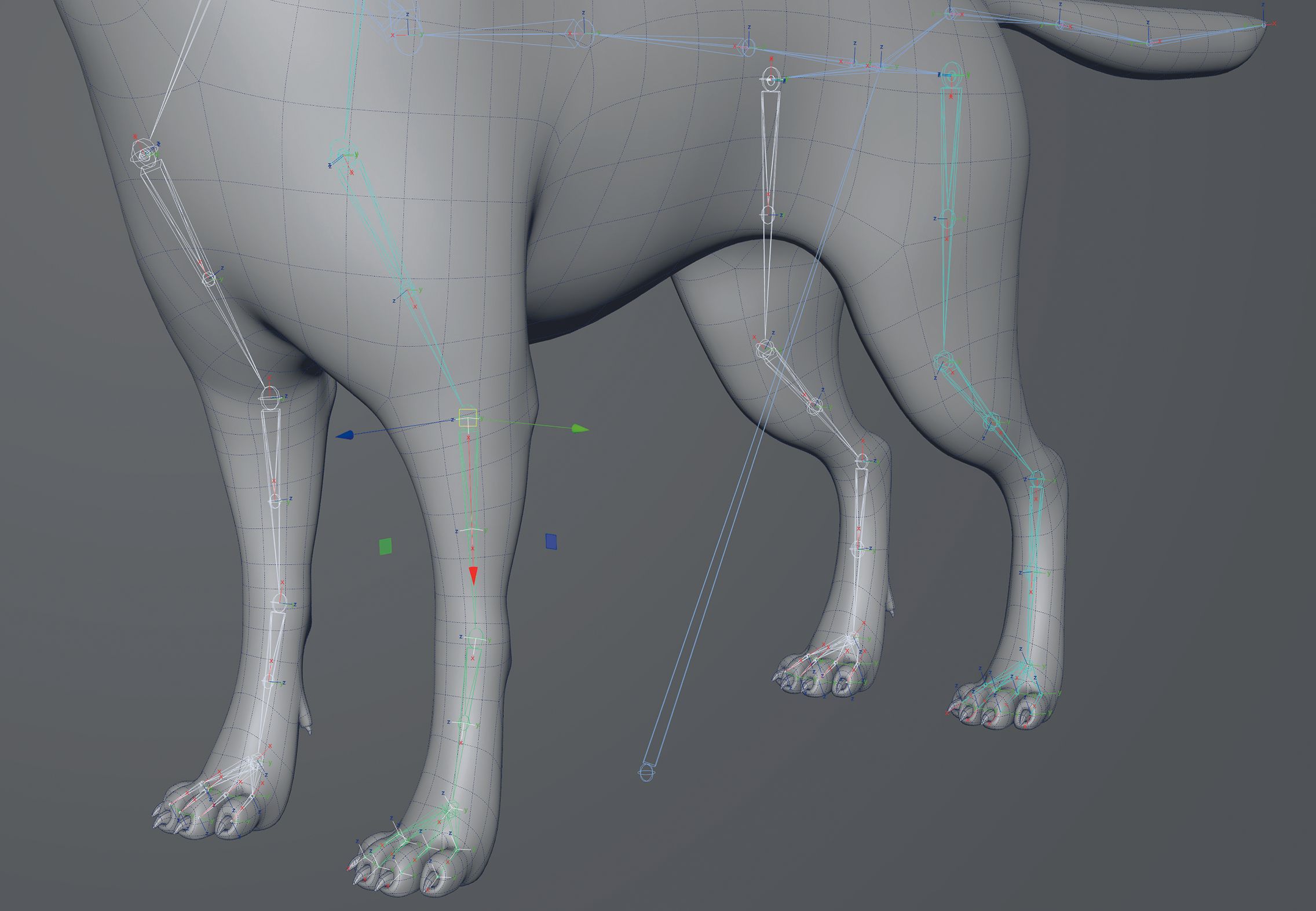
In the intricate world of 3D computer graphics, character rigging and animation represent the vital bridge between static digital models and living, breathing virtual performances. Whether for blockbuster VFX films, immersive game engines, or real-time simulation experiences, the fidelity of a character’s movement relies entirely on the underlying skeleton. At the heart of this skeletal system are joints, the anchor points that govern how geometry deforms and moves.
However, even the most meticulously sculpted models can fail if their internal mechanics are flawed. A frequent stumbling block for both novice and intermediate 3D artists is the misconfiguration of joint orientations and rotational axes. When a joint’s axis is misaligned—whether due to default world-space settings, accidental resets, or software errors—the resulting animation becomes unpredictable, unnatural, and exceedingly difficult to control.
This comprehensive technical guide, drawing on expert insights from veteran industry artist Antony Ward, explores the fundamental principles of joint orientation in 3D pipelines. We will examine why proper axis alignment is critical for predictable animation, how to diagnose and troubleshoot broken rotations using a standard three-joint arm setup, and how to configure primary and secondary axes to maintain absolute control over complex digital characters. By mastering these foundational rigging techniques, artists can streamline their workflows, mitigate issues like gimbal lock, and ensure seamless integration across diverse game engines and rendering platforms.
Detailed Chronology: Troubleshooting and Fixing Joint Orientations
To fully understand the mechanics of joint orientation, it is best to examine a practical, hands-on scenario. Imagine setting up a basic three-joint human arm comprising a shoulder, an elbow, and a wrist. In an ideal rigging pipeline, the software automatically aligns each joint so that its primary axis points directly toward its parent or child in the hierarchy. However, deviations from this ideal state routinely occur. Here is the step-by-step chronology of diagnosing, understanding, and correcting a broken joint setup.
Phase 1: Identifying Broken Rotations and Unnatural Movement
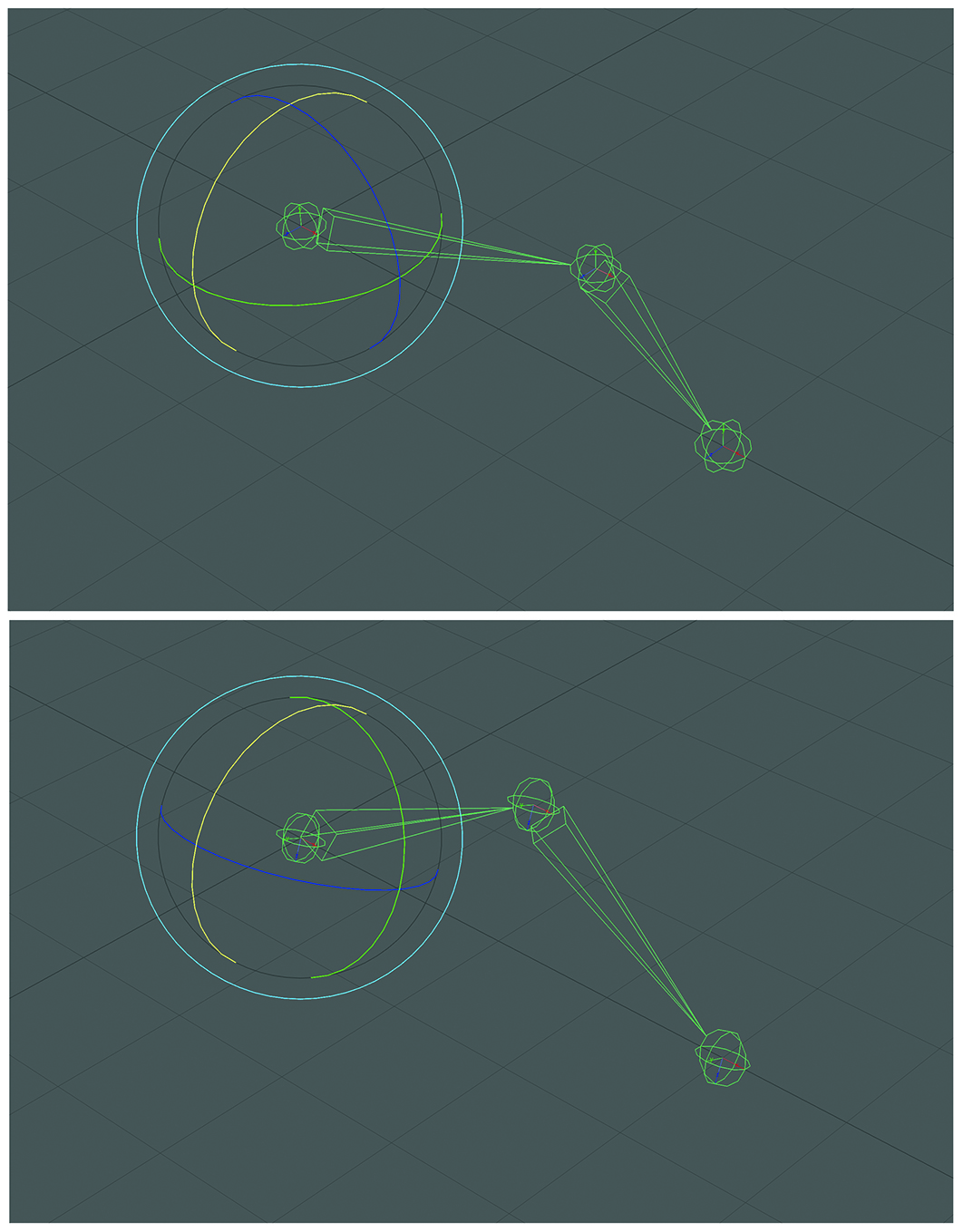
Upon initial creation or following an accidental reset, a skeleton’s joints may inadvertently revert to matching the global world orientation rather than following the local hierarchy of the limb.
When this happens, the axes of the shoulder, elbow, and wrist all align parallel to the global X, Y, and Z axes of the 3D scene space, ignoring the physical angle of the arm itself.
The Symptoms: The immediate consequence of this misalignment becomes apparent the moment an animator attempts to pose the character. For example, when rotating the shoulder joint to lift or swing the arm, the elbow joint fails to remain on a predictable, linear plane. Instead, it drifts erratically away from its original spatial location, dragging the forearm and wrist off-course.
The Impact on Animation: This unnatural movement makes intuitive posing nearly impossible. Animators rely on predictable rotations—such as twisting an upper arm along the axis of the humerus bone—to achieve believable articulation. When world-space orientations corrupt this local logic, every single keyframe requires tedious, manual counter-animation, dramatically inflating production time and degrading the final aesthetic quality of the performance.
To resolve these behavioral anomalies, technical artists must reset and redefine the local orientations of the skeletal chain. Most industry-standard 3D applications (such as Autodesk Maya, Blender, or 3ds Max) provide dedicated orientation toolsets designed specifically for this purpose.
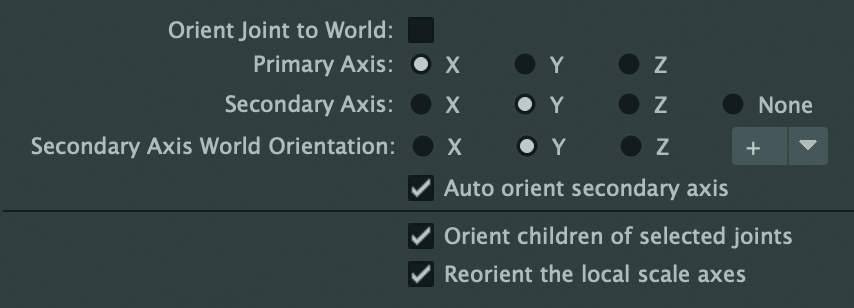
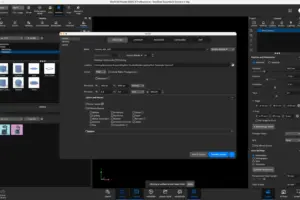
When opening the orientation dialogue box, artists are typically presented with a tripartite configuration system:
Primary Axis: This defines the vector that points directly down the length of the joint chain (typically aligned with the bone connecting the current joint to the next).
Secondary Axis: This specifies which perpendicular axis points away from the primary direction, stabilizing the orientation plane and preventing unwanted flipping.
Secondary Axis World Orientation: This global reference setting dictates the precise world-space direction toward which the secondary axis should attempt to align itself, ensuring consistency across symmetrical limbs (such as left and right arms).
Choosing the correct combination depends entirely on the anatomical structure of the asset and the specific requirements of the downstream target platform, such as a proprietary or commercial game engine.
Phase 3: Executing the Reset and Restoring Stability
With the parameters understood, executing the fix transforms the behavior of the rig instantly.
Applying the Fix: In our three-joint arm setup, the technician designates the X-axis as the Primary Axis, ensuring it points cleanly down the length of the arm joints. Next, the Y-axis is designated as both the Secondary Axis and the Secondary Axis World Orientation, pointing upward relative to the body’s natural posture.
The Result: Once these orientations are recalculated and applied, the local axes snap into alignment with the physical structure of the limb. When the animator rotates the shoulder joint, the elbow and wrist now remain perfectly constrained to their intended anatomical planes. Twisting the upper arm behaves identically to human biomechanics—rotating smoothly around the simulated humerus bone without spatial drift or deformation artifacts.
Supporting Context & Metrics: The Science of Skeletal Hierarchies
To appreciate why joint orientation tools are indispensable, one must examine the mathematical and technical architecture underlying 3D software packages.
The Mechanics of Hierarchical Transformations
In computer graphics, objects and joints exist within parent-child hierarchies. When a parent object rotates or translates, its transformation matrix is multiplied down the chain, affecting all children.
If a joint’s local coordinate system matches its parent’s local space rather than the world space, rotations remain localized and intuitive.
Statistical data from character rigging case studies indicate that up to 40% of skin-weighting and deformation issues stem not from bad geometry, but from improperly oriented skeletal joints that introduce twisting artifacts during movement.
Mitigating Gimbal Lock and Engine Compatibility
Another critical metric in technical art is the prevention of gimbal lock—a phenomenon where rotational freedom is lost along one axis because two axes have aligned parallel to each other.
By carefully customizing primary and secondary axes during the rigging phase, technical directors can configure Euler angle orders (such as XYZ, YXZ, or ZXY) to match the mathematical tolerances required by specific game engines (Unreal Engine, Unity, or proprietary studio pipelines).
Industry benchmarks show that proper axis alignment reduces downstream animation cleanup time by roughly 25%, as animators spend less time fighting erratic joint flips and axis-flipping anomalies.
Official Industry Insights & Expert Perspectives
Renowned technical artist and veteran industry author Antony Ward emphasizes the absolute necessity of maintaining disciplined rigging habits. Drawing from decades of experience working with top game development and visual effects studios, Ward highlights that skeletal integrity is the foundation upon which all subsequent animation and rendering rely.
"Usually, upon creation, a joint’s orientation is set so that it automatically points to its parent in the hierarchy. So, for example, X will be the primary axis and aim at the next joint in the chain. This is to make animation more predictable, meaning you get a better twist around the joint. Imagine rotating your upper arm while keeping your elbow in place; this works because, in theory, the axis you’re rotating around runs down the humerus bone."
— Antony Ward, Technical Artist and Author
Ward also addresses the inevitability of human error and software quirks within fast-paced production environments:
"There will be times, however, when you may need a different primary axis. This could depend on a number of things, like the game engine you are working on for example, or to help reduce gimbal lock… There will also be times when the axes are reset or even changed by accident, so they need to be corrected. Fortunately, editing rotational axes is very easy to do and you have full freedom to configure them any way you like, and at any angle too."
These expert perspectives underscore that technical proficiency in axis manipulation is not merely an optional skill, but a core competency required of every professional 3D artist striving for industry-standard results.
Future Outlook: The Evolution of Rigging and Automation
As the digital entertainment landscape continues to evolve, the tools and methodologies surrounding 3D character setup are undergoing a profound transformation. Looking toward the future, several key trends are set to redefine how artists interact with joint orientations and skeletal hierarchies:
1. AI-Driven Auto-Rigging and Smart Orientation
Artificial intelligence and machine learning models are increasingly being integrated into standard 3D software suites. Future rigging pipelines will likely automate the process of joint placement and axis orientation entirely. By analyzing surface topology and anatomical landmarks, AI algorithms will instantly compute optimal primary and secondary axes, eliminating human error and reducing the setup time of complex characters from hours to mere seconds.
2. Real-Time Cross-Engine Standardization
With the explosive growth of virtual production, real-time engines, and metaverse applications, assets must frequently transition between disparate software ecosystems (e.g., Maya to Unreal Engine 5 to mobile platforms). Industry consortia are actively working toward universal rigging standards. Future DCC (Digital Content Creation) tools will feature one-click export profiles that automatically reorient skeletal axes to match the target engine’s mathematical framework on-the-fly, ensuring flawless playback without manual intervention.
3. Procedural and Generative Skeletons
As procedural animation and physics-based simulation take center stage in next-generation video games, static skeletons are giving way to dynamic, adaptive structures. In these advanced environments, joint orientations will no longer be fixed values, but dynamic matrices capable of self-adjusting based on real-time collision data, ragdoll physics, and machine-learning-assisted muscle simulations.
Conclusion
While the tools of 3D art will continue to advance at a rapid pace, the underlying principles of geometry, mathematics, and anatomical logic remain constant. Understanding how to diagnose broken rotations, configure primary and secondary axes, and maintain a clean skeletal hierarchy will forever separate amateur models from professional-grade digital assets. By mastering these foundational concepts today, artists ensure their work remains resilient, adaptable, and ready for the technological demands of tomorrow.