Executive Overview
Autonomous AI agents that dynamically write, execute, and iterate upon code represent one of the most powerful paradigms in modern software engineering. By granting an LLM the ability to test hypotheses, analyze datasets, and construct scripts via tools like run_python, developers can unlock unprecedented levels of automation. However, this capability introduces an acute operational security risk: an agent is only as secure as the infrastructure that executes its generated code.
Without strict isolation barriers, an unvalidated script—whether hallucinated by the model or maliciously injected via indirect prompt injection—can easily read environment secrets, exhaust host CPU and memory resources, or execute arbitrary lateral movements across corporate networks.
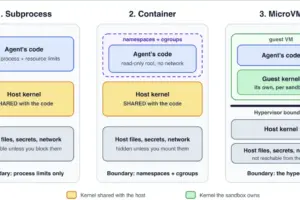
This article establishes a comprehensive, hands-on framework for sandboxing AI agent code execution. We will construct, evaluate, and benchmark three distinct isolation tiers:
- Limited Subprocesses leveraging Linux namespaces and resource limits (
resourceandunshare). - Hardened Docker Containers utilizing strict capability drops, read-only root filesystems, and unprivileged user mappings.
- Firecracker MicroVMs managed dynamically via the E2B SDK, providing an uncompromising hardware-virtualized boundary with a dedicated kernel per execution session.
By implementing a unified run(code) interface across all three tiers, we will subject them to a rigorous barrage of hostile payloads—including CPU loops, memory bombs, fork floods, and network probes—while carefully measuring the latency trade-offs inherent to each architecture.
Detailed Chronology of AI Agent Isolation Paradigms
The methodology of securing automated code execution has evolved rapidly alongside the maturation of foundation models. In the early stages of generative AI tool use, developers frequently relied on naive, in-process execution environments or basic system shells, assuming that sandbox escapes were theoretical edge cases.
The Subprocess Era and Namespace Boundaries
As agentic workflows gained enterprise adoption in 2023 and 2024, the industry transitioned toward child processes wrapped in basic resource constraints. While fast and lightweight, these implementations exposed significant vulnerabilities. Operating systems share a single kernel across standard user processes; thus, relying purely on POSIX resource limits (RLIMIT) left systems susceptible to privilege escalation and kernel-level exploits. The introduction of lightweight user and network namespaces via tools like unshare allowed developers to simulate isolation without the overhead of containerization, but these setups remained fundamentally porous when confronted with shared filesystem states.
The Containerization Shift and Shared Kernel Realities
Docker containers became the standard baseline for isolating untrusted workloads. By combining Linux control groups (cgroups) and namespaces, containers provided a seemingly robust perimeter. However, as infrastructure teams quickly discovered, containers are not security boundaries; they are resource management constructs.
This vulnerability was underscored in November 2025, when a series of severe runc container breakout vulnerabilities forced a massive re-evaluation of containerized AI execution environments. Attackers demonstrated that flaws in low-level container runtimes could allow hostile code to break out of the container and execute arbitrary commands on the host kernel. Furthermore, default Docker configurations frequently run as root or leave resource constraints unconfigured, making them dangerously permissive out-of-the-box for AI agents.
The MicroVM Revolution
Recognizing the fundamental limitations of shared-kernel isolation, the industry pivoted toward hardware-virtualized microVMs. Technologies like AWS Firecracker and open-source derivatives eliminated the shared-kernel attack surface entirely by allocating a dedicated, minimalist Linux kernel to every single session. By April 2026, major ecosystem players—including Docker’s release of native Docker Sandboxes powered by microVMs and AWS’s expanded deployment of Lambda MicroVMs—cemented microVMs as the gold standard for zero-trust AI code execution.
Supporting Context & Technical Implementation
To understand how commercial platforms operate under the hood, we will build all three isolation layers ourselves in Python 3.10+.
Environment Setup
Before writing code, ensure you are operating on a Linux environment or Windows Subsystem for Linux (WSL) to support the Linux-specific features of the subprocess tier. Install the required dependencies and pull the base container image:
pip install anthropic e2b-code-interpreter
docker pull python:3.12-slim
export ANTHROPIC_API_KEY="your-key-here"
export E2B_API_KEY="your-key-here"
Organize your project directory to contain four core files: sandbox.py, agent.py, attacks.py, and bench.py.
Step 1: Equipping the Agent with an Execution Tool (agent.py)
The agent interacts with the sandbox through a single unified tool definition: run_python. Regardless of whether the underlying tier is a subprocess, a container, or a microVM, the agent’s interface remains completely decoupled from the execution backend.
# agent.py
import json
from dataclasses import asdict
import anthropic
from sandbox import SubprocessSandbox

SYSTEM = "You are a data analyst. Solve tasks by writing Python and running it with the run_python tool."
TOOL =
    "name": "run_python",
    "description": "Run Python code in a sandbox. Returns stdout, stderr and the exit code. Files do not persist.",
    "input_schema": "type": "object", "properties": "code": "type": "string", "required": ["code"],


def run_agent(task, sandbox, model="claude-sonnet-5-5", max_turns=6, client=None):
    client = client or anthropic.Anthropic()
    messages = ["role": "user", "content": task]
    for _ in range(max_turns):
        reply = client.messages.create(model=model, max_tokens=4000, system=SYSTEM,
                                      tools=[TOOL], messages=messages)
        messages.append("role": "assistant", "content": reply.content)
        if reply.stop_reason != "tool_use":
            return "".join(block.text for block in reply.content if block.type == "text")
        results = []
        for block in reply.content:
            if block.type == "tool_use":
                outcome = sandbox.run(block.input["code"])    # Model's code never runs in this process
                results.append("type": "tool_result", "tool_use_id": block.id,
                                "content": json.dumps(asdict(outcome)), "is_error": outcome.exit_code != 0)
        messages.append("role": "user", "content": results)
    return "Stopped: turn limit reached."

if __name__ == "__main__":
    task = "Compute the mean and standard deviation of the first 1,000 square numbers."
    print(run_agent(task, SubprocessSandbox()))
Step 2: Tier One – The Limited Subprocess (sandbox.py)
The subprocess tier is the fastest option, utilizing POSIX resource limits and network unsharing. However, because it shares the host kernel and filesystem, it must be deployed with extreme caution.
# sandbox.py (part 1 of 3): shared pieces and the subprocess backend
"""Three ways to run untrusted Python: a limited subprocess, a Docker container and a microVM."""
import os
import resource
import shutil
import signal
import subprocess
import sys
import tempfile
import time
import uuid
from dataclasses import dataclass

MAX_OUTPUT = 10_000    # Characters of stdout and stderr kept
SAFE_ENV = "PATH": "/usr/bin:/bin", "LANG": "C.UTF-8"    # Stripped environment variables

@dataclass
class Result:
    stdout: str
    stderr: str
    exit_code: int
    timed_out: bool
    seconds: float

def _trim(text):
    return text if len(text) <= MAX_OUTPUT else text[:MAX_OUTPUT] + "n[output truncated]"

class SubprocessSandbox:
    """Fastest and weakest: a limited child process that still shares the host kernel and files."""
    def __init__(self, timeout=5, memory_mb=256, processes=20, file_mb=1, network=False):
        self.timeout, self.memory_mb, self.processes = timeout, memory_mb, processes
        self.file_mb, self.network = file_mb, network
        if not network:    # Fail closed: never fall back to an open network
            probe = subprocess.run(["unshare", "--net", "--map-root-user", "true"], capture_output=True)
            if probe.returncode != 0:
                raise RuntimeError("Network isolation is not available here. Use DockerSandbox, "
                                  "or pass network=True to accept an open network.")

    def _apply_limits(self):
        drop = os.geteuid() == 0
        if drop:
            os.setgroups([])    # Drop supplementary groups first
            os.setgid(65534)    # Drop privileges to 'nobody'
            os.setuid(65534)
        cpu = int(self.timeout) + 1
        resource.setrlimit(resource.RLIMIT_CPU, (cpu, cpu))
        memory = self.memory_mb * 1024 * 1024
        resource.setrlimit(resource.RLIMIT_AS, (memory, memory))
        size = self.file_mb * 1024 * 1024
        resource.setrlimit(resource.RLIMIT_FSIZE, (size, size))
        if drop:
            resource.setrlimit(resource.RLIMIT_NPROC, (self.processes, self.processes))

    def run(self, code):
        workdir = tempfile.mkdtemp(prefix="sandbox-")
        os.chmod(workdir, 0o777)
        command = [sys.executable, "-I", "-c", code]
        if not self.network:
            command = ["unshare", "--net", "--map-root-user"] + command
        started, timed_out = time.perf_counter(), False
        try:
            with open(f"workdir/.out", "w+b") as out, open(f"workdir/.err", "w+b") as err:
                proc = subprocess.Popen(command, cwd=workdir, env=SAFE_ENV, stdout=out, stderr=err,
                                        start_new_session=True, preexec_fn=self._apply_limits)
                try:
                    proc.wait(timeout=self.timeout)
                except subprocess.TimeoutExpired:
                    timed_out = True
                    os.killpg(proc.pid, signal.SIGKILL)
                    proc.wait()
                out.seek(0)
                err.seek(0)
                return Result(_trim(out.read().decode(errors="replace")),
                              _trim(err.read().decode(errors="replace")),
                              proc.returncode, timed_out, time.perf_counter() - started)
        finally:
            try:
                os.killpg(proc.pid, signal.SIGKILL)
            except (ProcessLookupError, NameError):
                pass
            shutil.rmtree(workdir, ignore_errors=True)
Step 3: Tier Two – Hardened Docker Containers
Docker containers introduce namespace and cgroup isolation, preventing direct host filesystem access and network calls when configured with restrictive flags.
# sandbox.py (part 2 of 3): add this below part 1
class DockerSandbox:
    """A container: namespaces and cgroups, but still sharing the host's kernel."""
    def __init__(self, image="python:3.12-slim", timeout=10, memory="256m", cpus="1", pids=64):
        self.image, self.timeout, self.memory, self.cpus, self.pids = image, timeout, memory, cpus, pids

    def _command(self, name):
        return ["docker", "run", "--rm", "-i", "--name", name,
                "--network", "none",                                       # Complete network isolation
                "--read-only", "--tmpfs", "/tmp:rw,size=16m",             # Read-only root, limited scratch space
                "--cap-drop", "ALL", "--security-opt", "no-new-privileges",
                "--user", "65534:65534",                                    # Drop root privileges internally
                "--memory", self.memory, "--memory-swap", self.memory,
                "--cpus", self.cpus, "--pids-limit", str(self.pids),
                "-w", "/tmp", self.image, "python", "-I", "-"]

    def run(self, code):
        name = f"sandbox-uuid.uuid4().hex[:12]"
        started = time.perf_counter()
        try:
            proc = subprocess.run(self._command(name), input=code, capture_output=True,
                                  text=True, timeout=self.timeout)
            return Result(_trim(proc.stdout), _trim(proc.stderr), proc.returncode, False,
                          time.perf_counter() - started)
        except subprocess.TimeoutExpired:
            subprocess.run(["docker", "kill", name], capture_output=True)
            return Result("", "timed out", -9, True, time.perf_counter() - started)
Step 4: Tier Three – Firecracker MicroVMs via E2B
MicroVMs offer the highest level of workload isolation by running untrusted code inside a dedicated virtual machine instance with its own kernel.
# sandbox.py (part 3 of 3): add this below part 2
class E2BSandbox:
    """A Firecracker microVM with its own kernel, created fresh for every run. Requires E2B_API_KEY."""
    def __init__(self, timeout=10):
        from e2b_code_interpreter import Sandbox
        self._Sandbox, self.timeout = Sandbox, timeout

    def run(self, code):
        started, stdout, stderr, exit_code, timed_out = time.perf_counter(), "", "", 0, False
        with self._Sandbox.create(timeout=60) as box:    # VM is destroyed upon exiting context
            try:
                execution = box.run_code(code, timeout=self.timeout)
                stdout, stderr = "".join(execution.logs.stdout), "".join(execution.logs.stderr)
                if execution.error:
                    stderr += f"execution.error.name: execution.error.value"
                    exit_code = 1
            except Exception as error:
                stderr, exit_code, timed_out = str(error), 1, "timeout" in str(error).lower()
        return Result(_trim(stdout), _trim(stderr), exit_code, timed_out, time.perf_counter() - started)

def get_backend(name):
    return "subprocess": SubprocessSandbox, "docker": DockerSandbox, "e2b": E2BSandbox[name]()
Official Metrics and Security Benchmark Suite
To empirically evaluate our sandboxing tiers, we deploy a standardized attack suite (attacks.py) designed to probe resource exhaustion, filesystem read access, and network egress limits.
# attacks.py
"""Run hostile programs against a sandbox backend and report defensive outcomes."""
import argparse
import os
import socket
import tempfile
import threading
from sandbox import get_backend

parser = argparse.ArgumentParser()
parser.add_argument("--backend", default="subprocess", choices=["subprocess", "docker", "e2b"])
args = parser.parse_args()

folder = tempfile.mkdtemp()
os.chmod(folder, 0o755)
secret = os.path.join(folder, "credentials")
with open(secret, "w") as f:
    f.write("aws_secret_access_key=NOT-A-REAL-KEY")
os.chmod(secret, 0o644)

server = socket.socket()
server.bind(("127.0.0.1", 0))
server.listen(5)
port = server.getsockname()[1]
threading.Thread(target=lambda: [server.accept() for _ in range(5)], daemon=True).start()

ATTACKS = [
    ("CPU loop", "while True: pass", None),
    ("Memory grab (512 MB)", 'x = b"x" * (512 * 1024 * 1024)nprint("ALLOCATED")', "ALLOCATED"),
    ("Fork flood (200 procs)", "import os, timenn = 0nfor _ in range(200):n    try:n"
     "        if os.fork() == 0:n            time.sleep(3)n            os._exit(0)n        n += 1n"
     "    except OSError:n        breaknprint('ALL_FORKED' if n == 200 else 'LIMITED')", "ALL_FORKED"),
    ("Disk fill (50 MB)", 'open("big.bin", "wb").write(b"x" * (50 * 1024 * 1024))nprint("WROTE")', "WROTE"),
    ("Read host secret", f'print("LEAKED", open(secret!r).read())', "LEAKED"),
    ("Reach internal service", "import socketns = socket.socket()ns.settimeout(2)n"
     f's.connect(("127.0.0.1", port))nprint("REACHED")', "REACHED"),
]

sandbox = get_backend(args.backend)
print(f"backend: args.backend")
for name, code, bad_word in ATTACKS:
    result = sandbox.run(code)
    blocked = result.timed_out if bad_word is None else bad_word not in result.stdout
    print(f"name:<24'BLOCKED' if blocked else 'ALLOWED':<9result.seconds:5.1fs")
Execution Output: Subprocess Tier
Running the attack suite against the local subprocess sandbox highlights its inherent security boundaries:
python attacks.py --backend subprocessbackend: subprocess
CPU loop BLOCKED 5.0s
Memory grab (512 MB) BLOCKED 0.0s
Fork flood (200 procs) ALLOWED 0.1s
Disk fill (50 MB) BLOCKED 0.1s
Read host secret ALLOWED 0.0s
Reach internal service BLOCKED 0.0sAs demonstrated, while resource limits successfully thwart CPU loops, memory bombs, and disk filling, the subprocess tier fails to prevent host secret reads and fork floods when executed under standard user contexts
without dedicated administrative cgroups.
Latency Benchmarking (bench.py)
Evaluating execution overhead across backends ensures that security measures do not degrade the responsiveness of agentic loops.
# bench.py
"""Time execution latency across backends (includes microVM provisioning for E2B)."""
import argparse
import statistics
from sandbox import get_backend

parser = argparse.ArgumentParser()
parser.add_argument("--backend", default="subprocess", choices=["subprocess", "docker", "e2b"])
parser.add_argument("--runs", type=int, default=10)
args = parser.parse_args()

sandbox = get_backend(args.backend)
sandbox.run("print(1)")    # Warm-up run (not timed)
times = [sandbox.run("print(1)").seconds * 1000 for _ in range(args.runs)]
print(f"args.backend: median statistics.median(times):.0f ms, slowest max(times):.0f ms over args.runs runs")
Future Outlook & Architectural Recommendations
The trajectory of AI agent infrastructure is unequivocally shifting toward hardware-isolated paradigms. With the release of Docker Sandboxes and AWS Lambda MicroVMs supporting long-lived, stateful execution sessions up to 8 hours with instant suspension capabilities, the operational friction of microVMs has drastically decreased.
Summary Recommendation Matrix
| Isolation Tier | Security Boundary | Setup Complexity | Median Latency | Ideal Use Case |
|---|---|---|---|---|
| Subprocess | Process / Namespace | Low | ~5–20 ms | Local development, trusted developer scripts. |
| Docker Container | Namespace / Cgroups | Medium | ~200–500 ms | Controlled multi-tenant environments with patched runtimes. |
| Firecracker MicroVM | Hardware / Hypervisor | High (API-driven) | ~150–800 ms | Production enterprise agents, handling untrusted multi-user code. |
When architecting production-grade AI agents, infrastructure must dictate the security policy, never the model. By decoupling execution environments behind a standardized interface, engineering teams can seamlessly transition from local subprocesses to hardened microVMs as threat models evolve, ensuring robust security without sacrificing developer velocity.