Executive Overview
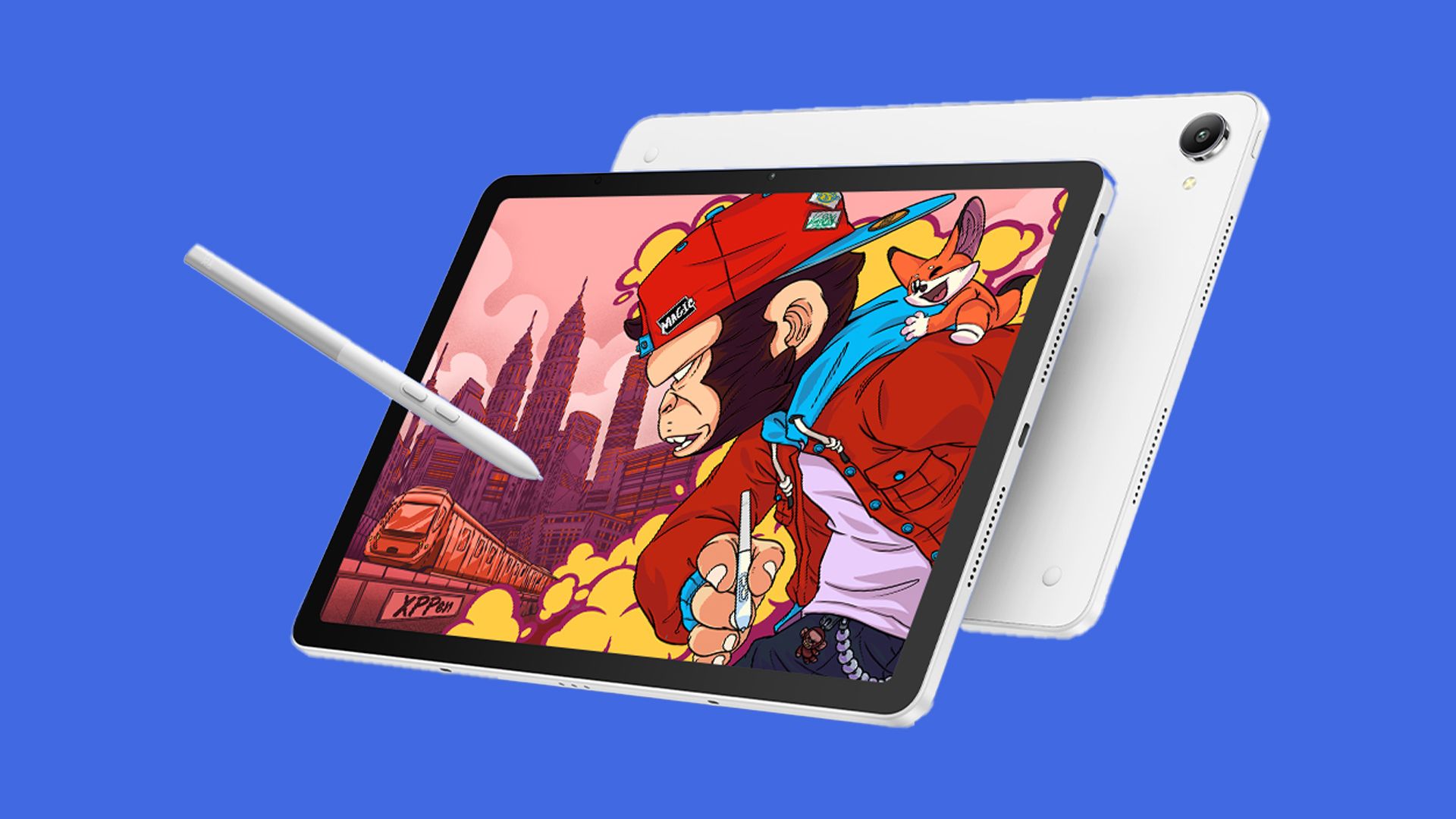
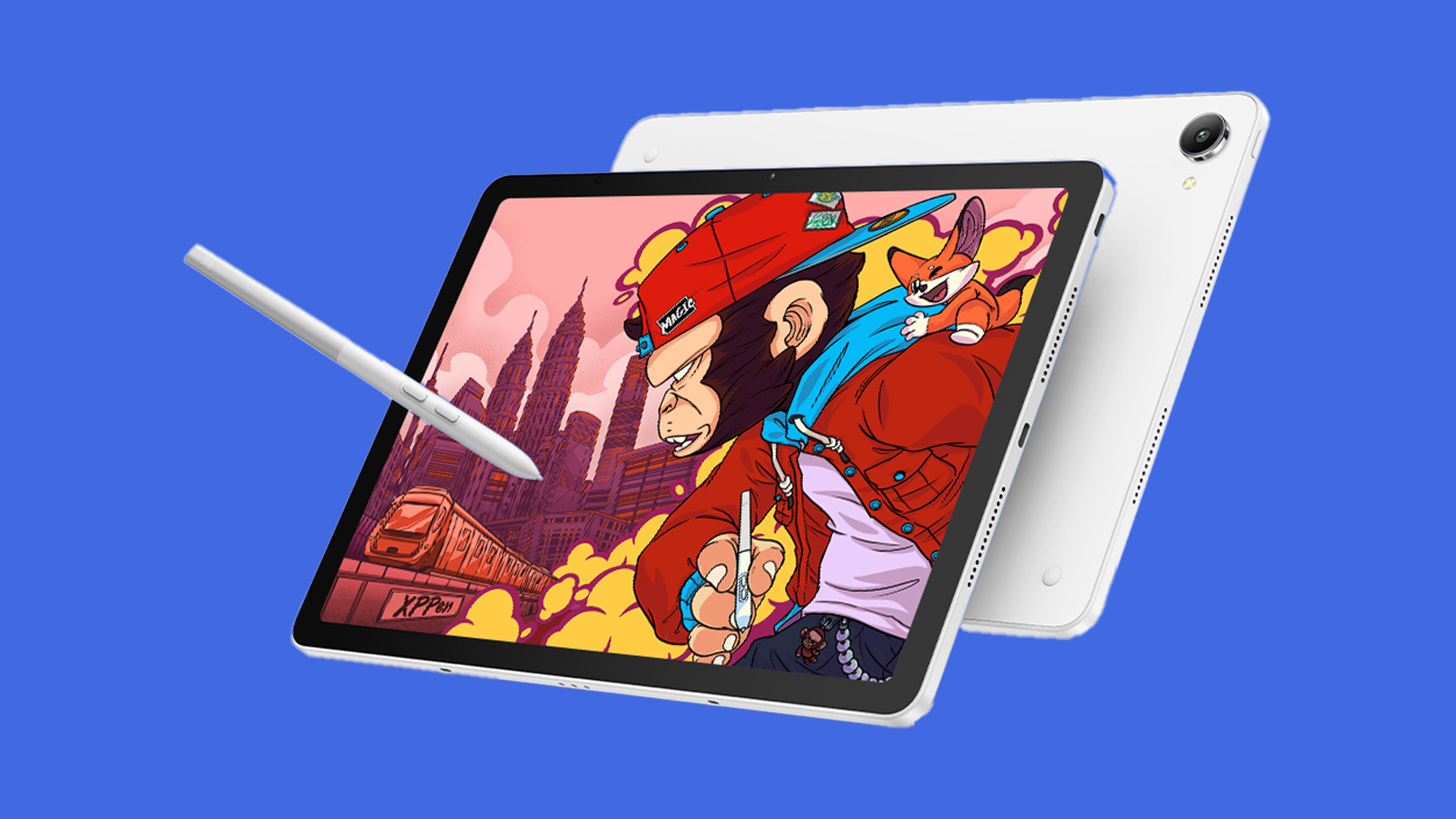
The portable digital art market is undergoing a seismic shift, moving away from monolithic ecosystems toward hybrid, cross-platform hardware designed specifically for professional creatives. Today marks the official release of the XPPen Magic Pro 13, an Android 16-powered drawing tablet that enters the market at an early-bird retail price of $899 / £899.
Positioned squarely at the premium end of the creative hardware spectrum, the Magic Pro 13 is engineered to compete directly with industry stalwarts like the Apple iPad Pro and Wacom’s high-spec MovinkPad Pro 14. Rather than serving merely as a media consumption device that doubles as a sketchbook, XPPen has designed the Magic Pro 13 from the ground up to address the tactile, ergonomic, and workflow demands of professional digital artists, illustrators, and 3D modelers.
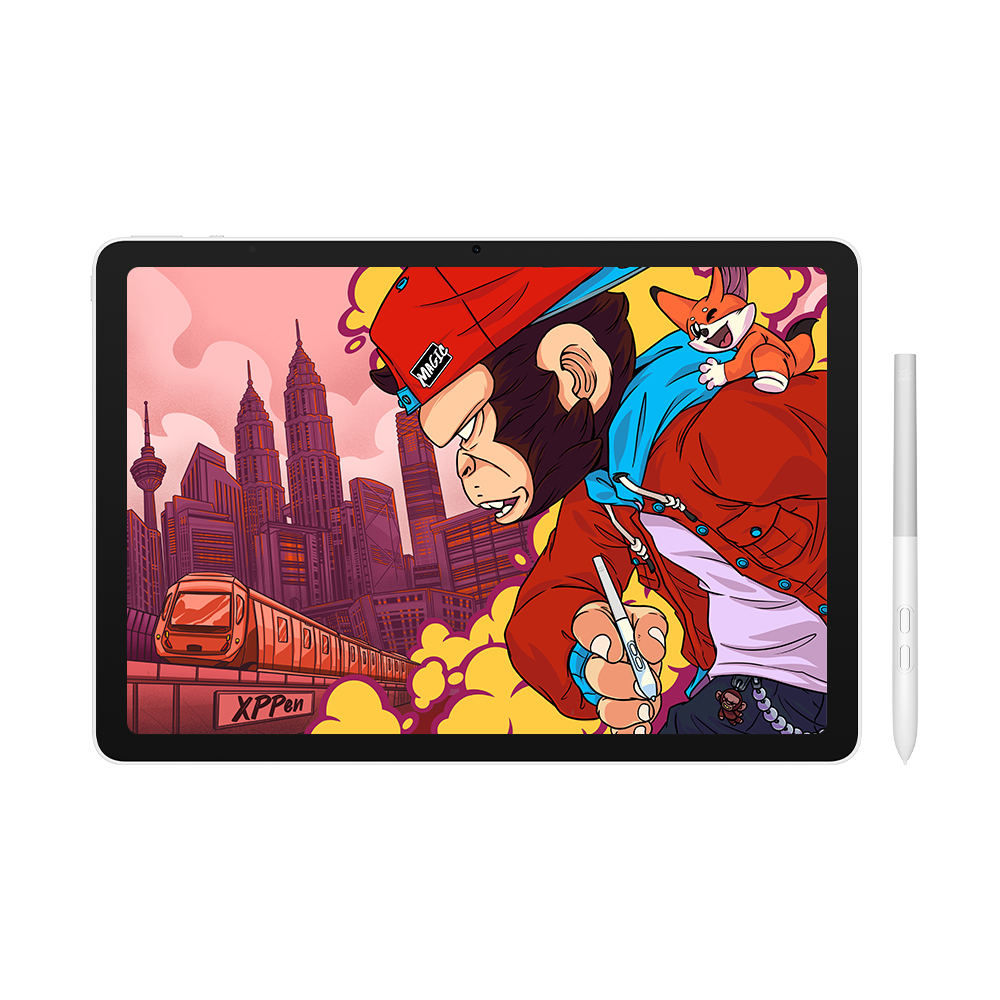
At the core of its value proposition is an "industry-first" 2-in-1 hybrid functionality known as Drawing Display Mode. This feature allows the tablet to function seamlessly as a standalone Android device for mobile sketching, while instantly transitioning into a traditional high-resolution pen display when plugged directly into a Windows or macOS workstation via a single USB-C cable. Combined with a nano-etched paper-feel screen, an advanced 16,000-pressure-level stylus, and high-end processing hardware, the Magic Pro 13 represents a serious challenge to the dominance of traditional creative tablets.
Detailed Chronology: The Evolution of Mobile Digital Art Hardware
To understand the significance of the XPPen Magic Pro 13, one must look at how the market for mobile creative hardware has evolved over the past several years.
The iPad Monopoly and the Aftermarket "Fix"
For over a decade, Apple’s iPad lineup—particularly the iPad Pro paired with the Apple Pencil—dominated the mobile digital art space. Creators lauded the performance of iOS drawing apps like Procreate, Adobe Fresco, and Clip Studio Paint. However, a persistent friction point remained: the physical sensation of drawing. The glossy, smooth glass surface of an iPad offered virtually zero physical resistance, leading many professional artists to invest in specialized matte screen protectors (such as the Rock Paper Pencil) to replicate the natural "tooth" and friction of traditional paper or a professional Wacom Cintiq.
XPPen Disrupts the Status Quo
The turning point arrived when XPPen launched the original Magic Drawing Pad. By utilizing a specialized, drawing-focused screen surface and pairing it with a customized Android operating environment, the company proved that an iPad was not the only viable choice for mobile creators. It challenged the prevailing wisdom of the industry by offering a native paper-like sketching experience out of the box, without requiring aftermarket accessories.
The Competitive Landscape Heats Up
Following XPPen’s initial foray into Android-based creative tablets, competitors quickly mobilized to capture shares of this emerging market segment:
- Wacom entered the fray with the MovinkPad Pro 14, a high-specification OLED tablet aimed at professional illustrators who demand absolute color accuracy and deep blacks.
- Huion targeted budget-conscious creators by introducing the Kamvas Pad 12, delivering a stripped-down Android drawing experience at a more accessible price point.
Now, with the release of the Magic Pro 13, XPPen has bypassed the budget category to reclaim the high ground. After spending three weeks with pre-release hardware, industry reviewers note that the Magic Pro 13 successfully bridges the gap between consumer-grade tablets and professional desktop pen displays, offering a robust alternative for creators who feel boxed in by closed operating systems.
Supporting Context & Metrics: Under the Hood of the Magic Pro 13
The XPPen Magic Pro 13 is packed with hardware specifications specifically curated to meet the heavy computing and visual demands of modern digital art pipelines.
Display Technology and Visual Fidelity
The tablet features a sleek, tactile 3K resolution display that supports user-adjustable refresh rates of 60Hz, 90Hz, and 120Hz. Unlike traditional tablets that rely on slippery tempered glass, the Magic Pro 13 utilizes a nano-etched AG+AF glass layer. This engineering choice diffuses reflections while providing a subtle, organic drag under the stylus that mimics traditional drawing media.
- Brightness: Reaches a peak brightness of 650 nits, outperforming standard iPads and iPad Air models, though sitting slightly below the ultra-vivid OLED panels found on the iPad Pro and Wacom MovinkPad Pro 14.
- Color Accuracy: Delivers 100% sRGB and 96% DCI-P3 color gamut coverage, bolstered by system-level color space switching (sRGB, Adobe RGB, and DCI-P3) to ensure precise color management across different professional pipelines.
- Eye Safety: Features TÜV Rheinland Low Blue Light certification to minimize eye strain during extended creative sessions.
The X4 Smart Chip Stylus
The input experience is driven by XPPen’s newly developed X4 Smart Chip Stylus, which introduces several notable technological leaps over previous iterations:
- Pressure Sensitivity: Offers 16,000 levels of pressure sensitivity, providing exceptionally granular control over line weight and opacity transitions.
- Activation Force: Features a claimed 2-gram initial activation force, allowing for delicate, whisper-light strokes and subtle shading without requiring physical downward pressure.
- Ergonomics & Features: Incorporates a bullet-shaped nib, 60-degree tilt recognition, hover preview capabilities, and customizable barrel buttons. When compared directly against competing technologies like Wacom’s Pro Pen 3 and Huion’s PenTech 4.0, the X4 stylus excels in registering slow diagonal lines and gradual weight modulation.
Processing Power, Battery, and Build
To handle intensive multi-app workflows and 3D rendering pipelines alongside traditional 2D illustration tools, XPPen has equipped the device with the robust MediaTek Dimensity 8300 processor.
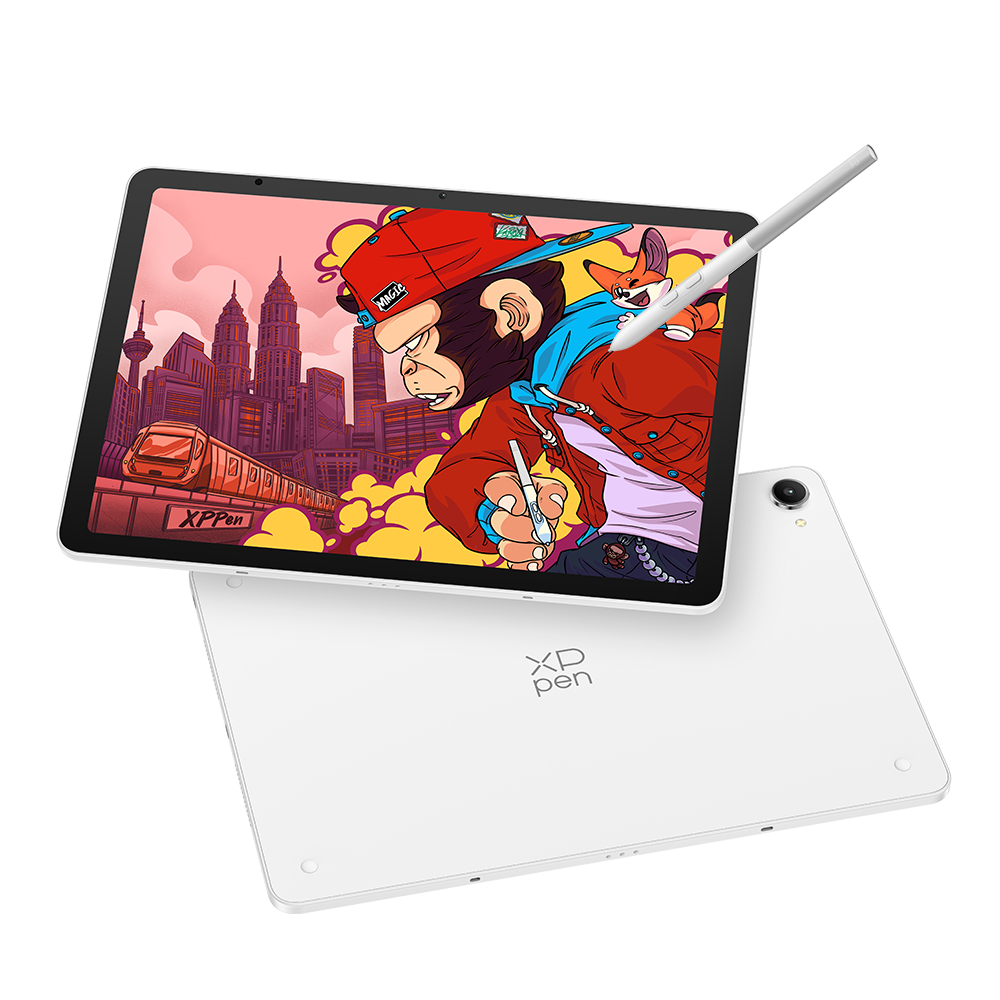
- Physical Dimensions: Measures a remarkably thin 6.65mm and weighs 655g.
- Power Supply: Houses a hefty 10,200mAh battery supporting 45W Power Delivery (PD) fast charging across dual USB-C ports.
- Imaging: Features an 8MP front-facing camera and a 13MP rear camera, enabling artists to quickly capture reference imagery, textures, and real-world lighting conditions on the go.
Tailored Creative Software Ecosystem
Recognizing that hardware is only as good as its software support, XPPen has introduced proprietary software utilities designed to streamline an artist’s daily workflow:
- Shelf App: Allows creators to tag, annotate, and quickly search through reference image libraries.
- Canvas App: Provides a streamlined environment for rapid, spontaneous sketching.
- Productivity Add-ons: Includes features like Quick Draw with Screen Off, Freeform Windowing, and Screenshot Doodle.
Official Statements and Industry Insights
The philosophy behind the Magic Pro 13 centers on workflow flexibility and meeting artists wherever inspiration strikes. Brian Huang, Marketing Director at XPPen, highlighted the multi-faceted nature of the new hardware during the launch announcement:
"The Magic Pro 13 is an industry-first 2-in-1 device that functions effortlessly as both a standalone Android drawing pad and a professional desktop drawing display. Artists today need creative tools that can dynamically adapt to the way they work, wherever they choose to create."
Early reviewers testing the unit have echoed these sentiments, noting that the transition from a mobile Android tablet to a desktop-attached pen display solves a long-standing logistical problem for digital creators. Rather than forcing artists to choose between the portability of a tablet and the uncompromised power of a desktop workstation, the Magic Pro 13 unifies these two distinct device categories into a single seamless workflow.
Future Outlook: Can XPPen Disrupt the Creative Status Quo?
At an early-bird price point of $899 / £899, the XPPen Magic Pro 13 represents a substantial financial investment for an Android-based drawing tablet. It undercuts top-tier iPad Pro configurations while positioning itself well above budget alternatives like the Huion Kamvas Pad 12 ($499), which features a less robust processor and a lower-tier display.
The ultimate success of the Magic Pro 13 will hinge on whether digital artists are willing to embrace Android as a primary platform for high-end professional illustration, animation, and 3D design. Historically, the Android app ecosystem has lagged behind iPadOS in terms of optimized professional creative suites (such as the long-awaited arrival of Procreate on non-Apple platforms). However, with powerful hardware specifications, native PC pen display connectivity, and a paper-like tactile drawing surface that bypasses the need for aftermarket screen protectors, XPPen has built a compelling hardware case.
As creative professionals increasingly demand cross-platform flexibility, modular workflows, and hardware that respects the physical sensation of traditional art-making, the XPPen Magic Pro 13 establishes a new benchmark for what a portable drawing tablet can achieve.
The XPPen Magic Pro 13 is available for purchase starting today directly through the XPPen Official Website.