Executive Overview
Consumer technology has long been characterized by incremental updates—subtle shifts in color palettes, micro-optimizations under the hood, and minor tweaks that rarely justify the marketing hype. However, every so often, a manufacturer attempts a more radical reimagining of the user experience. Enter Nothing, the London-based consumer electronics firm founded by Carl Pei, which has consistently positioned itself as an industry disrupter focused on hardware transparency, minimalist design, and software uncluttered by bloatware.
With the official announcement of Nothing OS 5.0, built upon the robust foundation of Android 17, Nothing is delivering one of its most ambitious software refreshes to date. Aimed squarely at enhancing everyday micro-interactions, the new operating system blends a striking, redesigned visual system with deeper customization, enhanced system-wide performance, and powerful, next-generation Essential AI tools.
At the center of this release is the debut of the Nothing Phone (3), the company’s latest flagship device, which serves as the primary showcase for Nothing OS 5.0. Beginning today, early adopters and enthusiasts can dive into the Nothing OS 5.0 Open Beta program on the Phone (3), with a wider stable public rollout slated for mid-October. This comprehensive overview explores the structural, aesthetic, and functional shifts defining Nothing OS 5.0, detailing how it aims to redefine user engagement in an increasingly saturated smartphone landscape.
Detailed Chronology: The Evolution to Nothing OS 5.0
To understand the weight of Nothing OS 5.0, one must look backward at the architectural trajectory of the company’s software division. Since its inception, Nothing’s operating system philosophy has strived to emulate the clean, unadulterated aesthetic of stock Android while injecting a distinct, industrialist design language characterized by dot-matrix typography, monochrome color profiles, and a focus on reducing digital distractions.
- The Early Days (Nothing OS 1.0 & 2.0): Early iterations focused heavily on establishing a distinct brand identity. Monochromatic icon packs, bespoke weather widgets, and the introduction of the iconic Glyph Interface set Nothing apart from traditional competitors like Samsung and Xiaomi.
- The Maturity Phase (Nothing OS 3.0 & 4.0): As the device ecosystem expanded to include budget-friendly models under the sub-brand CMF and additional flagship tiers, Nothing began refining its multitasking capabilities, expanding its widget ecosystem, and integrating early conversational AI tools.
- The Current Leap (Nothing OS 5.0 and Android 17): Marking its most cohesive software release yet, Nothing OS 5.0 synchronizes its development cycle with Android 17. The transition brings foundational platform security, advanced split-panel notification management, and an entirely overhauled user interface framework designed to make interactions faster, more intuitive, and visually distinct.
The timeline for the release kicked off with the launch of the Open Beta program for the Phone (3), offering developers and power users an early glimpse of its core features. Key signature visual elements—such as the "Micrographics" clock face and the Lucent transparent home screen theme—are currently undergoing final stability testing and will arrive via an over-the-air (OTA) update during the general release window in October.
Aesthetic Overhaul: Transparency, Typography, and Tailored Customization
Nothing OS 5.0 introduces a radical visual philosophy that builds upon the physical design language of its hardware. If Nothing’s hardware is defined by exposed screws, translucent polycarbonate backs, and visible circuit paths, its software now mirrors that internal architecture.
The Lucent Theme and Transparent Widgets
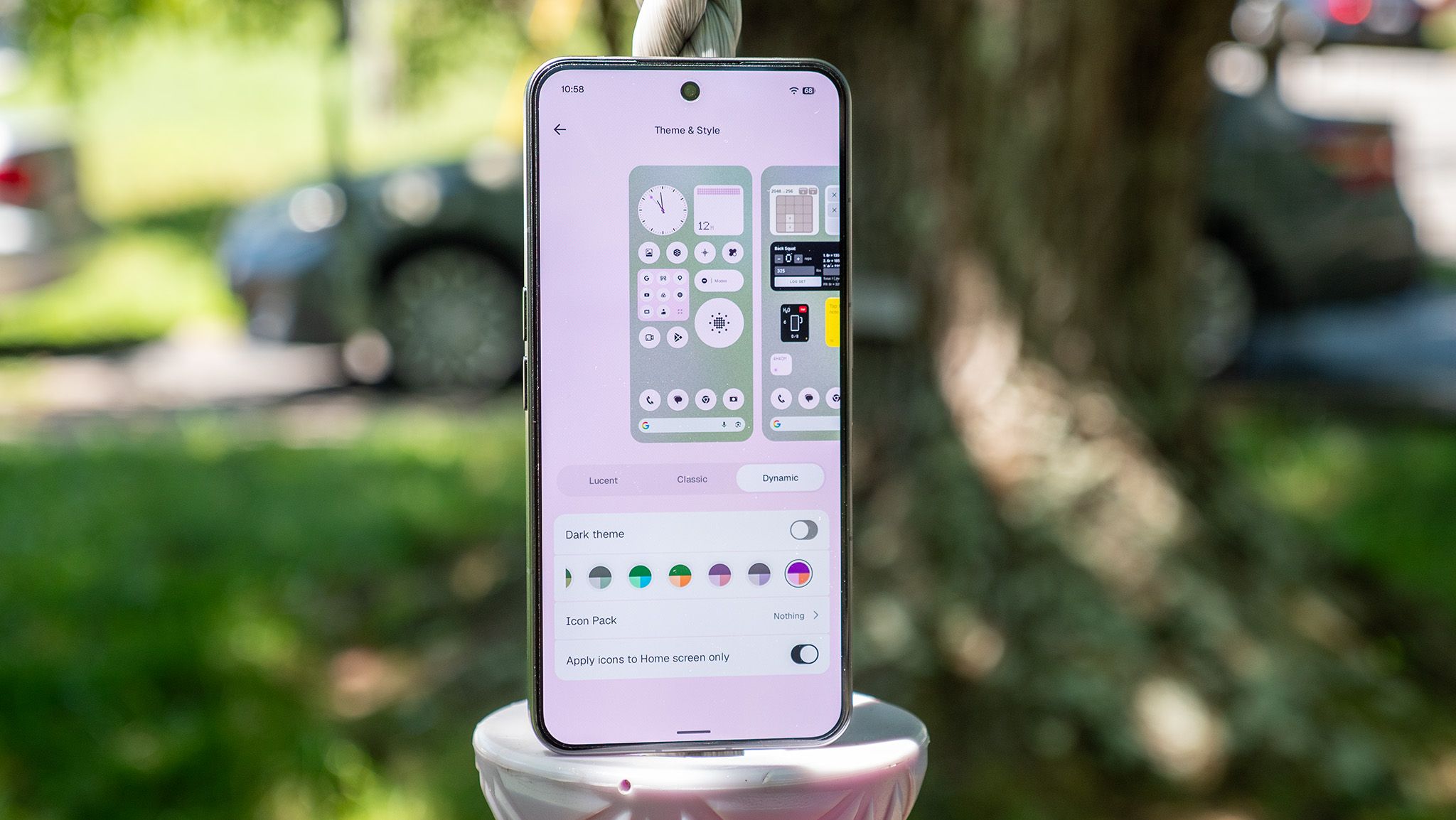
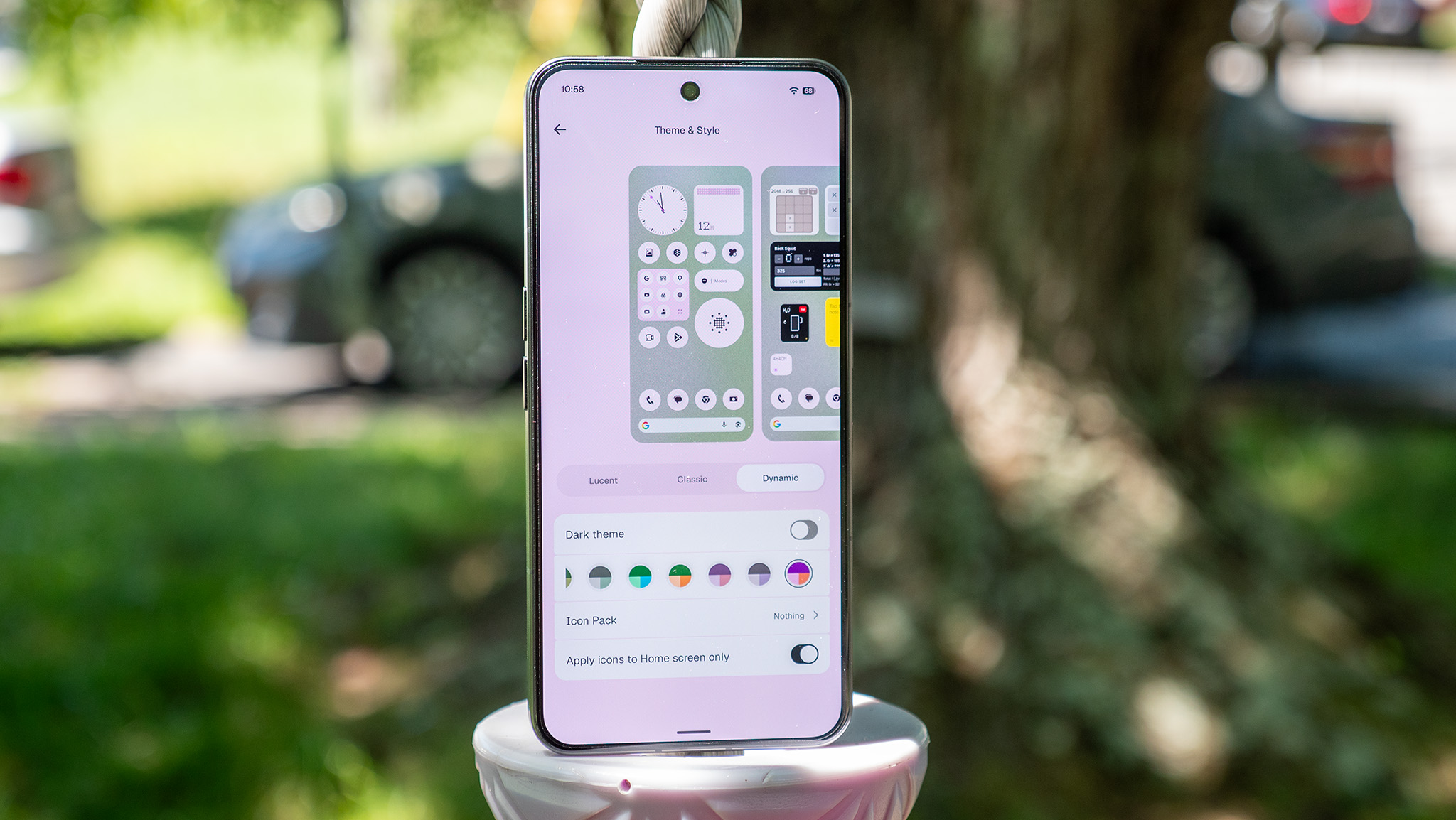
The centerpiece of the home screen redesign is the Lucent transparent theme. By employing layered transparencies, depth-mapping search bars, and frosted-glass widget containers, the operating system gives users the illusion of looking straight through the display panel into the phone’s inner digital framework.
Furthermore, Nothing has upgraded its dynamic theming engine. App icons can now automatically absorb subtle, desaturated color tints pulled directly from the user’s active wallpaper. This ensures that while third-party apps maintain functional familiarity, they do not disrupt the cohesive, muted monochromatic palette that Nothing users have come to prefer.
Geist: A New System Typography
Typography plays a critical role in user interface legibility. Nothing OS 5.0 scraps legacy system fonts in favor of Geist, a newly commissioned system typeface. Geist is characterized by sharper geometric lines, tighter kerning, and an optimized weight distribution that significantly improves readability across high-refresh-rate OLED panels. Whether glancing at quick notifications or navigating dense text menus in the Settings app, the typeface delivers a cleaner, more industrialized scan-ability.
Refined UI Elements and Gallery Organization
Every corner of the operating system has been meticulously polished:
- Status Bar & Quick Settings: Redesigned icons offer a uniform aesthetic, reducing visual noise.
- Camera & Gallery: The default photo-management suite has been heavily upgraded, introducing robust new sorting, tagging, and multi-tier filtering algorithms that make locating high-resolution media significantly faster.
- Lock Screen Enhancements: Users gain two distinct clock faces—the playful, fluid-dynamics-inspired “Gooey” clock, and the rugged, telemetry-focused “Micrographics” clock. (Note: Micrographics and the full Lucent home screen theme are slated for the mid-October stable release).
Hardware-Software Synergy: The Evolution of the Glyph Interface
One of Nothing’s most recognizable hardware innovations is the Glyph Interface—a matrix of rear-facing LED strips designed to communicate notifications, timer progress, and charging status without requiring the user to look at their main display.
With Nothing OS 5.0, the management of this physical feature has been centralized. All Glyph controls, customized light patterns, and exclusive ringtones have been unified into a dedicated Glyph App. This centralization allows for deeper customization and easier discovery of third-party integrations (such as Uber tracking or delivery timers).
Additionally, Nothing has introduced two specialized software widgets designed to promote digital wellbeing:
- The Glyph Timer Widget: Allows users to set visual countdowns directly on the back of the device, making productivity sessions or cooking timers entirely screen-free.
- The Away Time Widget: An advanced tracking tool that monitors user engagement habits, explicitly quantifying how long an individual has kept their phone locked, face-down, or entirely out of reach. This feature reflects Nothing’s growing corporate commitment to combating digital fatigue and smartphone addiction.
Artificial Intelligence Integration: Essential AI and On-Demand App Generation
Artificial intelligence features are frequently marketed as gimmicks—simple cloud-reliant text summarizers slapped onto existing operating systems. Nothing, however, is taking a practical, tool-oriented approach through its expanded Essential AI suite.
Essential Voice and Hardware Integration
Essential Voice has undergone a massive under-the-hood rewrite, resulting in drastically reduced latency. Real-time transcriptions are now faster, more accurate, and capable of handling multi-speaker identification locally.
For audiophiles and power users utilizing the Ear (3) wireless earbuds, Nothing OS 5.0 unlocks a unique hardware capability: the ability to capture, stream, and record high-fidelity audio directly from the Super Mic embedded within the earbud charging case. This turns the charging case into a portable, high-grade dictation microphone.
Smart Collections and Natural Language App Creation
- Smart Collections: The operating system’s underlying machine learning model now dynamically analyzes incoming files, links, screenshots, and notes, automatically grouping them into contextual collections without manual sorting.
- On-Demand Essential Apps: Perhaps the most futuristic feature of Nothing OS 5.0 is its conversational app creator. Rather than searching the Google Play Store for niche utilities (such as a specific unit converter, a custom interval timer, or a randomized decision maker), users can articulate their exact requirements in plain, natural language. The system’s local AI model instantly compiles, generates, and deploys a custom Essential App directly onto the user’s home screen.
Native Android 17 Foundations and Cross-Platform Utilities
Because Nothing OS 5.0 is engineered on top of Android 17, users inherit all the bleeding-edge platform capabilities developed by Google, optimized further through Nothing’s lightweight execution framework.
Split Panels and Enhanced Quick Share
- Decoupled Notification & Quick Settings: Android 17 allows users to officially split their drop-down shade into independent Notification and Quick Settings panels, a design choice popularized by custom skins that is now natively supported.
- Cross-Platform Quick Share: Sharing files between disparate ecosystems has historically been a friction point for Android users. Android 17 integrates an enhanced, universal Quick Share protocol that bridges the gap between Android and iOS devices via dynamic QR code generation, eliminating the need for third-party file-transfer applications.
Privacy and System Performance
System security receives a substantial boost via granular privacy indicators that alert users the moment hardware sensors (microphone, camera, or precise location) are accessed in the background. Furthermore, a redesigned Recents menu features smoother physics-based animations, reducing frame drops during rapid multitasking gestures.
Supporting Context & Metrics
To properly evaluate the market impact of Nothing OS 5.0, it is helpful to analyze how software updates drive brand loyalty and retention in the mid-to-high-tier smartphone market:
| Feature Category | Nothing OS 4.x (Previous) | Nothing OS 5.0 (Current) | Strategic Impact |
|---|---|---|---|
| Underlying OS | Android 15 / 16 | Android 17 | Ensures multi-year security patches and cutting-edge API access. |
| Visual Design | Standard Material You | Lucent Transparent Theme + Geist Font | Strengthens brand differentiation and hardware-software unity. |
| AI Integration | Basic Voice Prompts | Smart Collections + Natural Language App Builder | Positions Nothing as an innovator in functional, practical AI. |
| Ecosystem Reach | Phone (2) / Phone (2a) / CMF | Phone (3) Launchpad (Beta) | Broadens developer testing pools and validates flagship hardware. |
Market analysts note that brands relying solely on hardware specifications often struggle with long-term retention. By fostering a cult-like following around proprietary software quirks—such as the Glyph Interface, unique monochrome styling, and now custom-generated Essential Apps—Nothing is successfully building a software moat that encourages users to stay within its hardware ecosystem.
Future Outlook: What Lies Ahead for Nothing Users
The rollout of Nothing OS 5.0 represents a pivotal stress test for the company. As Nothing scales its operations, transitions from a niche startup into an established mid-tier contender, and expands its product portfolio across North America, Europe, and Asia, software stability will dictate its long-term viability.
The immediate roadmap is clear:
- October Stable Release: Gathering telemetry and bug reports from the ongoing Open Beta program to ensure a seamless transition for the general public when the stable OTA drop arrives in mid-October.
- Ecosystem Expansion: Bringing Nothing OS 5.0 features to older legacy devices, including the Nothing Phone (2) and select CMF hardware variants, though certain flagship-exclusive features (such as advanced AI generation models) may be tiered based on chipset processing capabilities.
- Third-Party Developer Support: Opening up APIs for the natural language Essential App builder could potentially spawn an entirely new community-driven app economy centered around Nothing’s minimalist aesthetic.
Ultimately, Nothing OS 5.0 proves that software design does not have to mimic corporate giants like Apple or Google to be successful. By doubling down on transparency, reducing digital friction, and introducing genuinely useful AI utilities, Nothing continues to chart a singular, compelling course through the modern mobile landscape.