Executive Overview
As the back-to-school season accelerates, students, parents, and budget-conscious tech shoppers face the annual challenge of finding a reliable, long-lasting personal computer without emptying their bank accounts. In the modern educational ecosystem, where cloud computing, remote lectures, collaborative document editing, and digital media consumption form the bedrock of daily academics, a traditional, high-priced Windows or macOS machine is often overkill. Enter the Chromebook—a streamlined, security-focused alternative powered by Google’s ChromeOS.
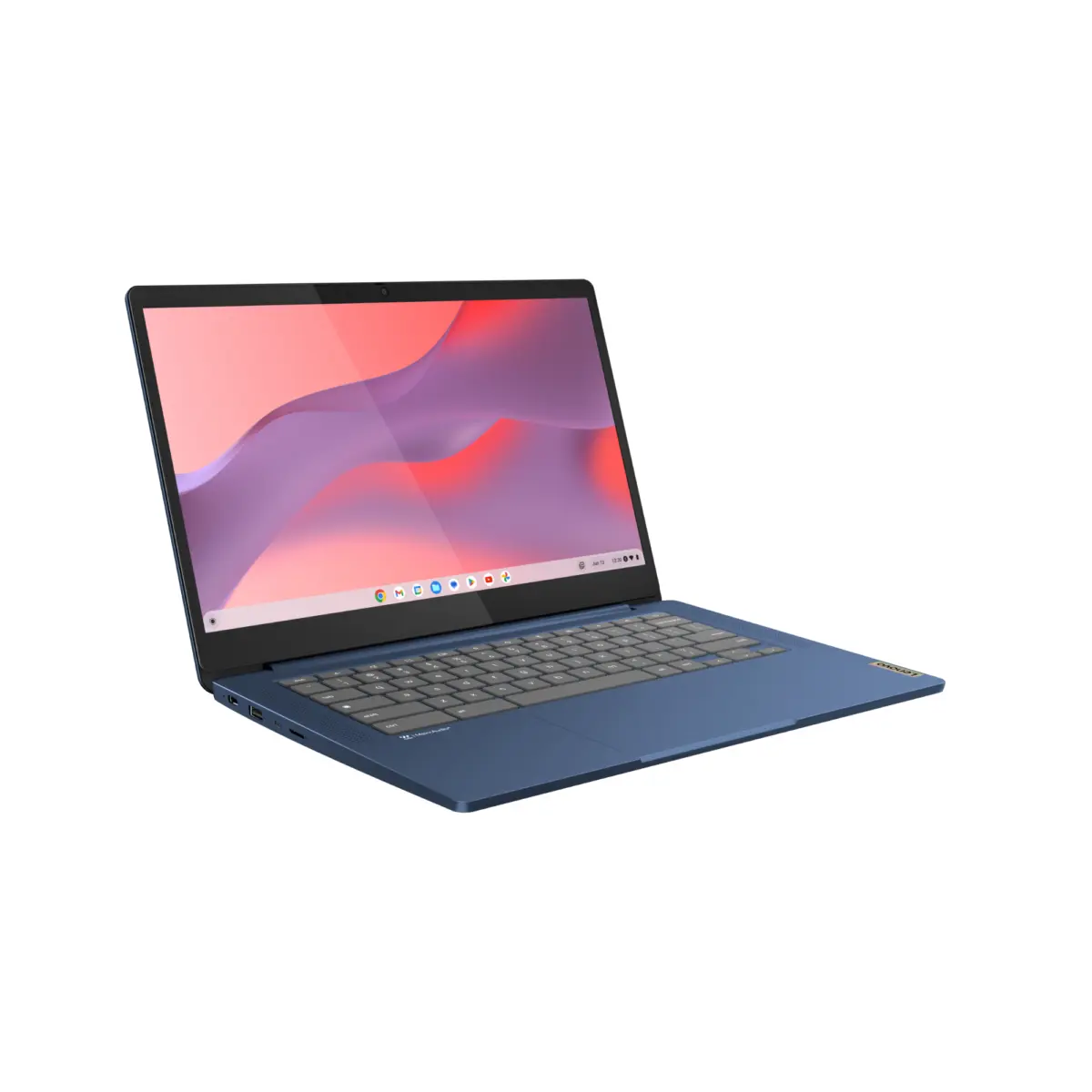
Among the dense landscape of affordable student devices, the Lenovo IdeaPad Slim 3 Chromebook has consistently carved out a reputation as a fan-favorite. Praised for its impressive balance of core functionality, robust build quality, and unmatched cost-to-performance ratio, it regularly sits near the top of expert recommendation lists. Now, in a promotional move that significantly amplifies its value proposition, Best Buy has slashed the price of the Lenovo IdeaPad Slim 3 by an incredible $220.
This deep discount transforms an already affordable everyday laptop into an absolute steal. However, as with any major tech purchase, prospective buyers must weigh the machine’s undeniable strengths—such as stellar battery life, a sharp touchscreen display, and rugged portability—against its inherent hardware limitations. This comprehensive report examines the current retail promotion, details the laptop’s technical specifications, contextualizes its place in the 2026 student laptop market, and helps you decide whether this Best Buy bargain deserves a spot in your backpack.
Detailed Chronology: The Evolution of the Lenovo IdeaPad Slim 3 Ecosystem
To truly understand why a $220 price drop on the Lenovo IdeaPad Slim 3 is making waves across the consumer tech landscape, it is helpful to examine the device’s trajectory within the budget computing market.
The Foundation and Initial Release
When Lenovo first introduced the IdeaPad Slim 3 Chromebook line, the overarching design philosophy was clear: strip away unnecessary bells and whistles, focus on the user essentials, and engineer a chassis that could survive the daily wear and tear of school hallways, crowded libraries, and commutes. Designed primarily to cater to K-12 students, college undergraduates, and casual home users who primarily live inside a web browser, the machine quickly gained traction for offering features—such as a crisp 14-inch display and an expansive keyboard—usually reserved for more expensive mid-tier laptops.
Refining the Budget Formula
Over subsequent production cycles, Lenovo refined its manufacturing and component sourcing. By partnering with chipmakers like MediaTek, the company managed to leverage power-efficient ARM-based processors. These components allowed the IdeaPad Slim 3 to achieve remarkable thermal efficiency, meaning the laptop could operate entirely fanlessly—resulting in a completely silent user experience—while simultaneously stretching battery endurance to figures that routinely eclipsed traditional enterprise laptops.
The Retail Landscape and Seasonal Price Adjustments
Throughout its lifecycle, the IdeaPad Slim 3 has fluctuated in price, often serving as a focal point for major retail promotional periods, including Black Friday, Cyber Monday, and the annual back-to-school shopping rush. However, the current markdown at Best Buy represents one of the steepest and most aggressive price adjustments seen for this specific model configuration. By lopping $220 off the standard retail price, Best Buy and Lenovo are effectively positioning the laptop at a price point that undercuts even the most basic Windows-based netbooks, while offering a vastly superior software experience tailored around Google’s secure ChromeOS ecosystem.
Supporting Context & Metrics: Under the Hood of the IdeaPad Slim 3
When evaluating a laptop that has received such a massive discount, consumers are naturally inclined to ask: What am I actually getting for my money? While a $220 markdown sounds phenomenal on paper, the true measure of a device’s worth lies in its technical specifications, daily performance metrics, and real-world usability.
Display and Visual Fidelity
One of the standout features of the Lenovo IdeaPad Slim 3 Chromebook is its visual interface. The device is anchored by a vibrant 14-inch display. Unlike older, low-end budget laptops that relied on washed-out TN panels with restrictive viewing angles, this machine features a crisp 1080p (and in select recent configurations, a sharp 2K) resolution screen equipped with full touch capabilities.
For students, this means crisp text rendering for reading academic journals, vibrant colors for streaming high-definition video lectures or post-class entertainment, and intuitive touch navigation for scrolling through PDFs, annotating digital documents, or playing touch-optimized Android applications downloaded from the Google Play Store.
Processing Power and Memory Architecture
At the heart of the IdeaPad Slim 3 lies the MediaTek Kompanio processor series (specifically variations such as the Kompanio 520 or 540), paired with 4GB of LPDDR4X RAM and 64GB of eMMC flash storage.
- The Processor: The MediaTek Kompanio chipsets are built from the ground up for power efficiency. Rather than targeting heavy gaming or intense 4K video rendering, these processors are optimized for web-centric tasks. Opening multiple Chrome tabs, participating in Google Meet or Zoom video conferences, streaming audio, and editing documents in Google Docs or Microsoft Office 365 web apps are all handled smoothly and without stutter.
- The Memory: 4GB of RAM is standard for entry-level Chromebooks. While it is more than sufficient for casual multitasking, users must remain mindful of their workflow. Leaving dozens of resource-intensive tabs open simultaneously may eventually trigger ChromeOS’s memory management to refresh background pages.
- Storage: 64GB of eMMC storage provides adequate space for core applications, cached web data, and a modest collection of offline files. Because ChromeOS is deeply integrated with Google Drive and cloud storage services, local storage constraints are rarely a bottleneck for modern students. Furthermore, the inclusion of a built-in microSD card slot allows users to easily expand their storage capacity on the fly.
Battery Endurance: Breaking the Charging Tether
Perhaps the most universally praised metric of the Lenovo IdeaPad Slim 3 is its battery performance. Thanks to the low power draw of the MediaTek processor and the inherent lightness of the ChromeOS operating system, the laptop boasts an official battery rating of up to 18 hours on a single charge.
In real-world usage scenarios—which typically involve a mix of constant Wi-Fi connectivity, moderate screen brightness, document editing, and video streaming—users routinely report coasting through a full day of classes and an evening study session without ever needing to hunt for an open wall outlet or carry a power brick. This exceptional longevity provides students with ultimate mobility and peace of mind.
Physical Durability and Portability
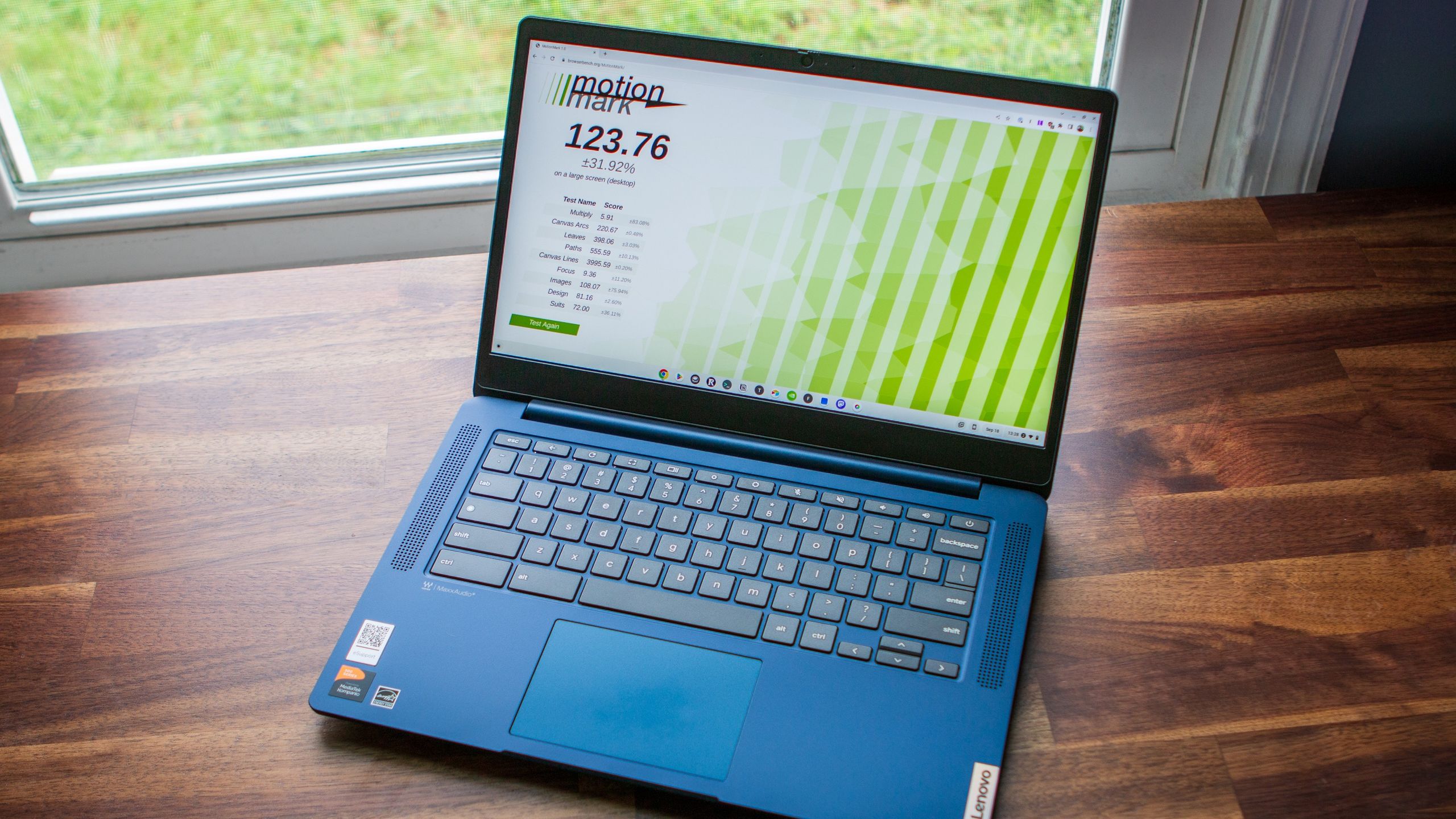
Weighing in at just over three pounds and boasting a slim profile, the IdeaPad Slim 3 is designed for life on the move. Its chassis is constructed from durable plastics engineered to withstand the rigors of being tossed into backpacks, carried between lecture halls, or used on crowded commutes. The keyboard offers comfortable key travel and tactile feedback, reducing typing fatigue during long essay-writing sessions, while the responsive trackpad supports smooth multi-touch gestures.
Additionally, the laptop is well-equipped with physical connectivity options. Users get a versatile array of ports, including USB Type-C (used for both charging and peripheral connection), USB Type-A ports for legacy flash drives and mice, a headphone/microphone combo jack, and the aforementioned microSD card reader.
Official Statements & Industry Perspectives
Retailers and hardware manufacturers alike have increasingly shifted their focus toward value-driven computing as consumer demand for affordable, reliable technology surges.
Industry analysts tracking the education technology sector note that the demand for sub-$300 laptops has experienced a structural shift. With inflation impacting household budgets across the globe, parents and college students are actively seeking hardware that delivers high utility without unnecessary expenditures.
According to retail partners at Best Buy, promotional campaigns focusing on foundational student gear—such as the Lenovo IdeaPad Slim 3 Chromebook—consistently outperform expectations during peak retail seasons. A retail spokesperson emphasized the strategy behind the current markdown:
"Our goal during the back-to-school window is to eliminate financial friction for students and families. By partnering with leading manufacturers like Lenovo to offer unprecedented discounts on proven workhorses like the IdeaPad Slim 3, we ensure that every student has access to the reliable digital tools required for academic success, regardless of their budget."
Tech reviewers and consumer advocacy publications have similarly lauded the device for its honesty. Rather than attempting to masquerade as a high-end gaming rig or a professional creative workstation, the IdeaPad Slim 3 embraces its identity as a straightforward, dependable, and ultra-affordable productivity tool. Reviewers frequently highlight that while compromises are made to achieve such a low price point—such as basic materials and modest processing specs—the sheer value delivered at a discounted price makes it an unbeatable recommendation for its target demographic.
Future Outlook: Navigating the 2026 Student Laptop Market
As we look further into 2026 and beyond, the computing landscape continues to evolve rapidly. Emerging trends—such as the integration of on-device artificial intelligence, heavier cloud virtualization, and increasingly demanding web applications—will continuously test the limits of entry-level hardware.
Where Does a Budget Chromebook Fit in the Future?
ChromeOS has proven to be remarkably adaptable. Google’s ongoing optimization of the operating system ensures that even older or modest hardware configurations continue to receive security updates, performance patches, and new features for years after purchase. This longevity is a critical selling point for budget-conscious buyers who cannot afford to replace their laptops every two or three years.
However, consumers must also consider their long-term academic or professional trajectories. The Lenovo IdeaPad Slim 3 is an ideal companion for middle school, high school, and undergraduate general education coursework where tasks remain centered around word processing, spreadsheet management, web research, and media consumption. Students entering specialized fields requiring heavy local processing power—such as computer science (running local code compilers), advanced 3D modeling, engineering CAD software, or professional video production—will eventually need to transition to more robust Windows, macOS, or high-performance Linux workstations.
The Verdict: Should You Buy?
For the vast majority of students, casual web surfers, and everyday users who need a secondary machine for travel or couch-based browsing, the Lenovo IdeaPad Slim 3 Chromebook represents an exceptional investment—particularly while sitting at a $220 discount at Best Buy.
It strips away the financial anxiety of purchasing expensive technology, offers all-day battery life that frees you from the wall charger, delivers a comfortable typing and viewing experience, and operates within the secure, lightning-fast ChromeOS ecosystem. If you understand its limitations as a foundational, task-oriented device and manage your workflow expectations accordingly, this Best Buy bargain is quite simply one of the smartest tech purchases you can make this season.