Executive Overview
The technological landscape is shifting beneath the feet of millions of Android users as Google enacts one of the most significant ecosystem transitions in its history. Google Assistant—a ubiquitous feature of the Android operating system, Wear OS smartwatches, and select automotive and smart home interfaces for nearly a decade—is being permanently retired. Its final resting place will be the infamous "Google Graveyard," joining a long line of discontinued products, experimental apps, and abandoned services.
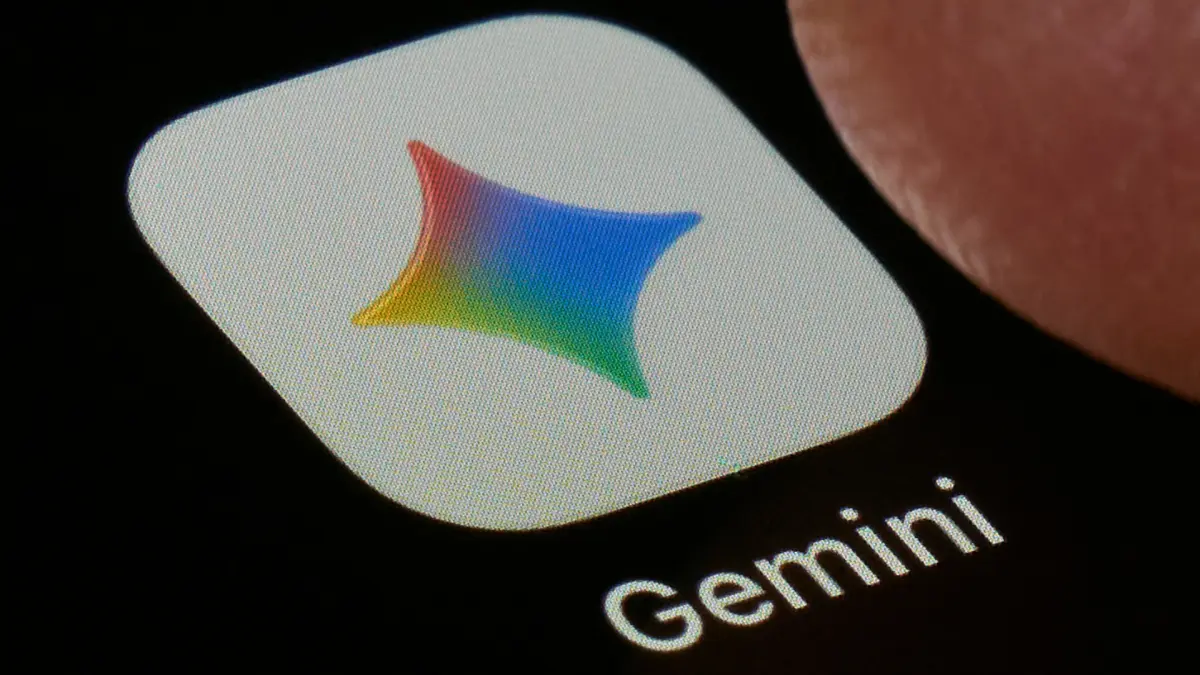
In its place stands Gemini, Google’s flagship generative artificial intelligence model. While corporate leadership lauds this move as a necessary leap into the AI-first era, user reception has been mixed. For years, Google Assistant functioned as a deterministic, reliable utility: it turned lights on, set timers, and read back weather reports with swift, no-nonsense efficiency. Gemini, by contrast, is a conversational, large language model (LLM)-based entity designed to parse nuances, synthesize information, and draft content.
This fundamental shift from a rigid query-response framework to a fluid, generative ecosystem has introduced friction. Users who rely on rapid-fire smart home controls or straightforward reminders are finding that AI-ification can introduce unnecessary complexity, latency, and unpredictability.
However, users are not entirely at the mercy of default settings. By leveraging hidden configurations, customized instructions, and model-tethering choices within the Gemini app, Android users can reclaim much of the speed, utility, and simplicity of the classic Google Assistant experience. This comprehensive guide explores the structural realities of the Assistant-to-Gemini transition, examines the technical hurdles involved, and provides a step-by-step roadmap for bending Gemini to your behavioral patterns.
Detailed Chronology: The Evolution from Voice Commands to Generative AI
To understand the weight of this transition, it is vital to trace the lineage of Google’s interactive interfaces. The modern shift away from Google Assistant is not a sudden whim; it is the culmination of a multi-year pivot toward foundational artificial intelligence models.
1. The Era of Deterministic Voice (2016–2022)
Google Assistant debuted in May 2016 as an extension of Google Now, embedded initially within the Pixel smartphone and the messaging app Allo. Built on traditional Natural Language Understanding (NLU) pipelines, Assistant was designed to map user queries to specific, pre-programmed intents. If a user said, "Turn off the living room lights," the system translated those exact keywords into an API call targeting smart home protocols. There was no guesswork, no generative hallucination, and critically, very little processing latency. Over the next six years, Assistant expanded across ecosystems, becoming the invisible administrative spine for Android phones, tablets, smart displays, Android Auto, and Wear OS.
2. The Generative Pivot (2023–2024)
As large language models matured, Google recognized that static NLU architectures were reaching their operational limits. Users increasingly expected contextual awareness, multi-turn conversational capabilities, and creative problem-solving from their digital companions. In late 2023 and early 2024, Google introduced Gemini (formerly Bard) as the corporate standard for AI development.
What began as a standalone chat application quickly metastasized into an overarching platform strategy. Google announced that Gemini would replace Assistant as the default system-level assistant on Android devices. This initiated a staggered deprecation schedule across hardware verticals, causing ripples of concern among users accustomed to the snappy, deterministic nature of legacy commands.
3. The Current Deprecation Phase (2024–Present)
Today, the phased rollout is reaching its zenith. Assistant is being systematically deprecated on Android phones, tablets, and Wear OS devices. While certain legacy infrastructures—such as specific smart home integrations and older television models—retain baseline Assistant support, the writing is on the wall. Google’s ecosystem-wide push means that even if users resist the transition, updates, hardware replacements, and default software configurations will eventually force the migration to Gemini.
Supporting Context & Metrics: Why the Shift is Causing Friction
The friction between Google Assistant and Gemini boils down to a fundamental architectural difference: Deterministic Processing versus Probabilistic Generation.
| Feature Metric | Google Assistant (Legacy) | Google Gemini (Current Default) |
|---|---|---|
| Underlying Tech | NLU (Natural Language Understanding) Pipelines | LLM (Large Language Model) Neural Networks |
| Average Response Latency | ~200ms to 500ms (Keyword matching) | ~1.5s to 4.0s (Token generation & parsing) |
| Smart Home Reliability | High (Direct API mapping) | Variable (Requires contextual interpretation) |
| Processing Location | Hybrid (On-device & Cloud-light) | Cloud-heavy (Unless utilizing local mobile weights) |
| Versatility | Narrow (Restricted to predefined intents) | Broad (Capable of writing, coding, and analysis) |
The Latency Problem
When a user barks a command like "Set a timer for 10 minutes," traditional Google Assistant matches the intent immediately, executing the task with minimal resource overhead. Gemini, by contrast, must ingest the natural language prompt, evaluate semantic context, decide which internal tool (such as Utilities or Workspace) to invoke, and formulate a conversational output. This extra computational overhead translates directly into noticeable lag—a frustrating regression for users accustomed to instantaneous smart home automation.
Ecosystem Fragmentation
Furthermore, the transition has introduced synchronization challenges across multi-device households. If a user upgrades their smartphone to Gemini while leaving their Nest Hub speakers on Assistant, competing voice models can create operational paradoxes. Both devices may attempt to answer queries simultaneously, resulting in a cacophony of conflicting automated responses.
Reclaiming Simplicity: A Step-by-Step Optimization Guide
If you are determined to bridge the gap between Gemini’s expansive capabilities and Assistant’s hardwired efficiency, you must actively reconfigure your device settings.
1. Synchronize Your Ecosystem: Set Your Default Assistant Everywhere
When the ecosystem push reaches its peak, your primary mobile devices will default to Gemini. However, leaving smart home hardware stranded on legacy architecture invites multi-device conflicts.
- Auditing Your Smart Home: Open the Google Home app on your mobile device, tap your profile picture in the top right corner, and select Home settings.
- Deploying Gemini for Home: Look for the dedicated banner prompting an upgrade to Gemini for your smart speakers and displays.
- Mitigating Conflicts: While transitioning your smart speakers is technically optional, doing so ensures that your phone and your kitchen display operate under the same linguistic paradigm, eliminating the frustrating phenomenon where two devices attempt to execute conflicting instructions.
2. Streamline Intelligence: Turn Off Unwanted Personalization Features
Google Assistant appealed to users because it stayed out of the way. Gemini, by default, wants to be an omnipresent collaborator that analyzes your travel itineraries, cross-references your emails, and personalizes responses using your personal search history. If you prefer a lean, utilitarian assistant, you must prune these features.
- Navigating Connected Apps: Within the Gemini mobile application, navigate to Settings > Personal Intelligence > Connected Apps.
- Pruning the Excess: Here, you will find a master list of third-party and native Google services tied to your AI assistant. To reduce conversational bloat and eliminate unwanted algorithmic extrapolation, consider disabling non-essential services like deep Search Services integration.
- Preserving Critical Utilities: Do not disable everything. Keep critical modules active—such as Google Home (for IoT device control) and Utilities (for alarms and timers). Note that reminders are often tangled up in Google Workspace apps (like Tasks, Keep, or Calendar), meaning you must carefully balance privacy and utility based on your personal workflow.
3. Establish Behavioral Guardrails: Use "Instructions for Gemini"
One of the most powerful, yet underutilized, tools for domesticating Gemini is the Instructions for Gemini feature (previously known as Saved Info). Instead of fighting the AI’s tendency to overcomplicate commands, you can write natural-language rules that force the model to behave like a deterministic command-line interface.
- Accessing the Tool: Go to Settings > Personal Intelligence > Instructions for Gemini within the application.
- Crafting Custom Shorthand: Write explicit conditional rules in plain English. For example, if you miss the old shorthand command to shut down your living spaces, you can input:
"If a prompt consists solely of ‘good night’, immediately turn off all lights in the living room and kitchen without offering conversational commentary."
- Enforcing App Consistency: If Gemini stubbornly insists on routing your notes through the Google Tasks app when you prefer Google Keep, add a strict operational directive:
"Always use Google Keep to store notes, lists, and quick reminders."
This significantly reduces behavioral drift over time.
4. Replace Routines with Scheduled Actions
Google Assistant’s "Routines" feature has migrated numerous times across app ecosystems, currently residing primarily within the Google Home app. However, Gemini introduces its own parallel automation framework known as Scheduled Actions, allowing you to manage automations directly from the primary AI interface.
- Building a Scheduled Action: In the Gemini app, navigate to Settings > Scheduled actions and select New Action.
- Defining Triggers and Frequency: Assign your routine a descriptive title, detail the desired actions using natural language, and specify precise execution times and frequencies.
- Understanding Execution Nuances: Be aware that Gemini handles time-sensitive automations differently than legacy Assistant. Scheduled actions are prepared up to an hour in advance, meaning they lack the hyper-precise, down-to-the-second execution of old-school routines. For basic hardware automation—such as turning on porch lights at sunset—relying on Google Home automations remains the superior, more reliable option.
5. Optimize for Speed: Choose the Fastest Model and Disable "Extended Thinking"
The single biggest complaint leveled against Gemini is processing latency. If you do not require deep analytical reasoning to check the weather or toggle a light switch, you should force the system to utilize its lightest, fastest cognitive architecture.
- Model Selection: Open the Gemini app model dropdown menu. Select the latest, most lightweight model available (such as variants designated with "Flash" or "Lite" tags). These models sacrifice complex contextual reasoning in exchange for blistering response speeds.
- Disabling Extended Thinking: Look for the optional toggle labeled Extended Thinking and switch it off. While extended thinking is useful for debugging code or solving multi-step mathematical problems, it introduces artificial processing delays for simple tasks like setting an alarm. Disabling it restores snappy, conversational agility.
Official Statements and Industry Perspective
Google’s official communications regarding the transition have emphasized unity, capability, and future scalability. In public developer briefings, executives have framed the retirement of Google Assistant not as the abandonment of a beloved tool, but as a necessary evolution of ambient computing.
"We are moving from an era where users had to learn specific command syntax to interact with technology, to an era where technology understands human intent in all its rich complexity," a Google product spokesperson noted during a recent ecosystem briefing. "Gemini represents the unification of our AI efforts, bringing advanced reasoning, real-time synthesis, and deep multimodal capabilities to billions of devices worldwide. While change is inherently challenging, this architecture unlocks use cases that legacy Assistant was simply never built to support."
However, consumer advocacy groups and tech analysts have sounded notes of caution. The forced migration raises valid questions about consumer choice, hardware obsolescence, and the creeping monetization of ambient interfaces. As users are nudged toward cloud-heavy, LLM-driven interactions, concerns regarding data privacy, energy consumption, and operational reliability remain at the forefront of industry discourse.
Future Outlook: What Lies Beyond the Graveyard
The absorption of Google Assistant into the Gemini ecosystem marks the definitive end of the early smartphone voice-assistant era. As we look toward the future of ambient computing, the boundary between "operating system" and "artificial intelligence" will continue to blur.
In the coming years, we can expect multimodal AI models to become even more deeply integrated into physical hardware. Smart glasses, ambient wall displays, and autonomous vehicles will rely entirely on real-time neural networks rather than rigid programmatic triggers. For users willing to adapt, the tools outlined in this guide provide a vital bridge—allowing them to tame the sprawling, unpredictable nature of generative AI and force it to serve as a reliable, fast, and obedient daily companion.
Yet, for those who simply wanted a timer set without a conversational preamble, the Google Graveyard claims another victim, leaving behind an industry hurtling headfirst into an AI-augmented future whether we are entirely ready for it or not.