Executive Overview
The landscape of software development has undergone a structural paradigm shift. As data privacy regulations tighten, cloud infrastructure costs mount, and powerful small language models (SLMs) achieve near-frontier performance at fractional parameter sizes, local AI inference has transitioned from an esoteric hobbyist pursuit into an enterprise-grade standard. Developers are no longer forced to route every token through proprietary, remote cloud APIs. Instead, high-performance inference engines run quietly on local workstations, developer laptops, and headless Linux servers.
At the core of this ecosystem sits a shared technological foundation—principally the llama.cpp C++ inference engine developed by Georgi Gerganov. However, the software layer sitting between the practitioner and this core engine varies wildly. Three dominant tools command the local AI runtime landscape: Ollama, LM Studio, and raw llama.cpp.
While all three run the exact same underlying Quantized Tensor formats (.gguf), they serve profoundly different philosophies of abstraction, developer experience, and system-level control. Choosing the right runtime is no longer merely a matter of convenience; it is a critical architectural decision that impacts deployment velocity, hardware utilization, integration overhead, and ultimate application scalability. This article delivers a rigorous, practitioner-focused analysis of how Ollama, LM Studio, and llama.cpp compare across key performance dimensions, guiding you toward the precise runtime required for your workflow.
Detailed Chronology & Ecosystem Evolution
To fully understand why these three runtimes coexist today, one must trace the chronological evolution of the local model inference movement.
The Pre-2023 Era: The Cloud Monolith
Before early 2023, running large language models locally was an exercise in frustration. Practitioners required high-end enterprise hardware (typically multiple NVIDIA A100 or H100 GPUs), cumbersome Python environments running PyTorch or DeepSpeed, and complex multi-gigabyte weight files in FP16 format. Local inference was restricted to deep-learning researchers and well-funded corporate R&D labs.
The Breakthrough: The Birth of llama.cpp
The watershed moment arrived with the open-sourcing of Meta’s Llama models and the concurrent release of llama.cpp. By translating the transformer inference pipeline into pure, unadulterated C/C++, Gerganov unlocked a miracle: running large models on consumer-grade hardware, including Apple Silicon MacBooks and modest NVIDIA/AMD GPUs. The introduction of GGUF (GPT-Generated Unified Format) standardized model quantization, allowing models to be compressed from 16-bit floating-point down to 4-bit, 3-bit, or even 2-bit representations with negligible degradation in downstream performance.
The Rise of Developer Abstractions: Ollama and LM Studio
While llama.cpp provided the raw horsepower, compiling C++ binaries, managing command-line flags, and manually downloading GGUF files from Hugging Face created friction for application developers.
- Ollama entered the scene by wrapping
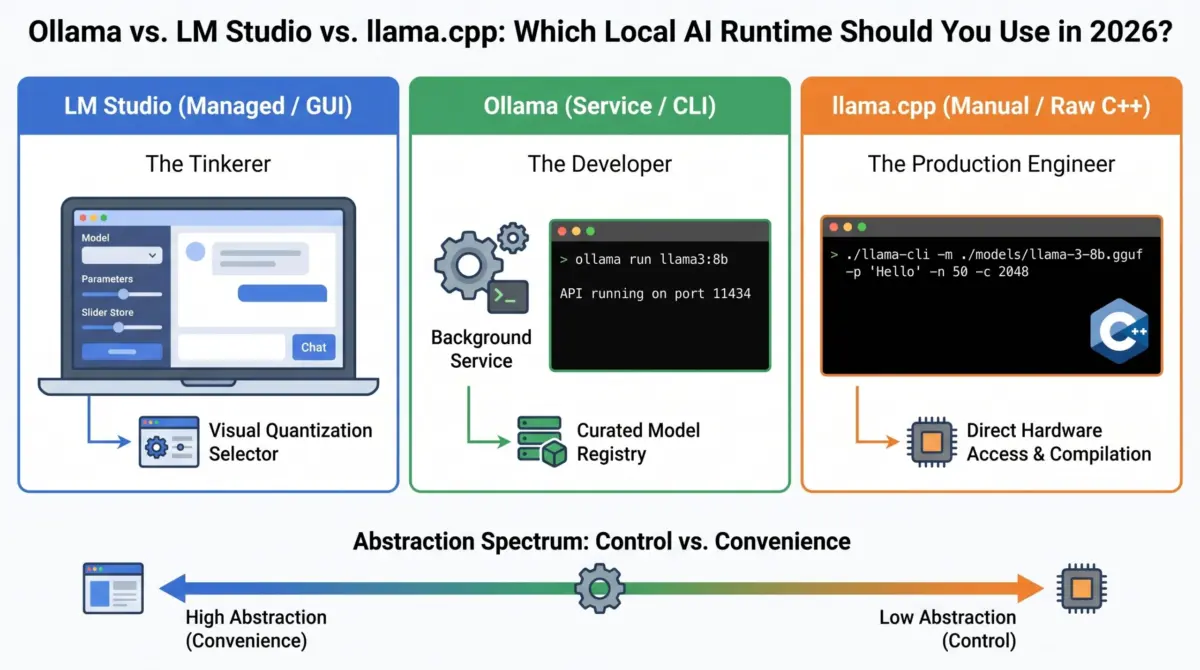
llama.cppinto a Docker-like user experience, deploying a lightweight background daemon accompanied by an intuitive command-line interface. It turned model orchestration into simple commands likeollama run. - LM Studio took a parallel but visually-oriented path, bridging the gap for non-developers, researchers, and prompt engineers by introducing a polished desktop graphical user interface complete with built-in Hugging Face search, RAM/VRAM estimators, and interactive chat panels.
Today, these three tools form an interconnected pipeline. They are not mutually exclusive competitors; rather, they represent different altitudes of the same underlying technology stack.
Supporting Context & Technical Metrics: One Task, Three Abstractions
The most illuminating way to grasp the philosophical divergences among these three tools is to evaluate how each executes a single, atomic task: loading a local Llama 3.2 (3B parameter) model and generating a simple "Hello" response.
1. LM Studio (The Graphical Abstraction)
In LM Studio, you launch a desktop application, search for your model via an integrated GUI, select your quantization target, and toggle a local server on. Communication then occurs via an OpenAI-compatible API endpoint:
curl http://localhost:1234/v1/chat/completions
  -H "Content-Type: application/json"
  -d '"model": "llama-3.2-3b", "messages": ["role": "user", "content": "Hello"]'
2. Ollama (The Daemon & CLI Abstraction)
Ollama abstracts the server lifecycle entirely. A background daemon handles model loading, memory management, and API routing. The entire operation collapses into a single streamlined terminal command:
ollama run llama3.2 "Hello"3. llama.cpp (The Bare-Metal Implementation)
Raw llama.cpp exposes every mechanical gear of the inference engine. You must explicitly target the compiled binary, specify the absolute file path of the GGUF model, declare token limits, define the context window size, and manually assign layers to your graphics hardware:
./llama-cli -m ./models/llama-3.2-3b-q4_k_m.gguf -p "Hello" -n 50 -c 2048 -ngl 33The 5 Axes of Practitioner Comparison
To choose the optimal tool for your project, you must evaluate them across five critical axes:
1. The Interface Layer (GUI vs. CLI vs. Binary)
- LM Studio: Offers a full desktop GUI. Ideal for human-in-the-loop tasks, prompt engineering, visual verification, and quick experimentation.
- Ollama: Relies on a CLI coupled with an always-on background daemon. Perfect for developer workflows, scripting, and automation.
llama.cpp: Uses raw compiled binaries and terminal arguments. Essential for headless environments, containerized deployments, and microservices.
2. The Integration Layer (OpenAI API Compatibility)
Modern applications are built around the de facto standard OpenAI API schema.
- LM Studio exposes an OpenAI-compatible server on port 1234 via a simple GUI toggle switch.
- Ollama runs a persistent server on port 11434 by default, seamlessly dropping into existing applications as an offline substitute for cloud APIs.
llama.cppachieves this via its dedicatedllama-serverbinary, requiring explicit configuration flags for port binding and CORS policies.
3. The Hardware Layer (Quantization & Memory Control)
Quantization directly dictates whether a model fits into your available RAM or VRAM.
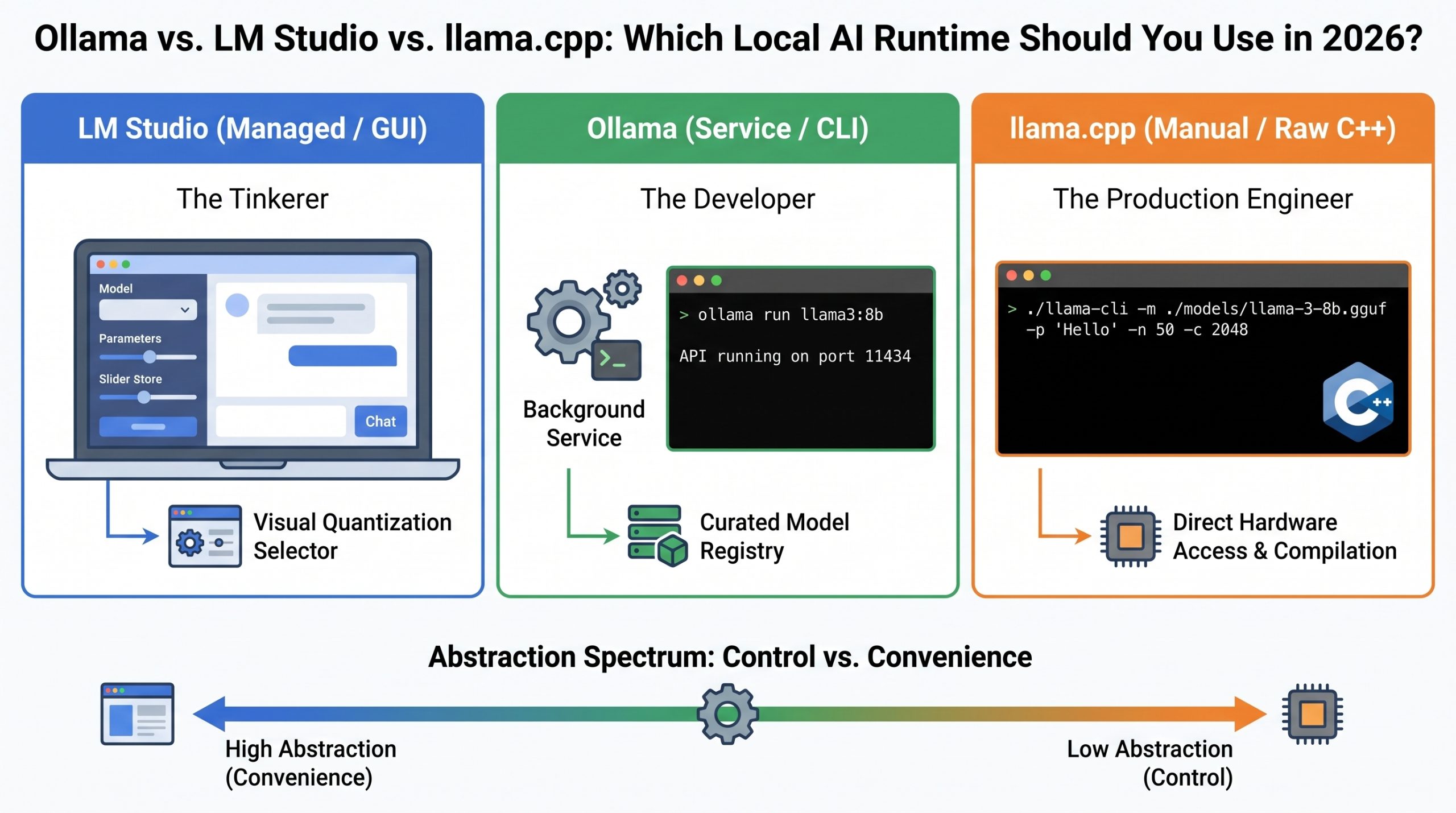
- LM Studio provides visual selection sliders and real-time RAM/VRAM usage estimators prior to downloading.
- Ollama relies on tag-based model pulls, defaulting to optimized quantizations (such as Q4_K_M) without requiring manual math from the user.
llama.cppgives you absolute, granular control over every quantization bit, tensor splitting across multi-GPU setups, and KV cache memory allocation types (e.g., FP16 vs. Q8).
4. The Discovery Layer (Model Sourcing)
- LM Studio integrates a direct search bar linked to Hugging Face repositories, streamlining discovery.
- Ollama uses a curated, Docker-style registry optimized for pre-packaged, validated model manifests.
llama.cppoperates on a "Bring Your Own File" model, requiring you to manually download.gguffiles from Hugging Face or compile them yourself.
5. The Update Cadence (The Bleeding Edge)
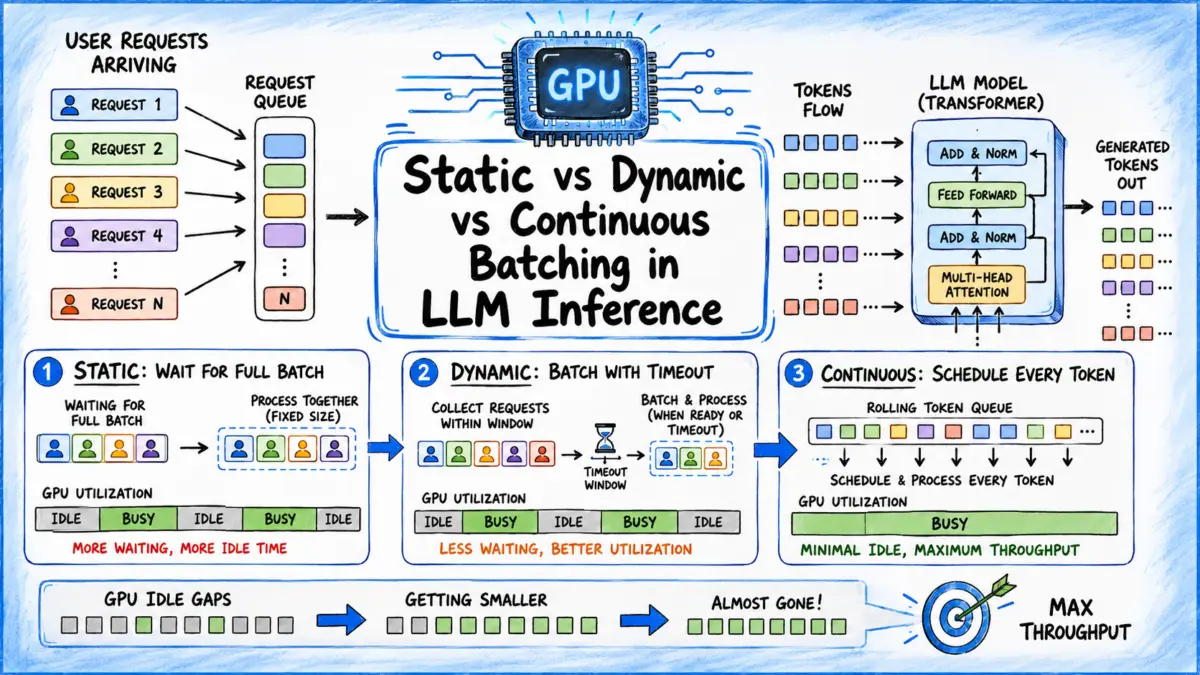
Because llama.cpp is the foundational open-source engine, it updates daily with bug fixes and support for newly released model architectures. Ollama incorporates these upstream improvements on a weekly or biweekly release cycle. LM Studio, requiring extensive GUI testing across operating systems, maintains a slower monthly release cadence.
Official Statements & Community Consensus
Engineering leaders across the open-source AI community consistently emphasize that the choice of runtime should be dictated by the phase of the development lifecycle rather than raw benchmark metrics alone.
"When building multi-agent systems or complex RAG architectures, development velocity is everything. Ollama eliminates boilerplate setup, allowing engineers to focus on application logic rather than memory mapping and C++ compilation flags."
— Open Source AI Systems Architect
Conversely, systems engineers operating at scale point to the necessity of bare-metal control:
"If you are serving concurrent users in a production environment, you cannot afford the abstraction tax of middleware. Direct
llama-serverexecution viallama.cppgives you continuous batching, precise KV-cache tuning, and optimal hardware saturation required to maximize throughput and minimize latency."
— Principal Infrastructure Engineer
Persona Matching: Which Runtime Do You Need?
To synthesize these insights into actionable guidance, identify which of the following three core personas matches your professional profile:
1. The Tinkerer & Prompt Engineer (Choose LM Studio)
You read research papers as they drop, love visual feedback, and want to evaluate system prompts and new model architectures instantly without touching a terminal configuration file. You treat local AI like a high-end desktop creative suite.
2. The Application Developer (Choose Ollama)
You are building Retrieval-Augmented Generation (RAG) pipelines, autonomous agent workflows, or internal microservices. You want a robust, container-friendly API endpoint that starts automatically with your operating system, runs silently in the background, and integrates cleanly into frameworks like LangChain or LlamaIndex. You treat local AI like a persistent database service.
3. The Production & Infrastructure Engineer (Choose llama.cpp)
You are squeezing every microsecond of performance out of enterprise hardware or specialized edge devices. You need custom LoRA (Low-Rank Adaptation) weight injection on the fly, precise control over thread counts and GPU layer offloading (-ngl), and absolute command over memory limits. You treat local AI as raw, uncompromised infrastructure.
The Natural Migration Path
Most practitioners do not remain tethered to a single runtime throughout their engineering careers. Instead, they follow a natural, well-trodden migration path through the local AI ecosystem:
$$textLM Studio longrightarrow textOllama longrightarrow textllama.cpp$$
- The Entry Point (LM Studio): Beginners start here. The graphical interface reassures new users that their hardware is capable of running large language models locally without intimidating terminal commands.
- The Inflection Point (Ollama): As users begin writing code, scripting automation tasks, or deploying models to headless Linux servers and Docker containers, they outgrow the GUI and transition to Ollama as their daily driver.
- The Advanced Frontier (
llama.cpp): When hardware requirements scale up—such as acquiring multi-GPU workstations with 24GB+ VRAM, requiring low-level KV-cache quantization, or needing support for bleeding-edge model architectures before registries update—engineers drop the abstractions entirely and adopt rawllama.cpp.
Because all three runtimes share the same underlying inference architecture and GGUF standard, knowledge acquired at one layer transfers seamlessly to the next.
Future Outlook
Looking ahead, the local AI runtime ecosystem is poised for aggressive convergence and optimization. As Small Language Models (SLMs) increasingly match or exceed the capabilities of older cloud-hosted frontier models at a fraction of the size, the demand for frictionless, ultra-low-latency local inference will only accelerate.
We can anticipate several key developments over the coming horizon:
- Hardware Acceleration Expansion: Deeper, more automated integration with Apple’s Neural Engine (ANE), specialized NPU chips in modern AI PCs, and cross-vendor mobile accelerators.
- Standardized Protocol Convergence: Broader native support for advanced sampling techniques (such as speculative decoding and assisted generation) directly within standardized API layers.
- Autonomous Memory Management: Runtimes growing increasingly intelligent at dynamically swapping model layers between system RAM and VRAM based on real-time request loads.
Regardless of how the hardware layer evolves, understanding the operational boundaries of Ollama, LM Studio, and llama.cpp ensures that developers can architect resilient, efficient, and cost-effective local AI solutions tailored precisely to their operational demands.