Executive Overview
The marketing technology landscape is experiencing a profound disconnect between promotional demonstration videos and operational reality. While venture-backed generative AI platforms showcase single-prompt video generation that purports to produce broadcast-ready advertising campaigns instantly, enterprise marketing teams routinely encounter flat, incoherent, and brand-deviant outputs when attempting to replicate these results in-house.
This operational gap stems from a widespread industry misconception: treating generative AI as an autonomous, single-button solution rather than a sophisticated creative engine that demands precise direction, structured reference architectures, and systematic workflow integration.
[ Traditional Approach ] ──► Single Prompt ──► Inconsistent/Unusable Output

[ Enterprise Pipeline ] ──► Brand Foundation ──► Reference Assets ──► Pre-Vis (Images) ──► Targeted Video Synthesis
According to AI educator and creative workflow architect Jerrod Lew, professional generative visual production requires the same foundational rigor as legacy post-production software such as Adobe Premiere Pro or After Effects. The high-gloss promotional clips published by AI vendors are rarely the product of simple text prompts; they are engineered by film veterans utilizing multi-tiered asset pipelines, advanced spatial node canvases, and rigorous multi-model orchestration.
To bridge this efficiency gap, modern marketing organizations are abandoning single-tool reliance in favor of aggregated, node-based workflows. By anchoring production in established brand design systems, engineering dedicated character and product reference sheets, storyboarding rapidly in 2D image models before committing rendering credits to video engines, and orchestrating multi-model pipelines via API aggregators, agencies can transition from speculative prompt engineering to a scalable visual production framework.
Detailed Chronology of the Visual AI Production Pipeline
Developing a repeatable, enterprise-grade AI visual system requires moving away from ad-hoc prompting toward a linear, stage-gated production methodology. Below is the systematic chronology required to transform creative vision into brand-consistent video assets.
+-----------------------------------------------------------------------------------+
|                        VISUAL PRODUCTION PIPELINE METHODOLOGY                     |
+-------------------+-------------------+-------------------+-----------------------+
|  STAGE 1: BRAND   |  STAGE 2: SYNTHET.|  STAGE 3: PRE-VIS |  STAGE 4: DYNAMIC     |
|    FOUNDATION     |  REFERENCE ENG.   |  STORYBOARDING    |  VIDEO SYNTHESIS      |
+-------------------+-------------------+-------------------+-----------------------+
| • Asset ingest    | • Product Sheets  | • High-velocity   | • Image-to-Video      |
| • Tokenization via|   (Multi-angle)   |   image generation|   rendering           |
|   CoreDesigner    | • Character Sheets| • Spatial layout  | • Minimalist motion   |
| • Style Guide     |   (Expressions/   |   & typography    |   prompting           |
|   Generation      |   Angles)         | • Aspect ratio    | • Targeted editing    |
|                   |                   |   re-composition  |   via Omni Flash      |
+-------------------+-------------------+-------------------+-----------------------+
Stage 1: Establishing the Systemic Brand Foundation
Before executing a single generative command, creators must construct a centralized design architecture containing brand color tokens, visual guidelines, typography rules, and contextual asset libraries.
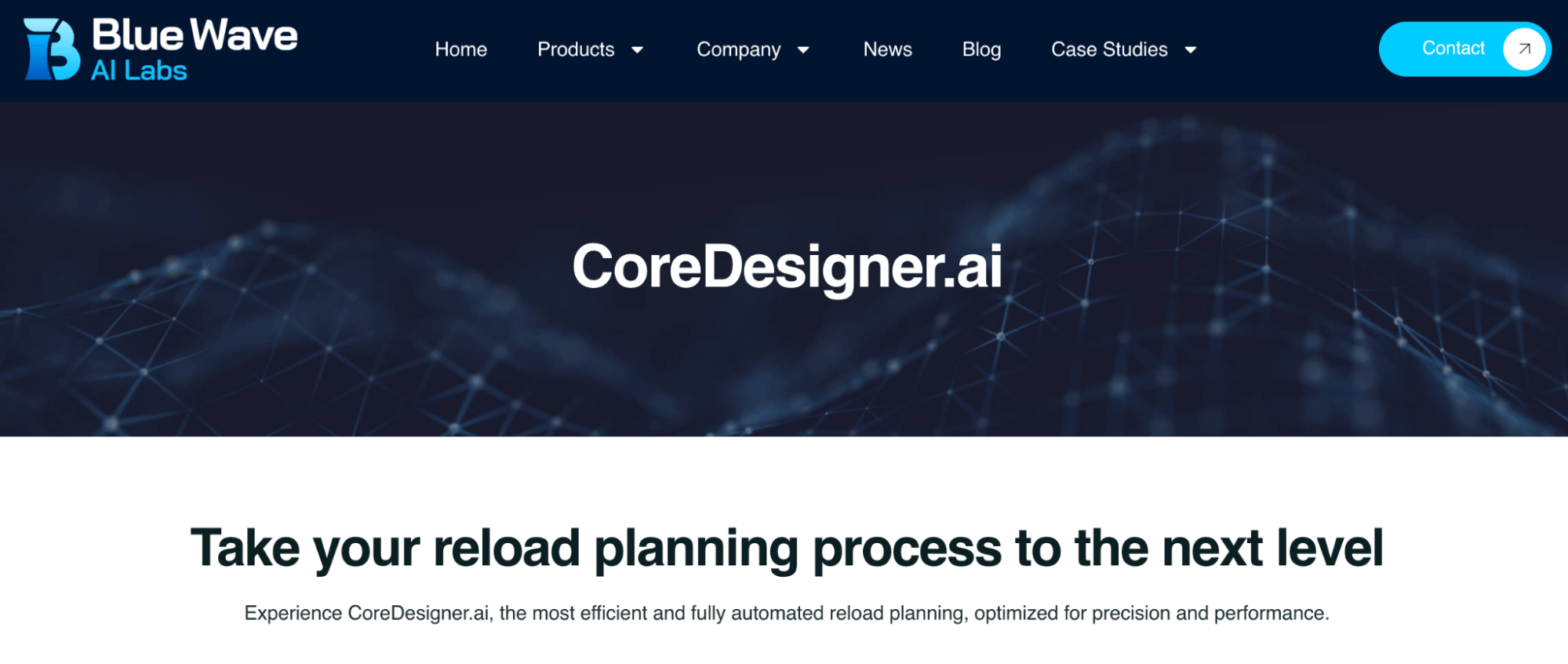
When working with clients that lack consolidated brand documentation, production teams leverage automated design synthesis tools such as CoreDesigner. By ingesting unstructured visual media—including website screenshots, fragmented vector files, and legacy product photography—CoreDesigner constructs standardized visual style guides. This initial documentation establishes the visual guardrails that prevent model drift across subsequent generative iterations.
Stage 2: Synthetic Reference Engineering
Generative models do not inherently understand physical continuity or human facial mechanics. To enforce visual stability across visual assets, producers engineer dedicated reference sheets prior to video rendering:
- Product Reference Sheets: Photographers or digital artists capture basic, non-studio photography of a product from diverse vectors. Using structured prompts within conversational multimodal interfaces (e.g., ChatGPT Images 2.0), engineers instruct the model to synthesize a single composite "product sheet." This document displays the item across standardized orthogonal views, lighting conditions, and contextual environments. The resulting sheet serves as a permanent visual anchor within the platform’s session memory.
- Character and Likeness Sheets: Capturing human subjects requires detailed facial dataset engineering. Using standard smartphone cameras, production teams capture high-resolution imagery covering profile views, rear-head topology, and explicit facial expressions (including smiling with visible dental structures, shock, determination, and neutral poses). The AI engine compiles these captures into a multi-angle "character sheet." Without explicit reference targets for specific facial expressions, models distort facial geometry when attempting to render complex emotions.
       [ Raw Multi-Angle Captures ]
                   │
                   ▼
  +---------------------------------+
  | ChatGPT Images 2.0 Processing   |
  | (Expression & Topology Mapping) |
  +---------------------------------+
                   │
                   ▼
    [ Unified Character Reference Sheet ]
                   │
                   ▼
 [ Ingestion Layer for Multi-Model Workflows ]
Stage 3: High-Velocity Pre-Visualization (Storyboarding)
Because video generation remains compute-intensive and costly in token consumption, professional workflows mandate an image-first pre-visualization phase.
Using established character sheets, storytellers render static scene layouts across high-speed image generators. Creators can produce roughly 100 high-resolution static frames in the operational timeframe required to render 40 video clips. This phase locks down scene composition, subject placement, environmental lighting, and typography integration at low cost.
Stage 4: Dynamic Video Synthesis and Targeted Inpainting
With static storyboards approved, production shifts to video synthesis engines. By supplying static storyboard images and reference assets directly to video models like Seedance 2.0 or Kling 3.0, the text prompt requirement shifts dramatically.
Rather than burdening the prompt with descriptions of character appearance and environmental context, the prompt focuses exclusively on kinematic directives: camera trajectory, subject focal speed, frame pacing, and micro-gestures.

If visual artifacts occur during synthesis, creators avoid full-clip regeneration. Instead, they run targeted inpainting directives via multimodal editing models like Google Omni Flash to remove background anomalies or alter localized geometry while preserving frame integrity.
Supporting Context, Tool Specifications & Operational Metrics
To maintain a competitive advantage, marketing production pipelines must be built on top-tier generative models and scalable software architectures. Below is a detailed technical analysis of the state-of-the-art platforms powering modern visual workflows.
+---------------------------------------------------------------------------------------+
|                              MODEL CAPABILITY MATRIX                                  |
+------------------+-----------------------+-------------------+------------------------+
| Tool/Model       | Primary Function      | Core Strength     | Key Input Types        |
+------------------+-----------------------+-------------------+------------------------+
| Google Flow      | Project Environment   | Agentic Control   | Text, Guidelines, Ref  |
| Google OmniFlash | Multimodal Editing    | Targeted Inpaint  | Video, Script, Edits   |
| Seedance 2.0     | Video Generation      | Native Audio Sync | Text, Image, Audio     |
| Kling 3.0        | Human Render Engine   | 4K Character Lock | Reference Photos, Text |
| ChatGPT Images 2 | Typography & Layout   | Text Rendering    | Text, Multimodal Img   |
| Magnific/Freepik | API Orchestration     | Node-Based Canvas | APIs, Image, Audio     |
+------------------+-----------------------+-------------------+------------------------+
Advanced AI Video Generation Engines
Google Flow & Omni Flash
Announced during Google I/O updates, Google Flow offers a project-centric production environment designed to align generated visual media, character references, and corporate brand guidelines within a unified canvas. Operating above Flow is an agentic layer that functions as an automated creative director, translating plain-language natural language inputs into complex generation parameter shifts.
Complementing Flow is Omni Flash, a multimodal video edit engine functioning as the temporal equivalent of Google’s Imagen series. Omni Flash natively processes scripts, text directives, and existing video footage simultaneously. Its primary utility lies in natural-language local editing—allowing editors to isolate and replace specific scene elements, shift color grades, or execute zero-shot object removal without disturbing surrounding visual data.
ByteDance Seedance 2.0
Ranked among the premier video generation engines, ByteDance’s Seedance 2.0 distinguishes itself through native multimodal integration. Unlike legacy engines that output silent visual streams requiring external post-production audio pairing, Seedance 2.0 processes text prompts, spatial reference frames, source video, and audio tracks concurrently.
It generates synchronized multi-track audio—including contextual dialogue, ambient environmental soundscapes, and sound effects—natively mapped to generated visual action, reducing post-synthesis assembly time.

Kling 3.0
Kling 3.0 represents a significant benchmark in visual human rendering fidelity and character consistency. Utilizing spatial reference photos, the engine synthesizes realistic human movement and temporal continuity across sequential scenes. Kling 3.0 supports native 1080p and upscaled 4K renders, making it suitable for high-resolution display advertising and main-stage broadcast placements.
[ Input: Reference Photos ] ──► Kling 3.0 Engine ──► 1080p/4K Render
                                                        │
                                                        ▼
                                           [ Temporal Continuity Lock ]
Modern Image Generation & Layout Engines
While video models handle motion, static generation remains dominated by Imagen 2 and ChatGPT Images 2.0.
                                  ┌──► Imagen 2 (Artistic Photorealism)
[ Strategic Image Processing ] ───┤
                                  └──► ChatGPT Images 2.0 (Precision Typography)
In daily enterprise operations, ChatGPT Images 2.0 demonstrates significant advantages in crisp typographic rendering. Historical generative diffusion models frequently garbled embedded text; ChatGPT Images 2.0 renders long-form, orthographically correct typography directly within generated visual layers. This capability makes it ideal for producing marketing collateral, YouTube graphic thumbnails, layout storyboards, and animated reference documentation.
Platform Aggregation and Spatial Canvas Architectures
To mitigate subscription lock-in and model obsolescence, market leaders rely on API platform aggregators rather than single-tool SaaS subscriptions.
                        ┌──► Model API A (e.g., ChatGPT Images)
                        │
[ Magnific Node Canvas ]┼──► Model API B (e.g., Seedance 2.0)
                        │
                        └──► Model API C (e.g., ElevenLabs Audio)
Platforms such as Magnific (integrated within the Freepik ecosystem) unify multiple image, vector, and video generation APIs within a single software layer. Priced on flexible tiers ranging from $10 to $100 monthly, these aggregators allow users to shift between specialized models instantly.
Magnific utilizes Spaces, a visual, node-based canvas environment. Rather than generating images sequentially through isolated chat prompts, users construct automated visual pipelines by wiring together inputs, text prompts, scalar transformation nodes, and multi-model processing routines.

Case Study: Automated Thumbnail Generation Workflow
To demonstrate the efficiency gains of spatial node canvases, Jerrod Lew constructed a parallel processing visual engine designed to automate thumbnail asset creation:
+---------------------------------------------------------------------------------------+
|                    PARALLEL NODE CANVAS EXECUTION FLOW (MAGNIFIC)                     |
+---------------------------------------------------------------------------------------+
|  1. Ingest Personal Reference Photogrammetry                                          |
|     └── Input: Multi-angle photos of subject                                          |
|                                                                                       |
|  2. Execute Multi-Angle Generation (Imagen 2 Node)                                    |
|     └── Processing: Render facial angles across targeted lighting conditions          |
|                                                                                       |
|  3. Layout Composition & Typography Injection (ChatGPT Images Node)                   |
|     └── Processing: Inject brand fonts, graphics, and background context              |
|                                                                                       |
|  4. Execute Bulk Parallel Iteration Run (30 Batch Operations)                         |
|     └── Processing: Mass-generate 30 design variations simultaneously                |
|                                                                                       |
|  5. Filter Top-Tier Visual Assets (Select Top ~15-20%)                                |
|     └── Output: 5 pristine visual standards locked for brand production               |
+---------------------------------------------------------------------------------------+
By connecting voice synthesis nodes (e.g., ElevenLabs) into the visual workflow, creators can pair synthesized character audio with facial lip-sync modules within the same workspace, maintaining audio-visual alignment across multi-scene projects.
Official Statements & Industry Insights
Addressing the structural friction within current marketing workflows, Jerrod Lew underscored the critical distinction between generative capability and creative direction during his interview with Michael Stelzner on the AI Explored podcast:
"The biggest misconception in AI image and video is the belief that pressing one button produces something worthy of a major ad campaign. The polished clips in AI tool launch videos are typically made by people with professional film backgrounds who have spent hours on them. They used teams. They had a creative vision before they ever opened the software."
— Jerrod Lew, AI Educator and Workflow Architect
Lew emphasized that while AI democratizes technical execution, it does not bypass the necessity for human creative direction:
"AI image and video tools are no different in principle from Premiere Pro or After Effects. They need direction. Without a clear creative vision, they produce nothing useful. The human element remains critical, especially at the start of any creative workflow."
Reflecting on the low barrier to entry now available to non-technical creators, Lew noted:
"For anyone who has had a story to tell but lacked the technical skills to tell it visually, AI image and video tools remove that barrier. A music background, a writing habit, a product worth showing—any of these is now enough to start producing professional-quality visual content from a laptop or a phone."
Strategic Future Outlook
The trajectory of generative visual tools points toward seamless workspace integration and agentic orchestration. Key strategic shifts over the coming quarters include:
[ Isolated Web Web Apps ] ──► [ Integrated Enterprise Workspaces ] ──► [ Agentic Pipelines ]- Deep Enterprise Workspace Integration: Model suites like Google Omni Flash and Imagen 2 will transition out of standalone browser apps and directly into cloud productivity suites including Google Workspace (Docs, Slides), Microsoft 365, and Adobe Creative Cloud. This integration enables real-time visual asset generation directly inside client decks and strategy documents.
- Expansion of Conversational Agency Layers: Direct prompt configuration will increasingly be replaced by conversational, agentic interfaces (such as Google Flow). Marketers will operate as executive directors, providing high-level feedback ("make this scene more suspenseful," "adjust color palette to match autumn brand guidelines") while underlying agentic nodes handle model selection, aspect ratio conversion, and temporal stabilization automatically.
- Unified Multimodal Real-Time Synthesis: The division between static image generation, video rendering, and voice synthesis will continue to blur. Next-generation foundational architectures will synthesize visual motion, spatial environmental audio, character lip-syncing, and dynamic typographic overlays concurrently within single-pass inference runs.
- The Shift to Creative Orchestration: Success in AI-assisted content creation will increasingly favor marketing organizations that prioritize structural brand foundations, systematic reference asset creation, and node-based process design over simple prompt engineering. The primary skill set for modern creators is shifting from manual tool operation to high-level creative vision and system architecture.