Executive Overview
Every software engineer eventually experiences the quiet dread of a production incident born from a midnight MemoryError. In data-heavy ecosystems, scripts that process routine workloads smoothly for months can fail catastrophically when infrastructure configurations change—such as when log rotation policies shift, consolidating a week of telemetry into a single, massive file.
Often, the underlying parsing logic is entirely sound. The root cause of the crash is not bad code, but rather an over-reliance on eager data structures. Loading an entire file or a multi-gigabyte dataset into random-access memory (RAM) via lists or global collections violates the cardinal rule of scalable data engineering: never load more data than necessary to accomplish the immediate objective.
Python has historically provided the native tools required to avoid this trap. Through iterators, generator functions, and generator expressions, developers can construct elegant, memory-efficient data processing pipelines that pull a single record through every transformation stage and release it before the next item arrives.
However, achieving true laziness requires maintaining architectural discipline across the entire data path. A single eager step—such as a stray list() cast, an unmonitored sorted() call, or a heavy library dependency that materializes collections under the hood—can instantly reintroduce memory bloat. This article explores how to harness Python’s iterator and generator protocols to build bulletproof, production-grade streaming pipelines capable of processing datasets of arbitrary size on modest hardware.
Detailed Chronology: The Evolution and Mechanics of Lazy Evaluation
To understand why streaming works, one must first examine the foundational contract of Python iteration. The language’s ubiquitous for loop hides a remarkably simple protocol that governs how items are requested and delivered.
The Iterator vs. Iterable Contract
In Python, an iterable is any object capable of returning its members one at a time (e.g., lists, strings, dictionaries, and open file handles). An iterator, conversely, is the stateful cursor that actually maintains and tracks the traversal progress.
When a loop executes via for item in container:, Python performs two underlying operations:
- It invokes
iter(container)once to fetch an iterator object. - It repeatedly calls
next()on that iterator until aStopIterationexception is raised, which signals the normal, non-error termination of the loop.
# Demonstrating the iterator protocol explicitly
numbers = iter([10, 20, 30])
print(next(numbers))  # 10
print(next(numbers))  # 20
print(next(numbers))  # 30
print(next(numbers))  # Raises StopIteration
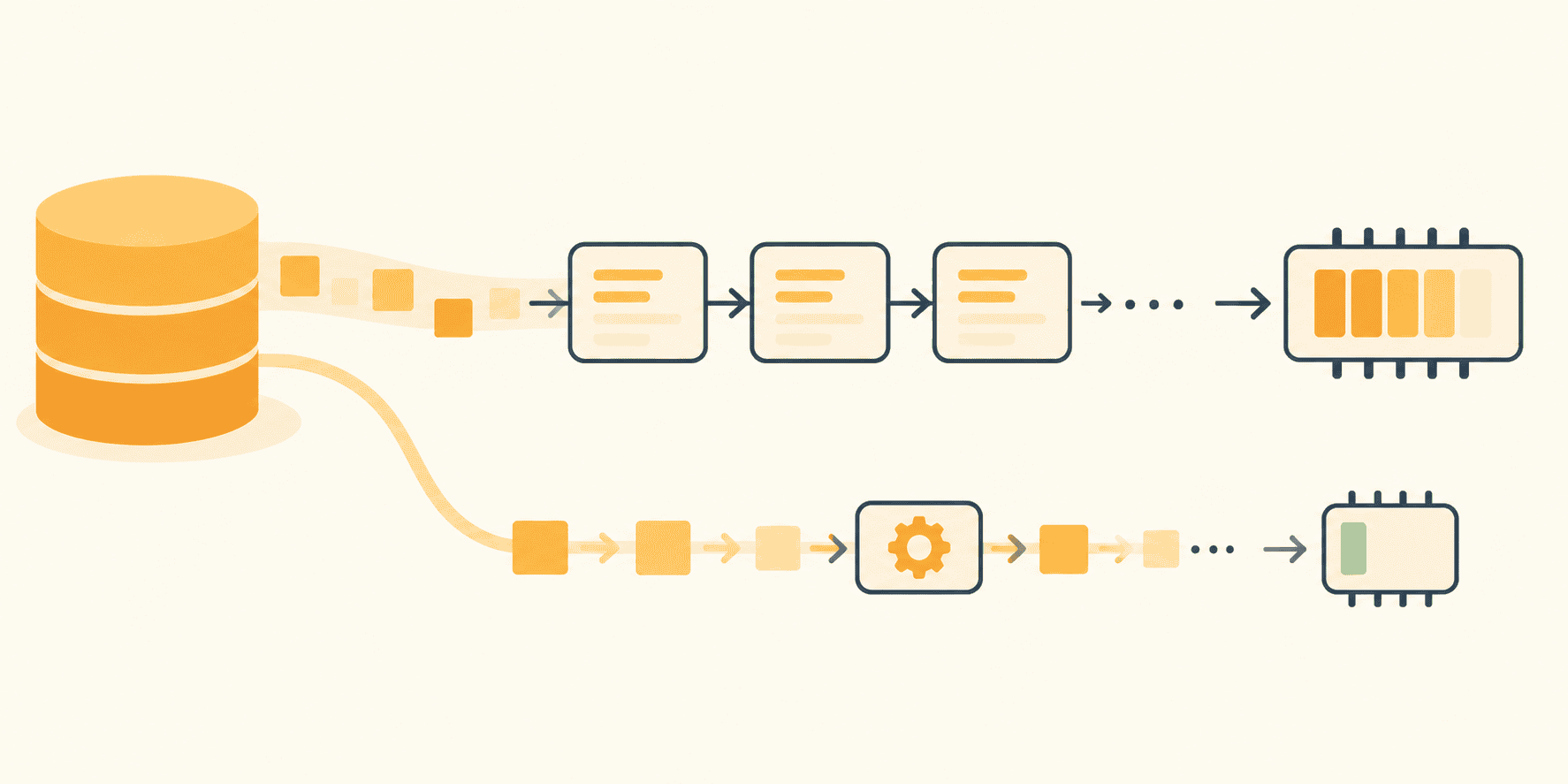
Crucially, an iterator is not a copy of a collection; it is a forward-only cursor. When traversing a 9 GB file, this distinction is critical. Rather than keeping 9 GB of strings in RAM, the iterator maintains only a small read buffer, fetching chunks from disk dynamically.
However, this forward-only property frequently catches developers off guard. Once an iterator raises StopIteration, it cannot be rewound. If a generator or file object appears empty during a second iteration, it is because the first pass—perhaps a hidden len() check, a debugging print statement, or an accidental list() conversion—already consumed it.
Harnessing the File Object
Before writing custom generator code, developers should exploit the native capabilities of Python’s standard library. Open file objects are built-in iterators designed for efficiency.
- Eager approach (
f.readlines()): Pulls the entire file into memory as a massive list of strings before any processing begins. - Lazy approach (
for line in f): Reads data in buffered chunks, presenting one line at a time to the execution environment.
# EAGER: The entire file becomes a list of strings first
with open("app.log") as f:
    lines = f.readlines()
for line in lines:
    handle(line)

# LAZY: Exactly one line resides in memory at any given moment
with open("app.log") as f:
    for line in f:
        handle(line)
For line-oriented data dumps, this native pattern allows parsers to evaluate, transform, and discard irrelevant lines instantly. However, if an algorithm requires sorting every record by latency or performing cross-file deduplication, a simple file iterator will fall short, necessitating a more advanced streaming architecture.
Supporting Context & Metrics: Building Scalable Generator Pipelines
When parsing logic expands beyond simple filtering, keeping everything in a single, monolithic loop body makes code difficult to test and maintain. Generator functions solve this by decoupling ingestion, parsing, and filtering into discrete, composable stages.
Crafting Generator Functions with yield
Any function containing the yield keyword becomes a generator function. Calling it does not execute its body; instead, it returns a generator object. Execution is suspended and resumed dynamically as the caller requests values.
import re

LINE_PATTERN = re.compile(r"^(?P<ts>S+) (?P<level>[A-Z]+) (?P<service>[w-]+)(?P<rest>.*)$")

def read_lines(paths):
    for path in paths:
        with open(path, encoding="utf-8") as f:
            yield from f

def parse_records(lines):
    for line in lines:
        match = LINE_PATTERN.match(line)
        if match is None:
            continue  # Skip or log malformed lines without breaking the stream

        record = match.groupdict()
        record["fields"] = dict(
            item.split("=", 1) for item in record.pop("rest").split() if "=" in item
        )
        yield record

def only_level(records, level):
    for record in records:
        if record["level"] == level:
            yield record
In this architecture, read_lines uses yield from to seamlessly chain multiple rotated log files together. Each file is safely closed before the next opens. parse_records transforms lines into structured dictionaries on-the-fly, while only_level filters the stream.
The magic behind this efficiency is suspension. When a generator hits a yield statement, Python retains all local variable bindings, instruction pointers, and internal stacks. The function pauses mid-loop, holding precisely one record in scope. The next record does not exist in memory until the caller requests it.
Composing Pipelines with Generator Expressions
Small transformations are ideally handled by generator expressions—the one-line, parenthesized cousins of generator functions.
from itertools import islice

# Composing the lazy data pipeline
lines = read_lines(["app.log.2", "app.log.1", "app.log"])
records = parse_records(lines)
errors = only_level(records, "ERROR")

slow = (r for r in errors if int(r["fields"].get("latency_ms", 0)) > 1000)
rows = ((r["ts"], r["service"], r["fields"].get("request_id", "-")) for r in slow)

# Peek at the first 5 rows without touching the rest of the 9 GB file
for row in islice(rows, 5):
    print(row)
Utilizing tools like itertools.islice allows developers to inspect streams safely. Most utilities in the itertools module return iterators rather than lists, making operations like chain and takewhile completely memory-safe.
Official Statements & Architectural Best Practices
While laziness is powerful, it is not a universal panacea. Eventually, processed data must land somewhere concrete: a file, a database, an API endpoint, or an inference model. Most consumers expect structured batches rather than isolated, single-row trickles.

Batching at the Boundary
To bridge the gap between continuous streams and bulk sinks, developers should batch data explicitly at the boundary using a user-defined batch size. Since Python 3.12, the standard library includes itertools.batched() for this exact purpose:
from itertools import batched  # Python 3.12+

def write_batches(rows, path, size=1000):
    with open(path, "w", encoding="utf-8") as out:
        for batch in batched(rows, size):
            out.writelines(f"tstservicetridn" for ts, service, rid in batch)
            out.flush()

write_batches(rows, "slow_errors.tsv")
For legacy environments running Python 3.11 or earlier, the equivalent behavior can be achieved with a simple utility function:
def batched_legacy(iterable, n):
    it = iter(iterable)
    while batch := tuple(islice(it, n)):
        yield batch
By enforcing strict boundaries, memory consumption remains tied to the chosen batch size ($N$) rather than the absolute size of the underlying dataset ($10,000$ lines versus $1$ billion lines).
Future Outlook: Measuring and Verifying Memory Footprints
A pipeline that appears lazy and a pipeline that is lazy are two entirely different things. The only foolproof method to verify memory behavior is empirical measurement using Python’s built-in tracemalloc module.
import tracemalloc

tracemalloc.start()
write_batches(rows, "slow_errors.tsv")
current, peak = tracemalloc.get_traced_memory()
tracemalloc.stop()

print(f"Current memory: current / 1e6:.1f MB | Peak memory: peak / 1e6:.1f MB")
Empirical Benchmarks
When comparing architectural patterns against a synthetic 200,000-line log file (~17 MB):
- The Eager Script: Built full lists via
readlines()and intermediate list comprehensions, peaking at 198 MB of RAM. - The Streaming Pipeline: Processed the exact same file utilizing iterators, generator expressions, and bounded batching, peaking at a mere 0.4 MB. Crucially, the peak memory footprint of the streaming pipeline remained entirely flat even as synthetic file sizes scaled upward.
Conclusion
Building high-performance data processing pipelines in Python requires shifting from an "all-at-once" collection mindset to a continuous, streaming architecture. By mastering iterators, leveraging generator functions and expressions, utilizing itertools, and enforcing strict batching boundaries, engineers can eliminate MemoryError vulnerabilities entirely.
A well-architected pipeline is ultimately self-documenting: any developer inspecting the module should be able to instantly identify where data enters, how it is filtered, where it is transformed, and the singular boundary where it is intentionally materialized.