Executive Overview
The landscape of generative artificial intelligence is undergoing a profound acoustic transformation. As text-based prompting increasingly shares the stage with natural, spoken dialogue, AI providers are rushing to bridge the gap between human conversation and machine processing. Anthropic, a prominent pioneer in artificial intelligence safety and capability, has significantly advanced its conversational ecosystem by refining and expanding the capabilities of Claude Voice Mode.
Originally introduced to reduce latency by relying exclusively on lightweight foundational models, Anthropic’s voice infrastructure has evolved into a versatile, enterprise-grade feature. Today, the platform leverages powerhouse models like Claude Sonnet and Claude Opus, moving far beyond simple text-to-speech translations. Furthermore, the integration of connected apps—such as Gmail, Google Calendar, and Slack—transforms Claude from a static chatbot into an active, hands-free productivity assistant.
However, entering the competitive realm of voice-driven AI requires navigating complex architectural trade-offs. Unlike OpenAI’s duplex-based ChatGPT Voice, which processes audio inputs and outputs simultaneously, Anthropic utilizes a turn-based conversational framework. This structural choice introduces specific operational dynamics that users must understand to maximize efficiency. This report provides an authoritative, in-depth analysis of Claude Voice Mode, detailing its technological architecture, model options, multi-language expansion, pricing structures, and step-by-step utilization instructions.
Detailed Chronology: The Evolution of Claude’s Voice Architecture
To fully appreciate the current capabilities of Claude Voice Mode, one must examine its developmental trajectory from a rudimentary audio prototype to a sophisticated multi-model conversational interface.
Phase 1: The Launch and the Latency Imperative
When Anthropic first rolled out Voice Mode, the primary engineering hurdle was latency—the frustrating delay between a user finishing a sentence and the AI formulating a spoken response. To achieve near-instantaneous replies, Anthropic restricted voice interactions to Haiku, its smallest, fastest, and least computationally expensive model. While Haiku excelled at speed, it lacked the deep reasoning, creative nuance, and coding proficiency found in Anthropic’s flagship offerings. Users desiring complex, multi-layered analytical discussions were forced to default back to traditional text prompts.
Phase 2: The Mid-Year Model Integration
A major turning point occurred when Anthropic overhauled the infrastructure to decouple voice output from processing limitations. By optimizing server-side inference pipelines, the company successfully integrated Claude Sonnet and Claude Opus into the voice ecosystem. This strategic pivot meant users could suddenly leverage Opus-level intelligence—booming analytical depth, contextual awareness, and nuanced problem-solving—directly through spoken prompts.
Concurrently, Anthropic expanded the voice system’s reach by allowing it to draw context from external, connected third-party tools. Speaking to Claude no longer meant operating in an isolated sandbox; users could request real-time email summaries or calendar updates entirely via voice commands.
Phase 3: Global Expansion and Linguistic Refinement
Recognizing the imperative of global accessibility, Anthropic steadily scaled its linguistic framework. By mid-2026, Voice Mode achieved robust support across 14 primary languages, with targeted dialects introduced for major global demographics. Along with this linguistic expansion came granular customization options: users gained the ability to select from distinct voice profiles, adjust cadence speeds, and toggle between hands-free and push-to-talk recording modes.
Supporting Context & Metrics: Architecture, Models, and Capabilities
Understanding how Claude Voice Mode operates under the hood reveals why certain design choices were made and how they directly impact the user experience.
Turn-Based vs. Duplex Architecture
A critical differentiator in the current generative AI market is the underlying audio architecture.
- OpenAI’s Approach: Utilizes a duplex architecture via its GPT-Live models, allowing the system to process speech and generate outputs simultaneously. This mimics human conversation closely, allowing for seamless interruptions, natural overlaps, and fluid pacing.
- Anthropic’s Approach: Employs a turn-based architecture. Claude actively listens until it detects a pause, processes the input, and then generates a response.
Operational Impact: Because Claude relies on a turn-based system, brief pauses or hesitations can occasionally be misinterpreted as the end of a prompt or question. Consequently, Anthropic officially recommends that users structure multi-part inquiries sequentially rather than firing off complex, multi-threaded questions in a single breath.
Model Tiers and Capabilities in Voice Mode
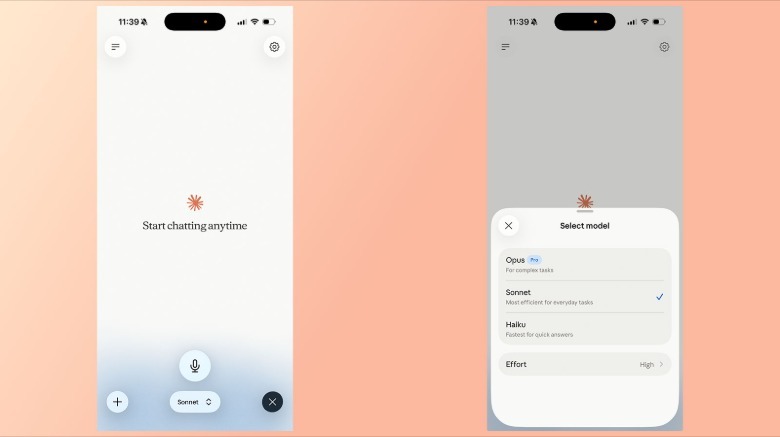
Claude’s voice engine is uniquely flexible because it does not lock the user into a single intelligence tier. Depending on subscription status and prompt requirements, users can route audio interactions through three distinct model classes:
- Claude Haiku:
- Strengths: Ultra-low latency, maximum speed, highly efficient for straightforward conversational queries, summaries, and casual brainstorming.
- Availability: Accessible across both free and paid accounts.
- Claude Sonnet:
- Strengths: The optimal balance of high-level intelligence and operational speed. Excels at complex writing tasks, moderate coding questions, and data analysis.
- Availability: Available to both free users (with standard usage restrictions) and paid subscribers.
- Claude Opus:
- Strengths: Anthropic’s powerhouse reasoning engine. Offers near-top-tier analytical capability, deep contextual comprehension, and advanced problem-solving.
- Availability: Restricted exclusively to Pro and Max paid subscribers.
Ecosystem Integration: Connected Apps
A defining feature of modern AI assistants is their ability to break out of isolated chat windows and interface with personal productivity tools. Claude Voice Mode fully supports integration with services such as:
- Gmail: Allowing users to query incoming correspondence, dictate draft replies, or search for specific threads aloud.
- Google Calendar: Enabling hands-free schedule management, meeting inquiries, and event creations.
- Slack: Facilitating quick team updates and message summaries through spoken commands.
Note: Accessing third-party apps for the first time requires manual permission granting within the interface, ensuring data privacy and secure token authentication.
Official Statements and Access Guidelines
To assist users in deploying Claude Voice Mode effectively, Anthropic has outlined clear operational guidelines, language metrics, and platform accessibility rules.
Supported Languages and Dialects
As of the latest system updates, Claude Voice Mode officially supports 14 languages. However, the available voice profiles vary depending on the chosen language. For example, English users enjoy a selection of five distinct voice profiles, whereas Japanese users are currently limited to two native options.
- Linguistic Restriction Warning: Claude cannot dynamically detect mid-sentence language switches. If a user intends to pivot to a different language during a live session, they must explicitly state that intent out loud or manually adjust the language setting within the app’s configuration menu.
Step-by-Step Instructions: How to Use Claude Voice
Whether operating on mobile or desktop, accessing and configuring Voice Mode is designed to be streamlined.
1. Accessing Voice Mode
- Platforms: Available via the official Claude mobile apps for Android and iOS, the desktop applications, and the primary web interface at claude.ai. Anthropic officially notes that the voice feature performs optimally on mobile hardware due to native microphone integration and processing optimization.
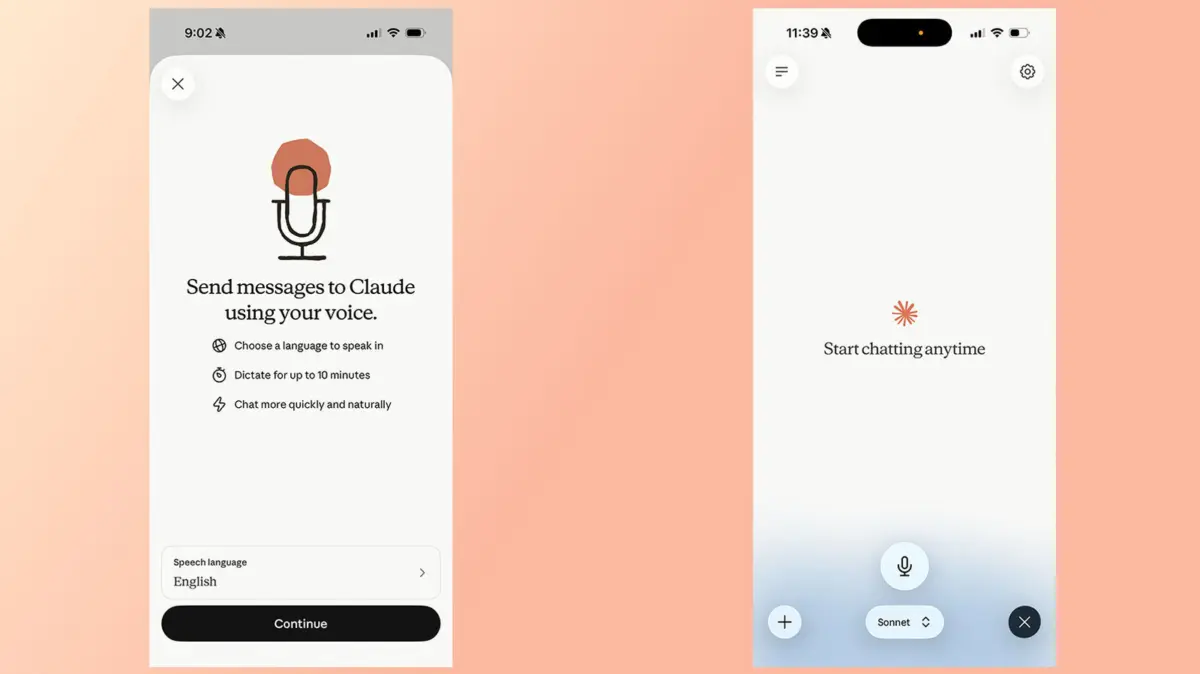
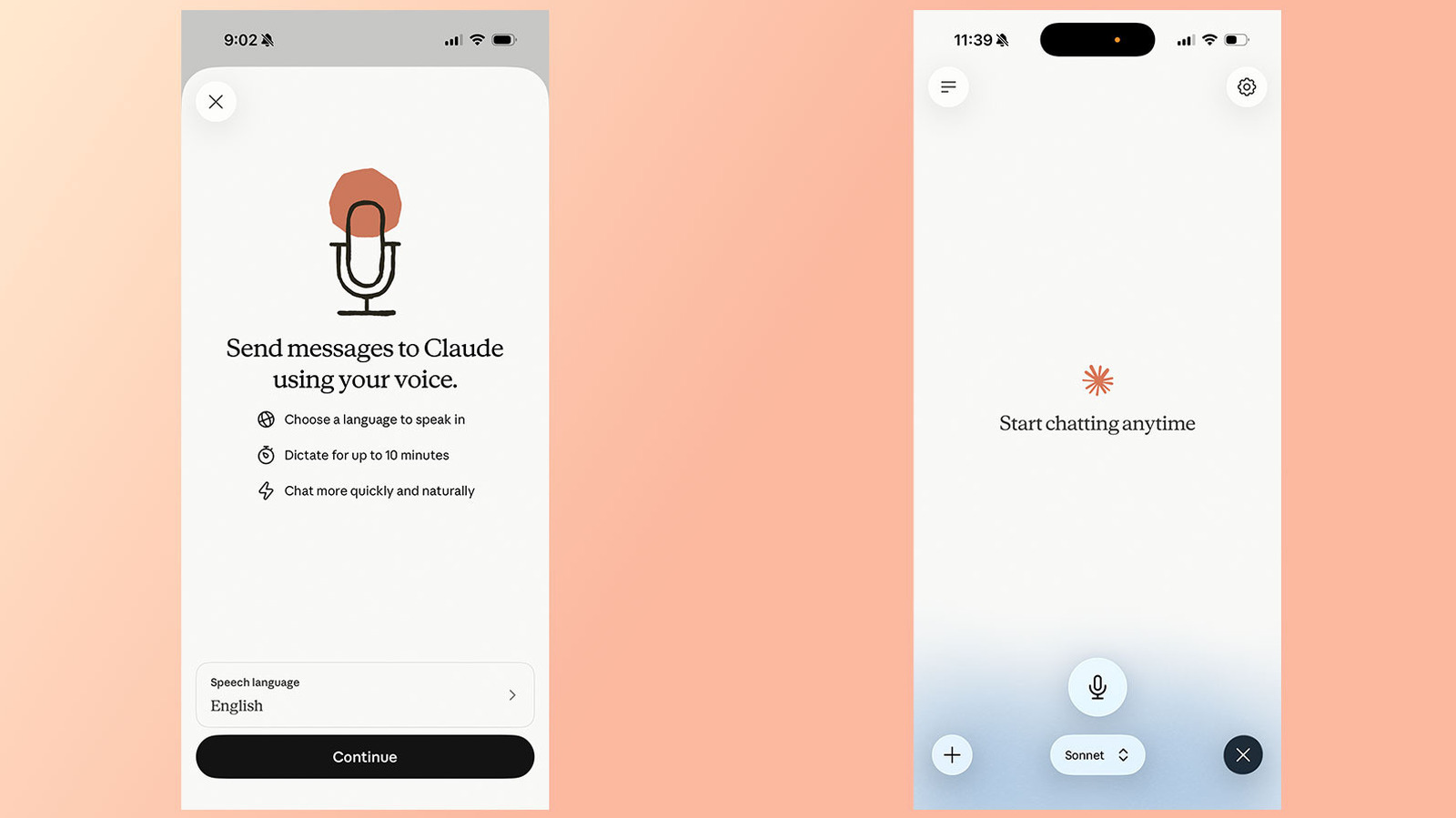
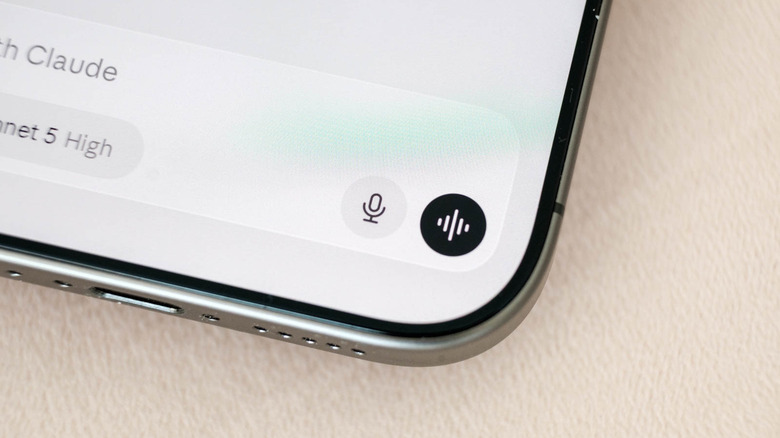
- Execution: Navigate to the chat interface, tap the designated voice mode icon, and begin speaking.
2. Selecting Your Preferred Model
To switch between Haiku, Sonnet, or Opus during a voice session:
- Locate the model picker situated at the bottom of the active chat interface.
- Tap the menu to view available models.
- Select your desired engine based on the complexity of the task ahead.
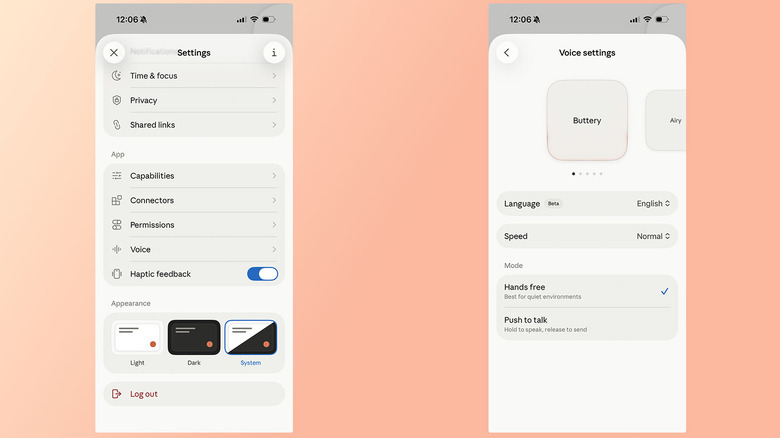
3. Changing Voices, Cadence, and Recording Modes
Users can fully customize their audio experience through the application settings:
- Open the Settings page within the Claude app.
- Tap Voice (located directly beneath the App section).
- Swipe through the voice carousel to preview and select from available voice profiles (such as the five English options).
- Adjust Claude’s speech cadence by choosing between Slow, Normal, and Fast.
- Select your preferred recording architecture: Hands-free (recommended for quiet environments) or Push to talk.
Pricing and Account Tier Restrictions
A common question among users is whether financial investment is mandatory to utilize audio features.
- Free Accounts: Users operating on a free tier can access Voice Mode at zero cost. However, free accounts are restricted to using Haiku and Sonnet models. Furthermore, free accounts are limited to a single external app connection and are subject to standard usage caps.
- Pro and Max Accounts: Paid subscribers unlock full access to the Opus model for voice prompts, expanded app integrations, and higher overall usage limits before throttling occurs.
Future Outlook: The Next Horizon for Conversational AI
The rapid maturation of Claude Voice Mode underscores a broader industry shift: text is no longer the sole bottleneck of human-computer interaction. As artificial intelligence models transition into multimodal agents capable of seeing, hearing, and speaking in real-time, the expectations of enterprise and consumer markets alike are rising exponentially.
Looking ahead, industry analysts anticipate several major advancements in voice-driven AI:
- Duplex Evolution: While Anthropic currently maintains a turn-based architecture for latency and safety management, future iterations of Claude may incorporate real-time duplex capabilities, eliminating conversational lag and allowing for natural conversational overlaps.
- Hyper-Personalized Synthetic Voices: Moving beyond preset regional profiles, future updates may allow users to clone or custom-tailor the cadence, tone, and emotional inflection of their AI assistant.
- Deep Workspace Automation: As connected app integrations mature, voice mode will likely evolve from a reactive assistant into an autonomous agent capable of executing complex, multi-step workflows across enterprise software suites entirely via spoken commands.
For now, Claude Voice Mode stands as a powerful, flexible, and increasingly indispensable tool for users seeking to transcend the limitations of the keyboard. By combining top-tier model intelligence with deep app integration and multi-language support, Anthropic has firmly cemented its position at the forefront of the conversational AI revolution.